
Audience guide
Best Office Chair for Video Editors in 2026
Video editors spend marathon stretches scrubbing timelines, grading color, and waiting on renders — often in low-light suites. A supportive, breathable chair keeps attention on the cut instead of on shifting for relief every few minutes.
Updated August 2026 · For video editors building healthier desk setups
Key takeaways
- Timeline work means long static sits with intense mouse or surface control use.
- Adaptive arms and lumbar matter as much for editors as for any knowledge worker.
- Mesh chairs help in warm, enclosed edit rooms.
- Gesture leads multi-display posture; Aeron leads breathability; Titan Evo leads mid budgets.
- Center primary program monitors to reduce neck rotation load.
At a glance
Best office chairs for video editors compared
| Chair | Best For | Price | Key Feature |
|---|---|---|---|
| Steelcase Gesture Chair | Multi-monitor edit bays | $1,200–$1,600 | 360-degree arms that follow your movement |
| Herman Miller Aeron Chair | Long warm suite sessions | $1,400–$1,800 | 8Z Pellicle mesh for pressure distribution and airflow |
| Herman Miller Embody Chair | Full-back comfort on marathons | $1,800–$2,200 | Pixelated support across the back |
| Secretlab Titan Evo | Firm support without fleet pricing | $500–$650 | Magnetic lumbar support system |
Work-day fit
Why video editors need a different office chair
Editing days can outlast a typical 9–5. Color and audio passes often keep you seated long after the creative energy peaks, so mid-session collapse is expensive.
Control surfaces, multi-panel UIs, and dark rooms change heat and posture dynamics compared with lighter laptop roles.
Scrub-heavy marathon days
Fine motor work with arms floating multiplies shoulder demand without good armrests.
Multi-monitor timelines
Head turns between source, program, and audio panels stack neck load over hours.
Deadline overtime
Support that fails after six hours fails you right when overtime starts.
Warm enclosure setups
Machines and closed rooms raise heat — mesh becomes more valuable.
Common pain points
- Lower back fatigue during export-adjacent marathons
- Shoulder and wrist strain from shuttle/scrubbing
- Neck pain from dual or triple displays
- Heat and restlessness in dark edit suites
Priorities
What makes a good office chair for video editors?
Armrest support for scrubbing
Essential
Stable arms near desk height for long pointer work.
Why it matters: Editors’ shoulders pay the bill when arms hover for timeline control.
All-day lumbar
Essential
Back support that lasts through export-night sittings.
Why it matters: Long continuous sits are the norm, not the exception, near deadlines.
Breathable materials
Essential
Mesh or ventilation for warm suites.
Why it matters: Heat accelerates restlessness and shortens focus windows.
Recline for review passes
Highly recommended
Comfortable micro-recline when watching full cuts.
Why it matters: Reviewing playback should not lock you rigid for half an hour.
Seat durability
Highly recommended
Cushion or mesh that survives high annual hours.
Why it matters: Professional edit seats rack up hours comparable to full-time office use — or more.
Picks
Recommended office chairs for video editors
Each pick is chosen for how video editors actually sit and work — not a generic bestseller list.
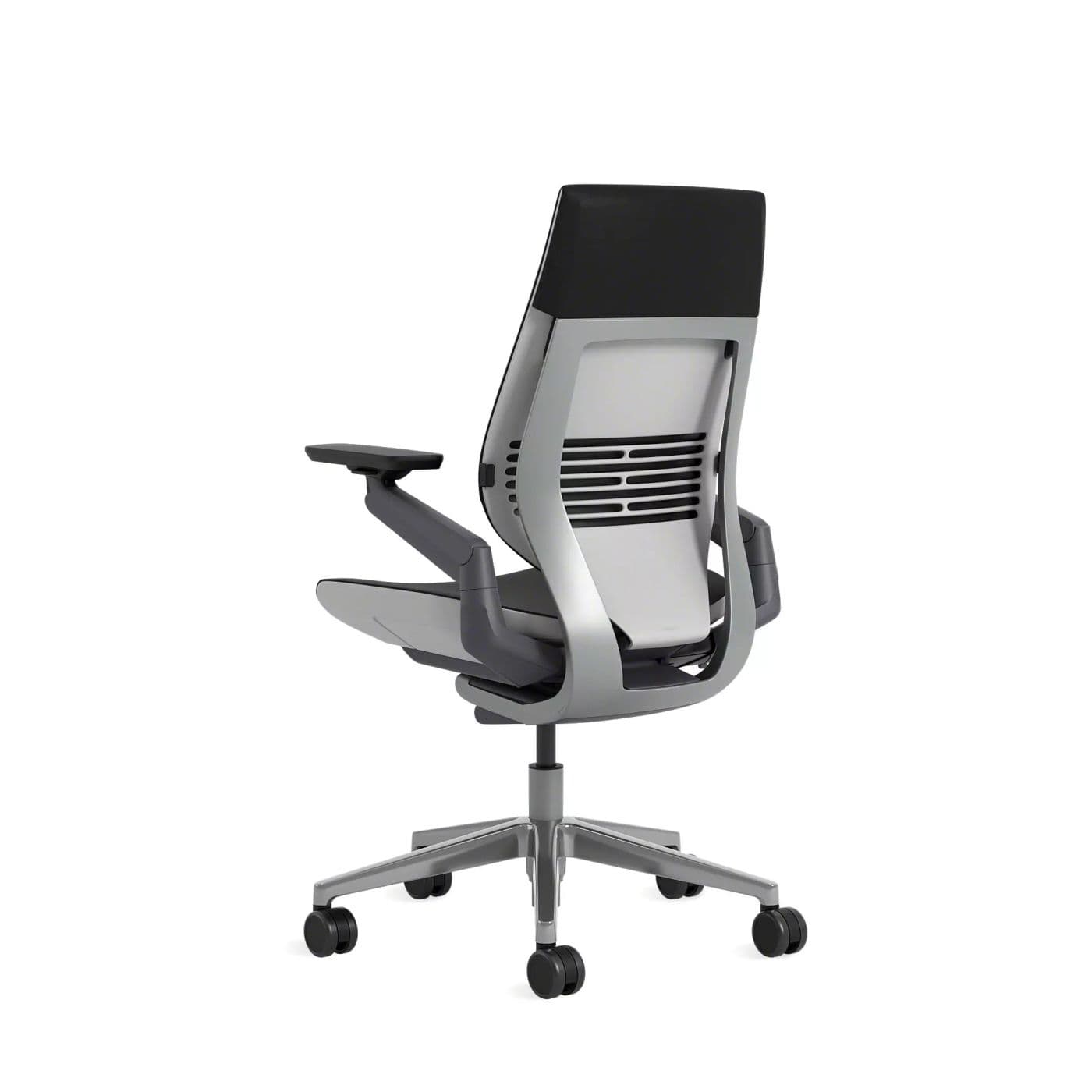
Best Overall
Gesture’s arms and posture range match how editors lean, scrub, and switch between panels.
Warranty: 12-year warranty
Weight capacity: Up to 400 lbs
Lumbar: Integrated lumbar with wraparound back contour
Armrests: 360-degree arms that follow device postures
Pros
- • Excellent for changing postures
- • Comfortable for long days
- • Arms support phone and tablet use
- • Premium build quality
Cons
- • Expensive
- • Heavier and bulkier than mesh chairs
- • Fewer “tech” aesthetics than gaming chairs
$1,200–$1,600
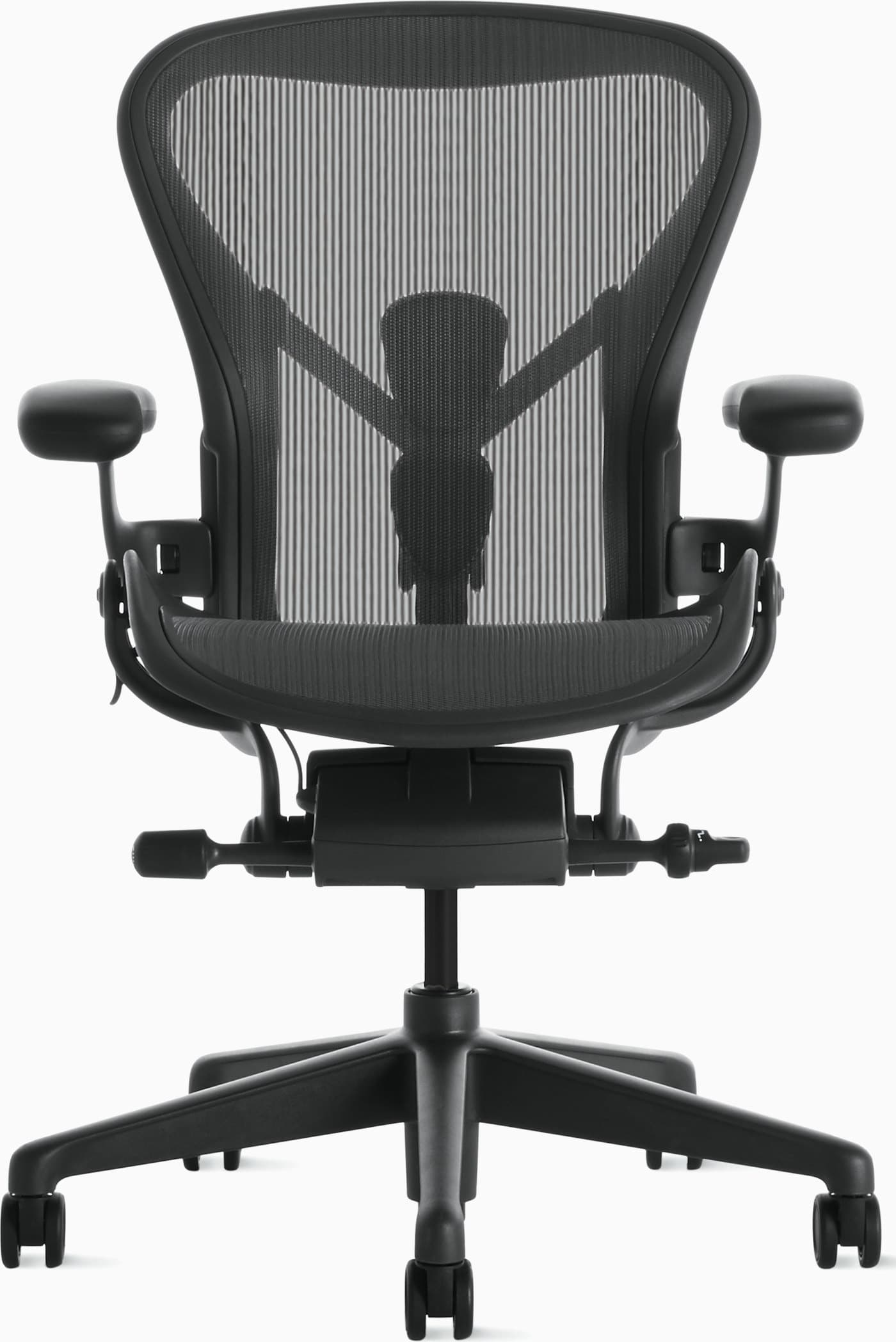
Best Breathable
Aeron remains unmatched for editors who need cool mesh support through double-digit-hour days.
Warranty: 12-year warranty
Weight capacity: Up to 350 lbs depending on size
Lumbar: PostureFit SL sacral and lumbar pads
Armrests: Fully adjustable arms (height, width, depth, pivot)
Pros
- • Excellent long-session comfort
- • Highly adjustable and durable
- • Stays cool during warm days
- • Strong resale value and warranty
Cons
- • Premium price
- • Mesh feel is not for everyone
- • Sizing matters — wrong size reduces comfort
$1,400–$1,800
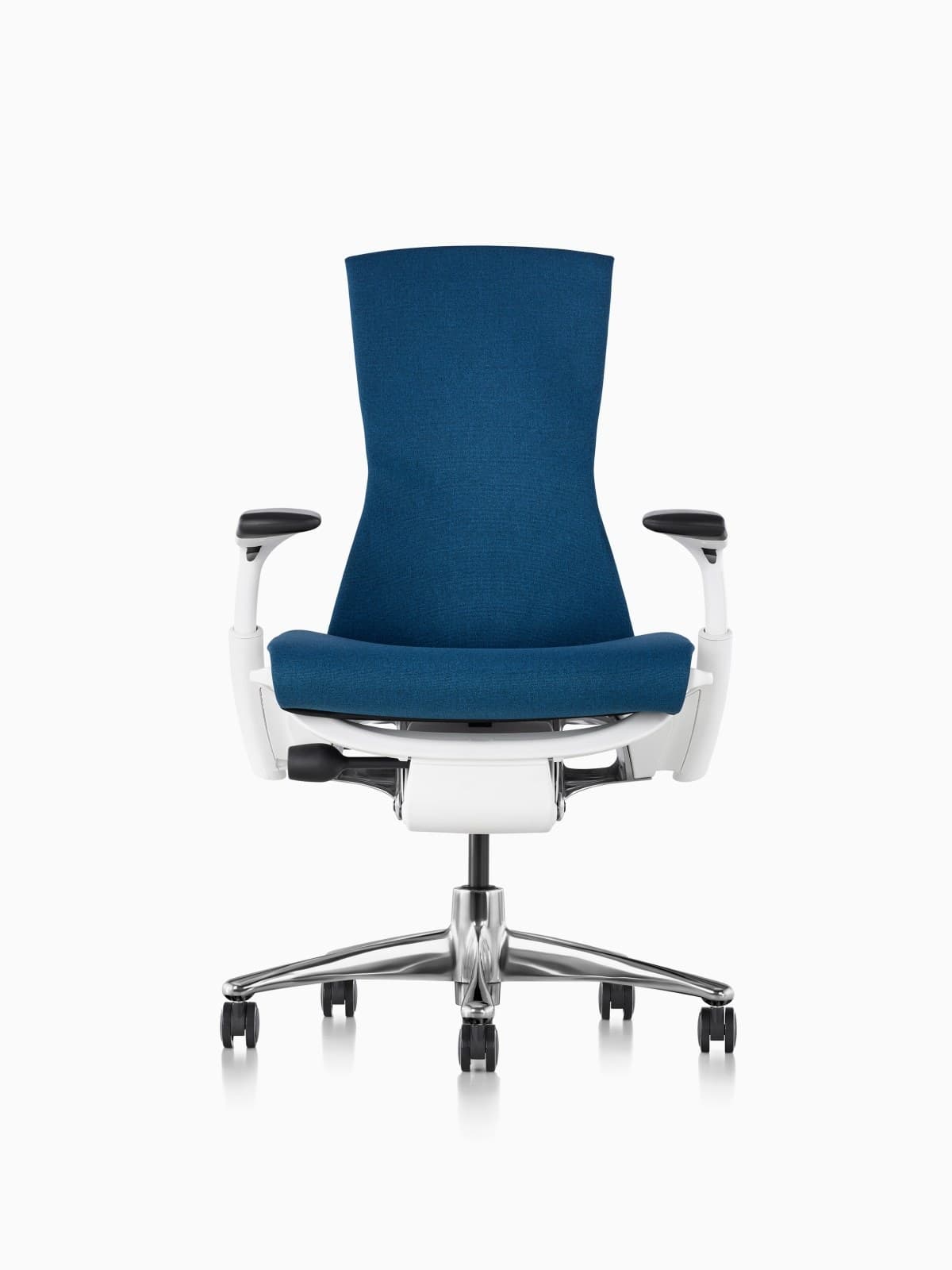
Best Premium Spine Support
Embody’s continuous back design is excellent for editors who feel mid-back fatigue late in projects.
Warranty: 12-year warranty
Weight capacity: Up to 300 lbs on typical Embody configs
Lumbar: Backfit plus pixelated support across the spine
Armrests: Fully adjustable arms
Pros
- • Excellent distributed support
- • Strong option for taller bodies
- • Follows posture changes well
- • Herman Miller durability and warranty
Cons
- • Very expensive
- • Distinct look is polarizing
- • Warmer than open-mesh Aerons for some users
$1,800–$2,200
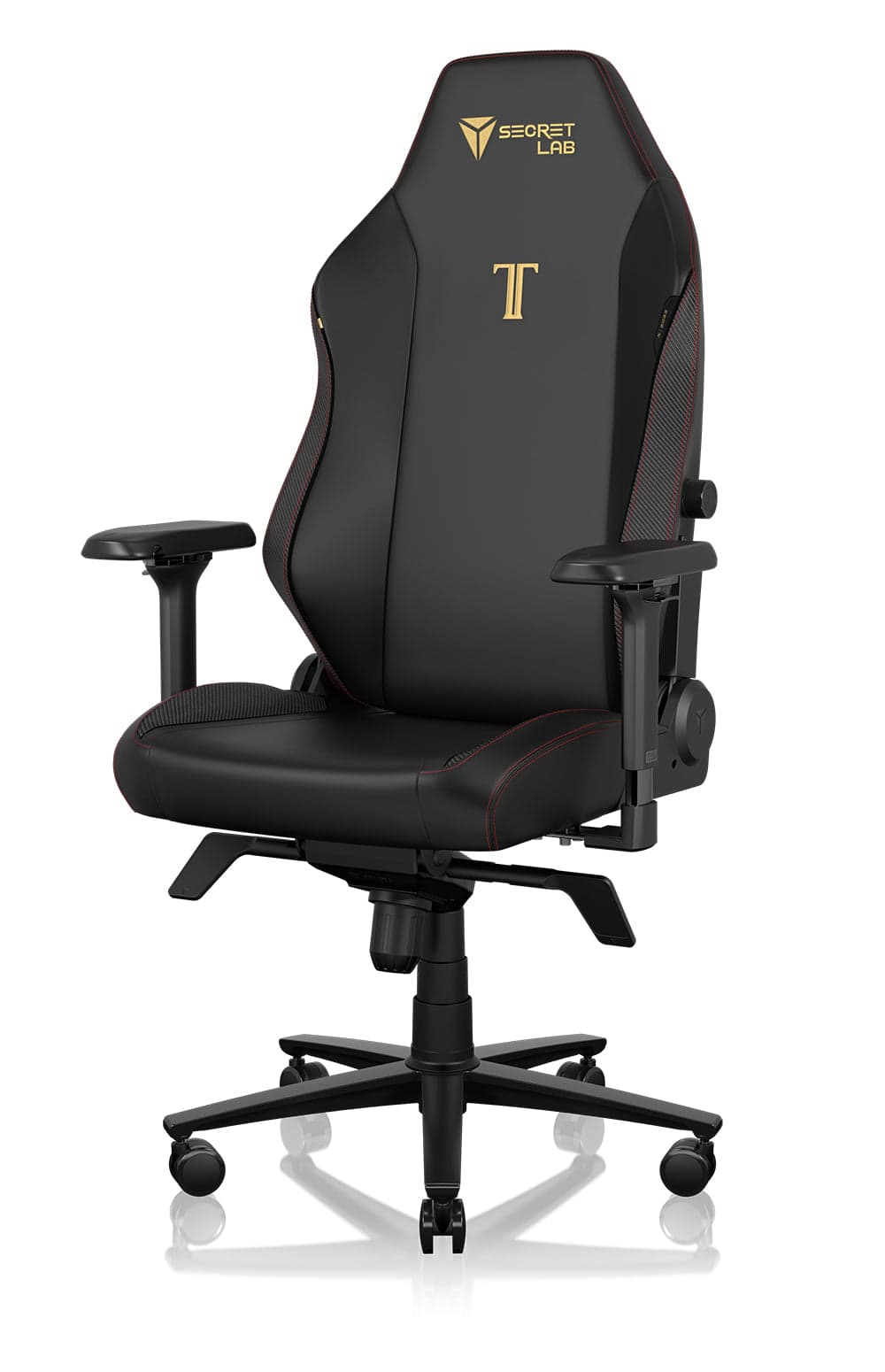
Best Mid-Range
A popular step for freelancers building a serious edit seating setup under premium budgets.
Warranty: 5-year warranty on typical retail configs
Weight capacity: Up to about 287 lbs (Regular); Plus size higher
Lumbar: Magnetic lumbar support with height/depth adjustment
Armrests: 4-way (4D) armrests
Pros
- • Strong value vs. flagship ergonomic chairs
- • Customizable look
- • Supportive for long sessions
- • Widely available
Cons
- • Bulkier footprint
- • Can run warm in leatherette
- • Less refined than Steelcase/Herman Miller
$500–$650
Buying advice
What makes a good office chair for video editors?
Judge chairs for continuous timeline hours and heat — not gaming RGB or showroom softness alone.
Arm support under scrub load
Armrests should let you rest forearms between bursts without climbing up to the desk edge each time.
Heat management
If your suite runs warm with machines on, prioritize mesh backs.
Display layout first
No chair fully compensates for monitors that force constant extreme neck rotation.
Hours per project week
Freelance editors with variable loads can succeed mid-range; staff editors sitting daily may justify premium sooner.
Watch-outs
Common problems video editors face
Lower back fatigue on deadline weeks
Static scrub sessions need serious lumbar. Gesture, Aeron, or Embody-level support changes late-night endurance.
All-day chair picks →Shoulder and wrist strain
Bring the surface closer, raise arms, and consider a more neutral input device if pain persists.
Arm and seat height →Neck pain from triple displays
Put the program monitor center and minimize extreme off-axis panels for primary cutting.
Workspace layout →Overheating mid-export wait
Mesh seating and periodic stand breaks reduce the urge to abandon the suite between renders.
FAQ
Office chair FAQs for video editors
What is the best office chair for video editors?
Steelcase Gesture is the best overall for multi-monitor edit work. Aeron is best for breathable marathon days, and Titan Evo is the leading mid-range option.
Are gaming chairs good for video editing?
Higher-end hybrids can work if lumbar and seat quality are strong. Many entry gaming chairs overheat and lack full-day support needed for professional edit hours.
Do editors need a headrest?
Helpful for playback review recline and long waits, optional for active cutting posture. Prioritize lumbar and arms first.
Mesh or leather for edit suites?
Mesh almost always for heat. Leather looks cinematic but traps warmth in machine-heavy rooms.
How often should editors stand during a project day?
Change posture every 30–60 minutes when possible. Use export and render times as forced movement windows.
Is the Herman Miller Embody worth it for editors?
Yes for high annual hours and mid-back comfort priorities. If budget is tight, Gesture (on sale/refurb) or Titan Evo may be more realistic first steps.
Final recommendation
Our pick for video editors
Video editors who live in multi-monitor bays should start with the Steelcase Gesture for adaptive posture support. Prefer cooler long-session mesh? The Herman Miller Aeron is outstanding. Freelancers building a capable room on a mid budget can step to the Secretlab Titan Evo before premium fleet pricing.