Audience guide
Best Office Chair for Architects in 2026
Architects mix precision CAD navigation, document work, and long design reviews. A chair that supports mouse-heavy modelling and still feels good when you recline to evaluate drawings helps protect stamina across project deadlines.
Updated August 2026 · For architects building healthier desk setups
Key takeaways
- CAD navigation is mouse-heavy — arm support is non-negotiable.
- Large dual displays increase neck and upper-back demand.
- Gesture leads for adaptive arms; Embody and Fern cover premium spine comfort and flexible support.
- Review recline quality matters after long modelling blocks.
- Pair chairs with properly placed drawing and model monitors.
At a glance
Best office chairs for architects compared
| Chair | Best For | Price | Key Feature |
|---|---|---|---|
| Steelcase Gesture Chair | CAD & multi-display architecture work | $1,200–$1,600 | 360-degree arms that follow your movement |
| Herman Miller Embody Chair | Long detailing comfort | $1,800–$2,200 | Pixelated support across the back |
| Haworth Fern Chair | Flexible back & refined studio look | $1,000–$1,600 | Wave Suspension System for responsive back support |
| Herman Miller Aeron Chair | Cool all-day mesh sitting | $1,400–$1,800 | 8Z Pellicle mesh for pressure distribution and airflow |
Work-day fit
Why architects need a different office chair
Architecture software work involves continuous pointer motion across large canvases plus intervals of document and mark-up work. That hybrid physical pattern favors chairs that move with the arms and torso.
Studio culture also values design quality in the furniture itself — but ergonomics should still outrank looks when hours get long near submittals.
Mouse-driven CAD hours
Shoulders and wrists accumulate fatigue without stable arm support and neutral desk height.
Large visual canvases
Big monitors encourage longer still looking and broader head movement.
Design review cadence
Pin-ups and on-screen reviews benefit from supportive recline, not only upright task posture.
Hybrid studio / home
Home office chairs still need fleet-grade comfort even if the ‘official’ studio seat is elsewhere.
Common pain points
- Shoulder strain from mouse-driven CAD
- Lower back ache during long detailing
- Neck rotation across dual large displays
- Stiffness after review and redline marathons
Priorities
What makes a good office chair for architects?
Adaptive armrests
Essential
Arms that follow CAD and tablet mark-up postures.
Why it matters: Architecture work rarely stays in a single typing stance for eight hours.
Spinal support for long modelling
Essential
Continuous lumbar/mid-back engagement during detailing.
Why it matters: Detail packages and model clean-up create long static sits.
Flexible back
Highly recommended
Support that moves through micro-reclines while reviewing.
Why it matters: Evaluating drawings often happens slightly reclined without standing up.
Breathability
Highly recommended
Cooling materials for long focus sessions.
Why it matters: Heat under pressure reduces modelling accuracy and patience.
Design quality of the chair
Nice to have
Aesthetics that fit a studio-minded home office.
Why it matters: Secondary to ergonomics, but relevant for client-facing video spaces.
Picks
Recommended office chairs for architects
Each pick is chosen for how architects actually sit and work — not a generic bestseller list.
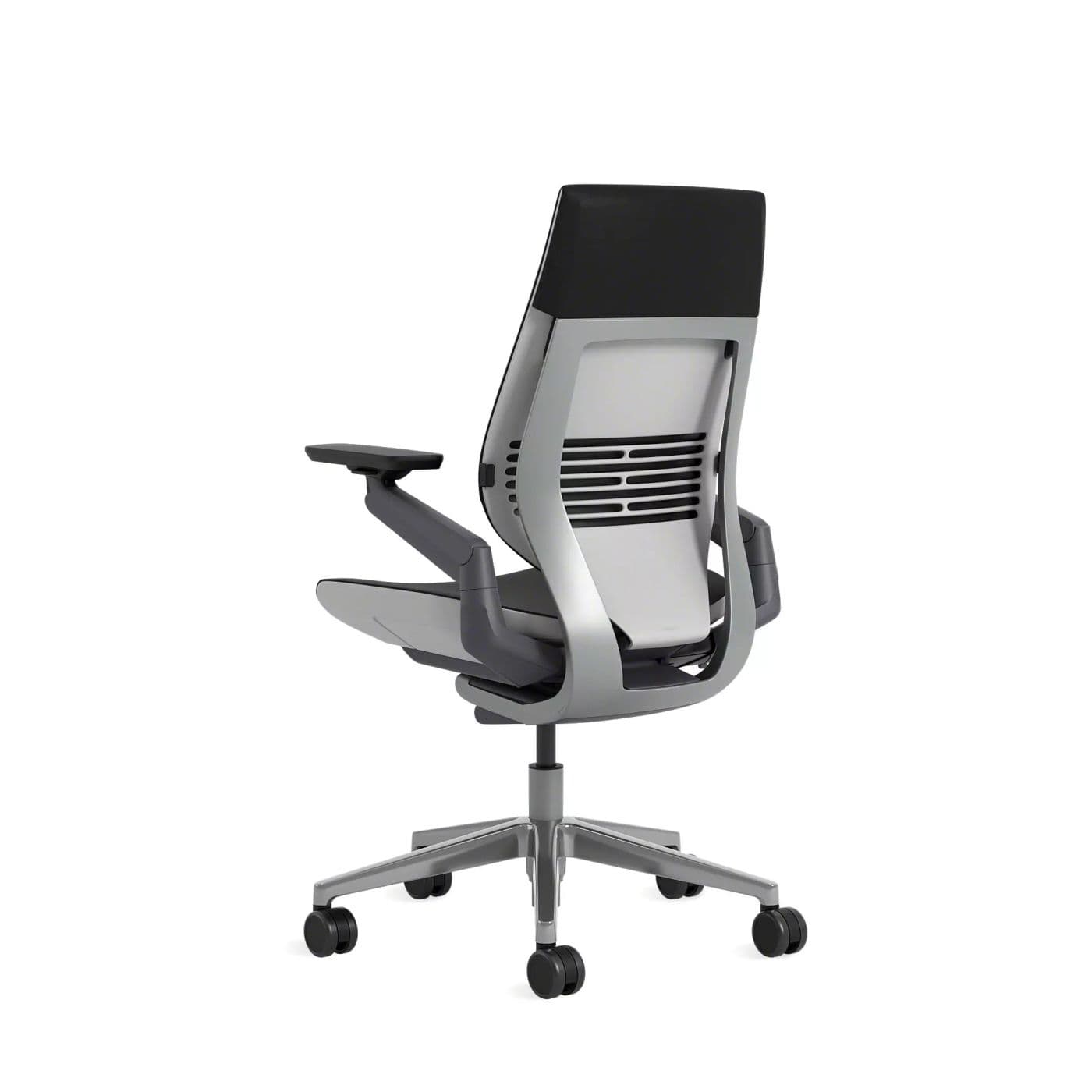
Best Overall
Gesture supports the arm and posture changes architects make while modelling, documenting, and reviewing.
Warranty: 12-year warranty
Weight capacity: Up to 400 lbs
Lumbar: Integrated lumbar with wraparound back contour
Armrests: 360-degree arms that follow device postures
Pros
- • Excellent for changing postures
- • Comfortable for long days
- • Arms support phone and tablet use
- • Premium build quality
Cons
- • Expensive
- • Heavier and bulkier than mesh chairs
- • Fewer “tech” aesthetics than gaming chairs
$1,200–$1,600
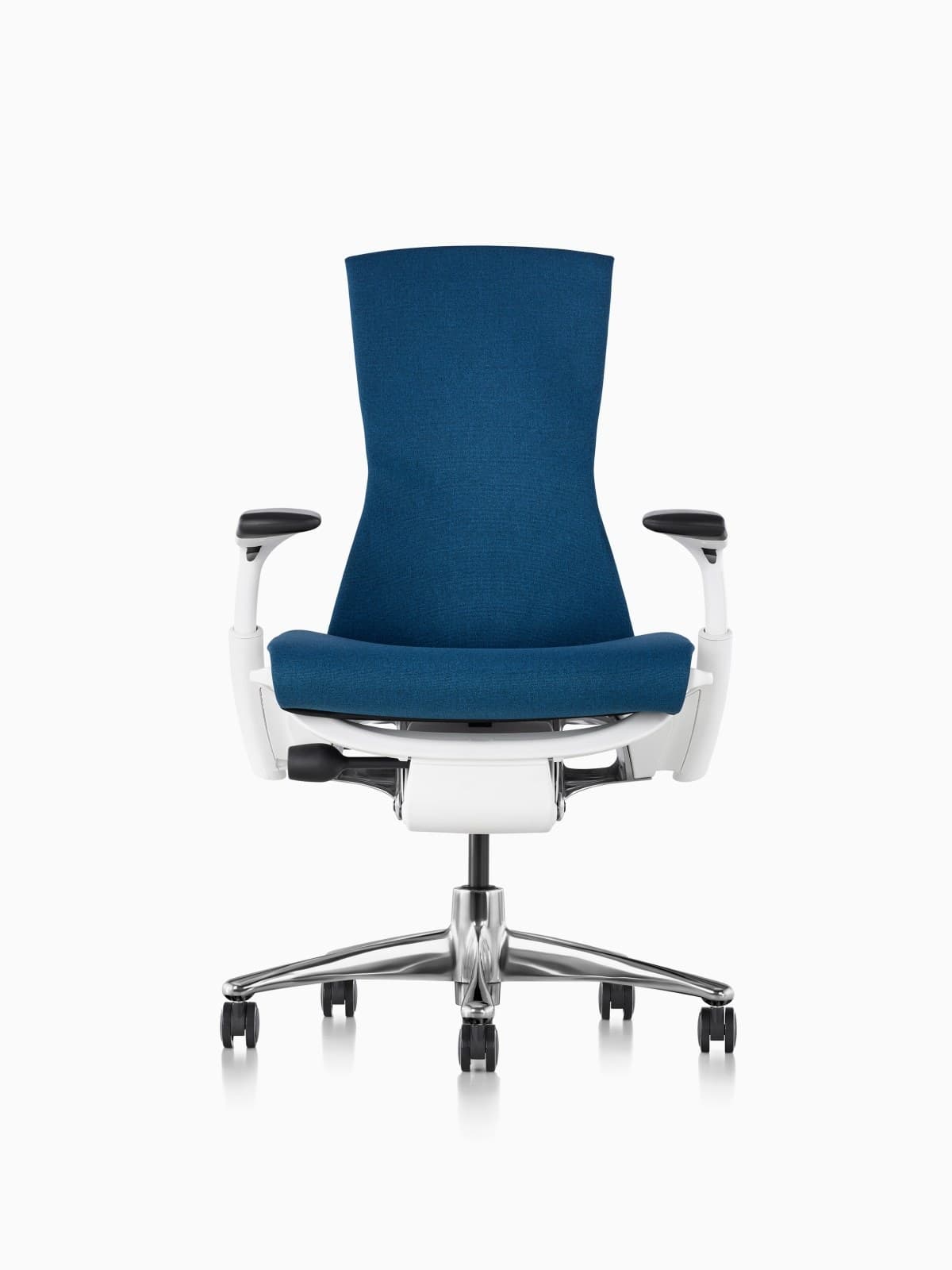
Best Premium Spine Support
Embody’s full-back design is excellent for architects who sit tall through long project phases.
Warranty: 12-year warranty
Weight capacity: Up to 300 lbs on typical Embody configs
Lumbar: Backfit plus pixelated support across the spine
Armrests: Fully adjustable arms
Pros
- • Excellent distributed support
- • Strong option for taller bodies
- • Follows posture changes well
- • Herman Miller durability and warranty
Cons
- • Very expensive
- • Distinct look is polarizing
- • Warmer than open-mesh Aerons for some users
$1,800–$2,200
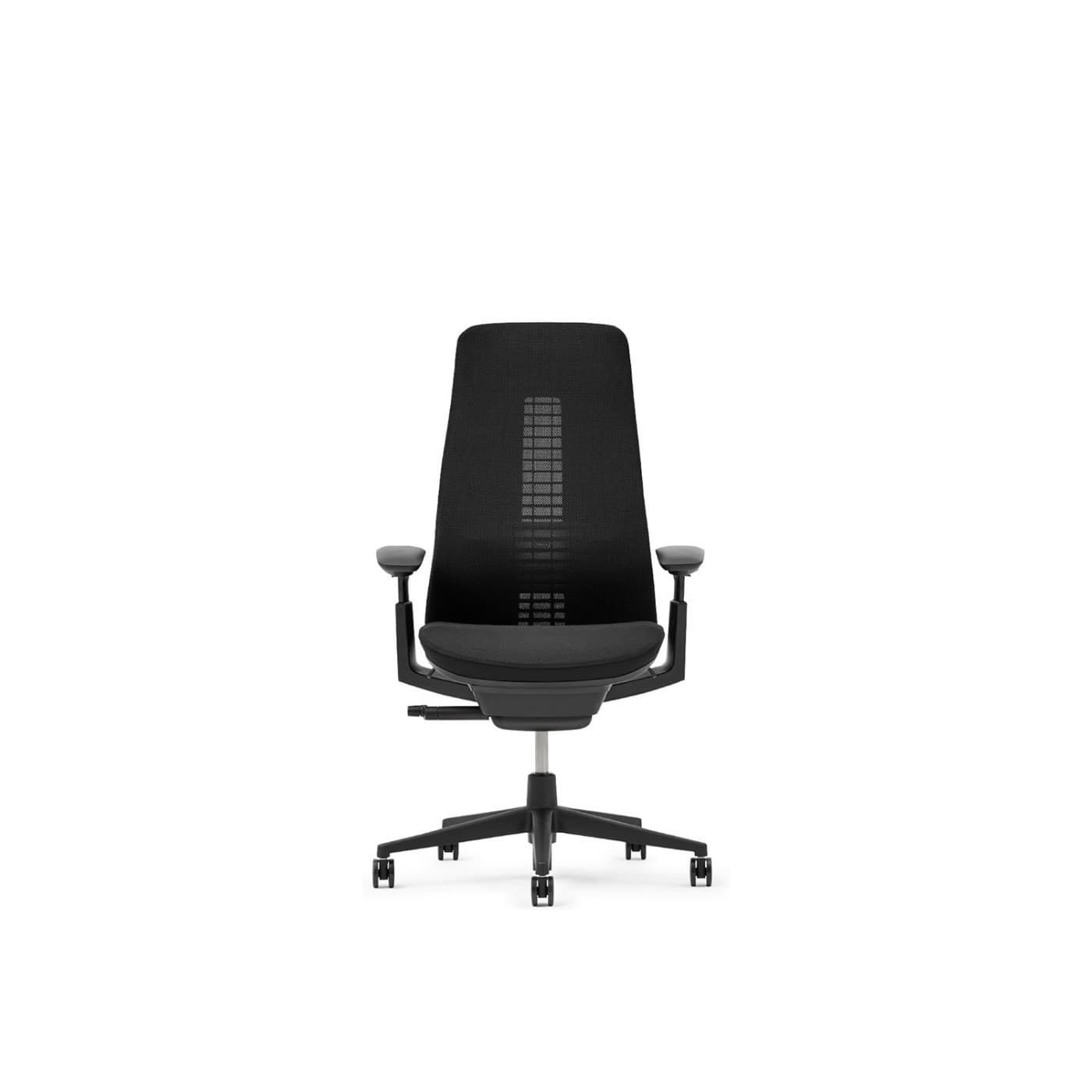
Best Design-Forward
Fern pairs responsive support with a silhouette architects often prefer visually over bulkier task chairs.
Warranty: 12-year warranty on many commercial configs
Weight capacity: Up to 400 lbs on standard Fern
Lumbar: Wave Suspension system with optional lumbar
Armrests: 4D adjustable arms
Pros
- • Excellent dynamic back comfort
- • Distinctive modern design
- • Breathable mesh options
- • Premium build quality
Cons
- • Premium price
- • Less ubiquitous retail availability than Aeron
- • Learning curve vs. knob-heavy chairs
$1,000–$1,600
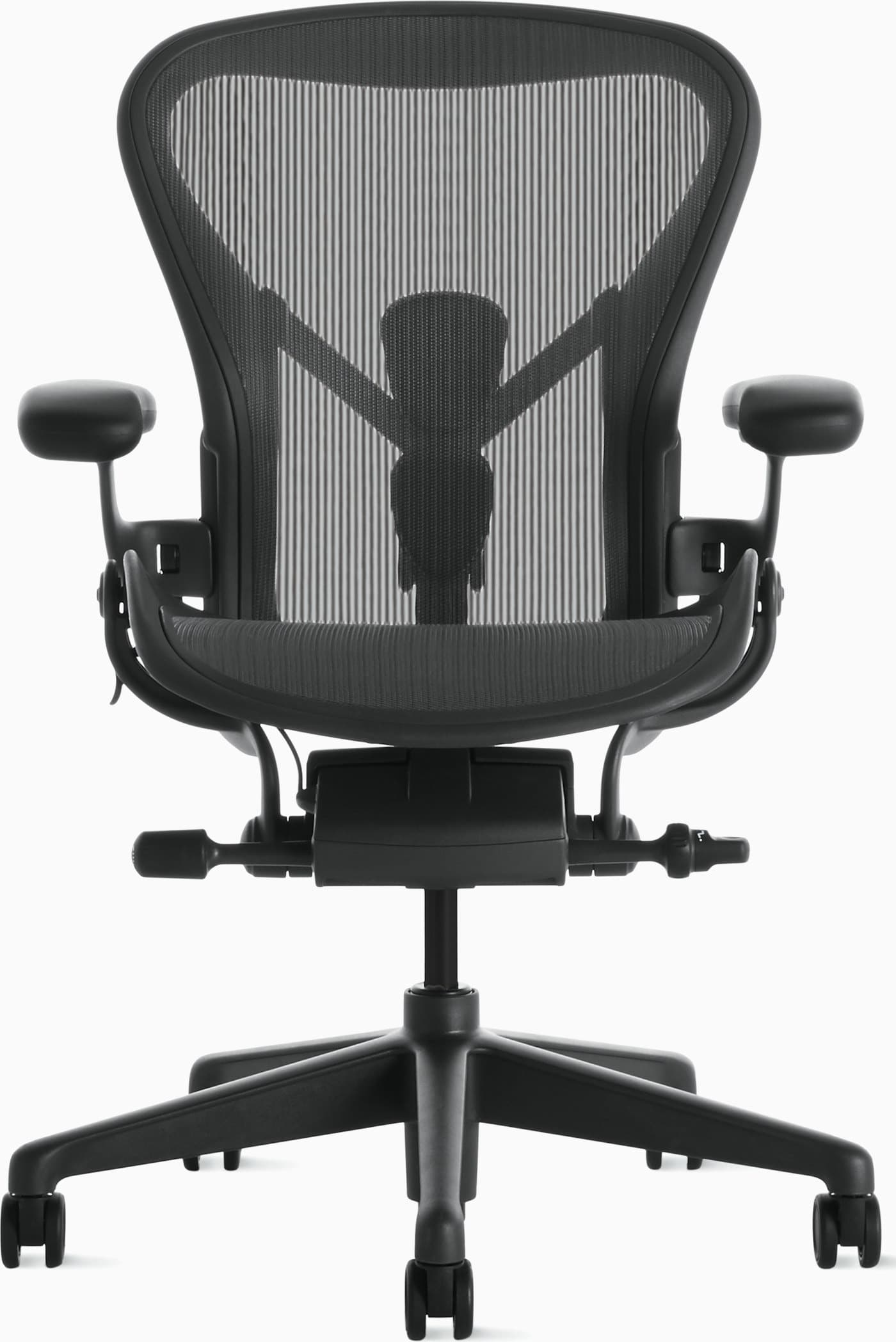
Best Breathable Classic
When breathability and proven adjustability win, Aeron remains a reliable architecture-desk staple.
Warranty: 12-year warranty
Weight capacity: Up to 350 lbs depending on size
Lumbar: PostureFit SL sacral and lumbar pads
Armrests: Fully adjustable arms (height, width, depth, pivot)
Pros
- • Excellent long-session comfort
- • Highly adjustable and durable
- • Stays cool during warm days
- • Strong resale value and warranty
Cons
- • Premium price
- • Mesh feel is not for everyone
- • Sizing matters — wrong size reduces comfort
$1,400–$1,800
Buying advice
What makes a good office chair for architects?
Prioritize arm range and long-session spine support — CAD days punish weak seating quickly.
Arms for mouse navigation
Can you rest a forearm while orbiting models without hiking the shoulder?
Display geometry
Large monitors need height and distance planning or the best chair cannot save your neck.
Review recline
Look for smooth recline under load if design reviews happen seated for long stretches.
Home vs studio duplication
If you keep two seats, spend where hours concentrate. Many architects under-invest in their home chair.
Watch-outs
Common problems architects face
Shoulder strain from CAD
Raise and inward-adjust arms; bring the mouse closer to the keyboard midline.
Armrest setup →Lower back ache during detailing
Engage lumbar and take brief stand breaks between drawing packages.
Ergonomic features →Neck rotation across displays
Anchor primary model view center; keep reference sheets within a narrow arc.
Layout guidance →Stiffness after review marathon
Chairs with flexible backs (Gesture, Fern, Embody patterns) reduce locked posture fatigue.
FAQ
Office chair FAQs for architects
What is the best office chair for architects?
Steelcase Gesture is the best overall for CAD and review work. Embody and Fern are excellent premium alternatives depending on spine-feel and aesthetic priorities.
Do architects need different chairs than graphic designers?
Overlap is high — both need adaptive posture support. Architects often run longer CAD navigations and larger screens, so arm support and long-session endurance are especially critical.
Is a drafting stool better than an office chair?
Drafting stools suit tall worksurfaces and standing-height desks. For standard sitting CAD days, a full ergonomic task chair is usually better.
Mesh or upholstered for architecture work?
Mesh for heat and long continuous days; upholstered flexible backs (like Leap/Fern feel patterns) for those who prefer cushioned contact. Try both if possible.
Should architects buy used Steelcase or Herman Miller?
Yes if sizing and mechanism health check out. Premium used chairs often beat new mid-tier for CAD hours per dollar.
How do I set up dual large monitors for less neck pain?
Center the primary model, match heights so you don’t tip the head, and keep reference monitors inside a comfortable head-turn — then fine-tune chair arms and height.
Final recommendation
Our pick for architects
Architects should favor the Steelcase Gesture for CAD-heavy, multi-display days where adaptive arms matter. For continuous full-spine comfort, the Herman Miller Embody is outstanding. Prefer a more design-forward, flexible back? The Haworth Fern is an excellent alternative, with Aeron remaining the mesh classic for long heated sessions.