Buying Guide
Best Office Chairs for Remote Workers (2026)
Working from home means spending hundreds of hours every year sitting at your desk, making your office chair one of the most important pieces of equipment in your workspace. The best office chair for remote workers should provide proper ergonomic support, adjustable features, and long-term comfort for extended work sessions.
Updated October 2026 · Reviewed by home office experts
Based on ergonomic research and real-world use
| Best Overall | Herman Miller Aeron |
|---|---|
| Best Premium Chair | Steelcase Gesture |
| Best Budget Chair | Branch Ergonomic Chair |
| Best Small Space Chair | Herman Miller Sayl |
| Best For Back Pain Prevention | Steelcase Leap |
| Best Under $500 | Branch Ergonomic Chair |
| Best Available Value Pick | Secretlab Titan Evo |
Comparison
Best Office Chairs For Remote Workers Compared
| Chair | Best For | Price Range | Adjustability | Rating |
|---|---|---|---|---|
| Herman Miller Aeron | Premium remote workers | $$$ | Excellent | 4.8/5 |
| Steelcase Gesture | Multiple devices & posture changes | $$$ | Excellent | 4.7/5 |
| Branch Ergonomic Chair | Affordable ergonomic setup | $$ | Good | 4.5/5 |
| Herman Miller Sayl | Small offices | $$ | Good | 4.4/5 |
| Steelcase Leap | Long work sessions | $$$ | Excellent | 4.7/5 |
| Secretlab Titan Evo | Style-forward value comfort | $$ | Good | 4.5/5 |
Methodology
How We Evaluated Office Chairs
We scored chairs the way remote workers actually use them: long seated blocks, real desks, and daily adjustability — not showroom poses. Criteria below shaped every recommendation on this page.
Ergonomics
- Adjustable lumbar support
- Seat depth adjustment
- Armrest customization
- Headrest availability
- Recline mechanism
Comfort For Long Hours
- 6+ hour sitting comfort
- Cushion firmness
- Breathability
- Pressure distribution
Build Quality
- Warranty length
- Materials
- Weight capacity
- Expected lifespan
Value
- Features compared to price
- Replacement parts
- Long-term ownership cost
Reviews
Individual Chair Reviews
#1
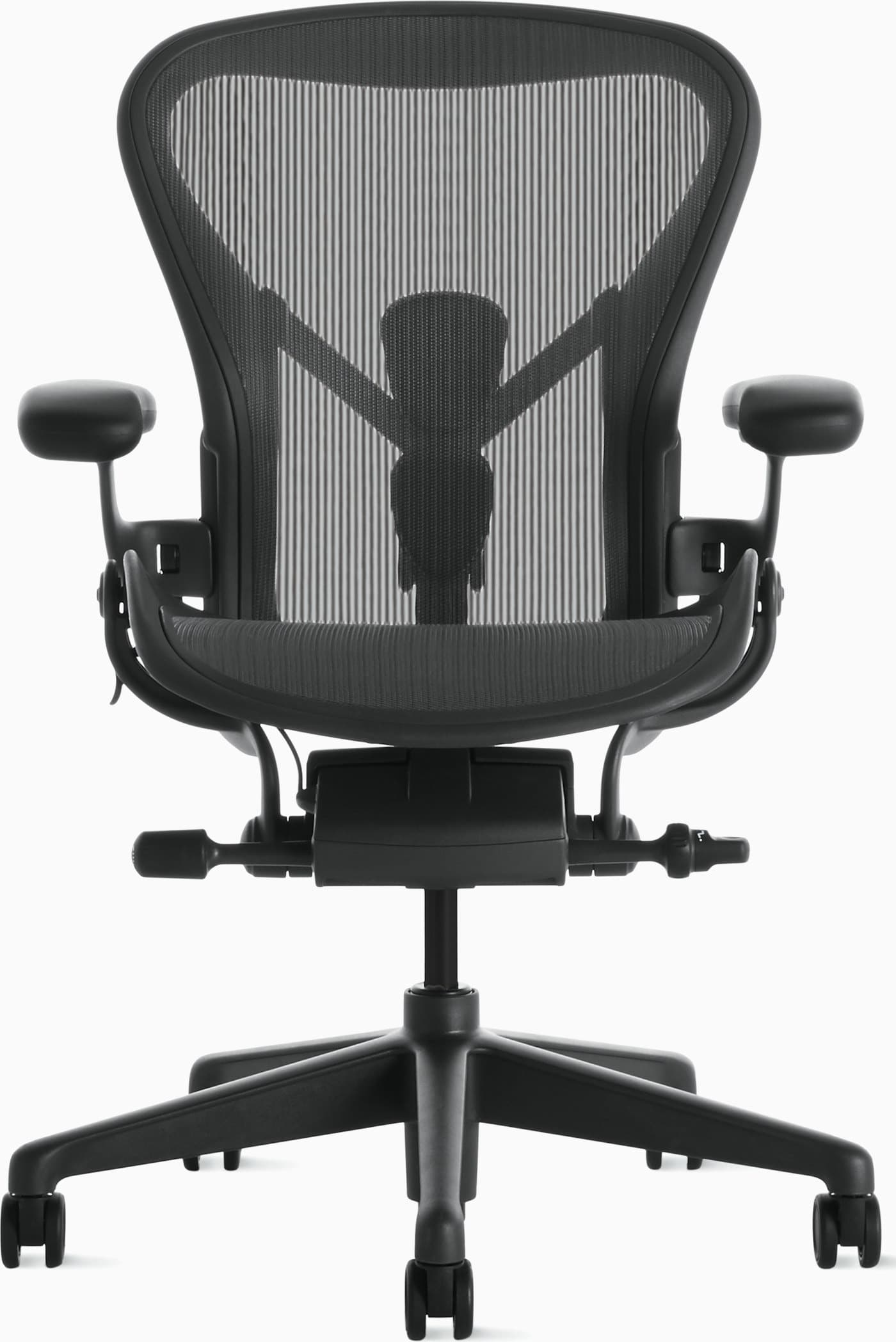
Herman Miller Aeron Chair Review
Best for: Premium remote workers who sit 8+ hours daily.
The Aeron remains the remote-work benchmark: cool mesh, precise support, and durability that justifies the investment for full-time sitters.
Pros
- +Industry-leading ergonomics
- +Excellent build quality
- +Highly adjustable
- +Long warranty
Cons
- −Expensive
- −Fixed seat pan design (no traditional cushion)
- −Not ideal for everyone — sizing matters
- Price
- $1,400–$1,800
- Warranty
- 12 years
- Seat material
- 8Z Pellicle mesh
- Adjustments
- Arms, tilt, PostureFit, seat angle; sizes A/B/C
#2
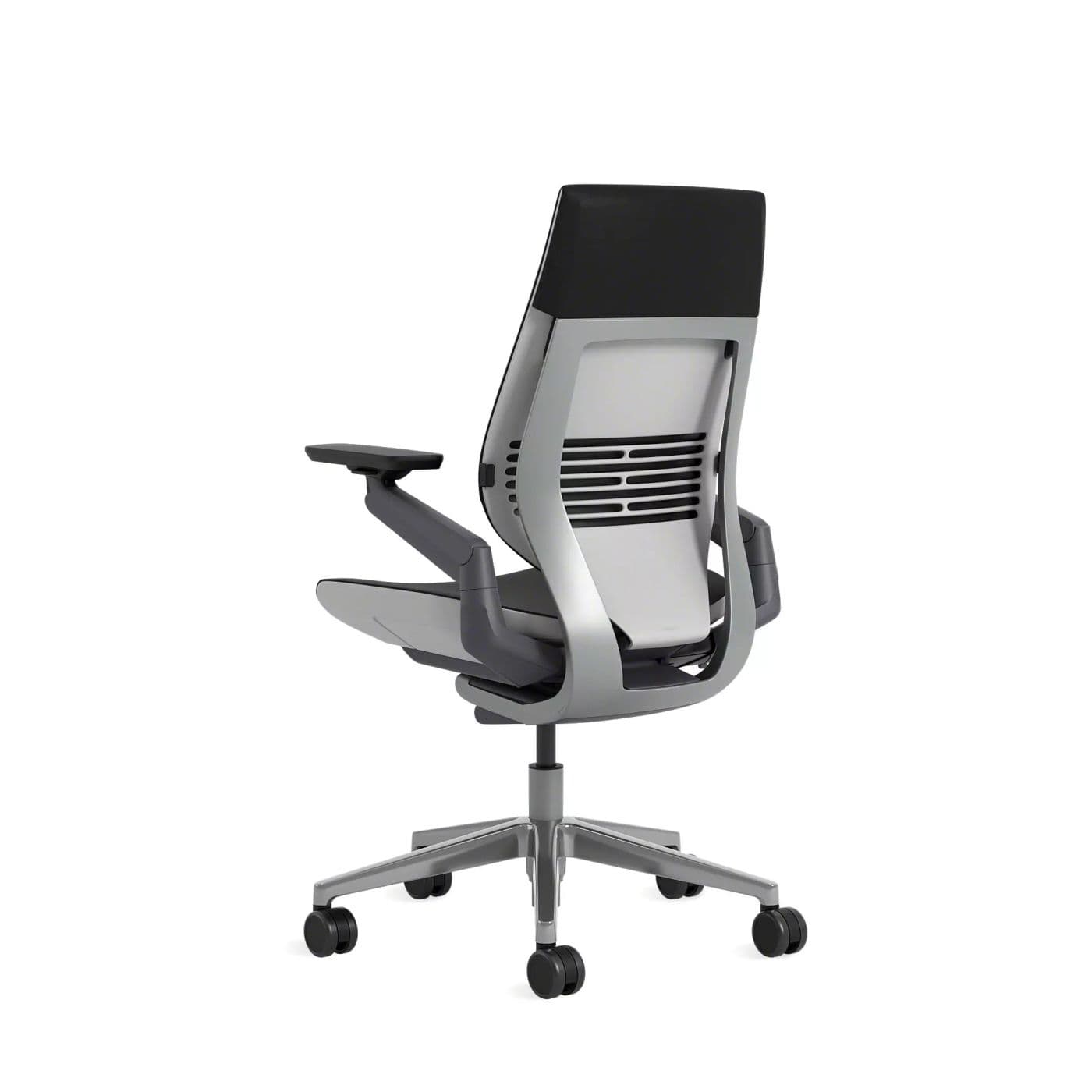
Steelcase Gesture Chair Review
Best for: Remote workers who switch between laptop, tablet, and desktop postures.
Gesture shines when your workday is not one static posture — the arms and wraparound back keep support as you lean, reach, and switch devices.
Pros
- +360° arms that follow device use
- +Supportive cushioned seat
- +Excellent for posture changes
- +Premium fleet-grade build
Cons
- −Expensive
- −Heavier footprint than mesh chairs
- −Warmer than open-mesh designs
- Price
- $1,200–$1,600
- Warranty
- 12 years
- Seat material
- Upholstered foam
- Adjustments
- Arms, recline, seat depth options, tension
#3
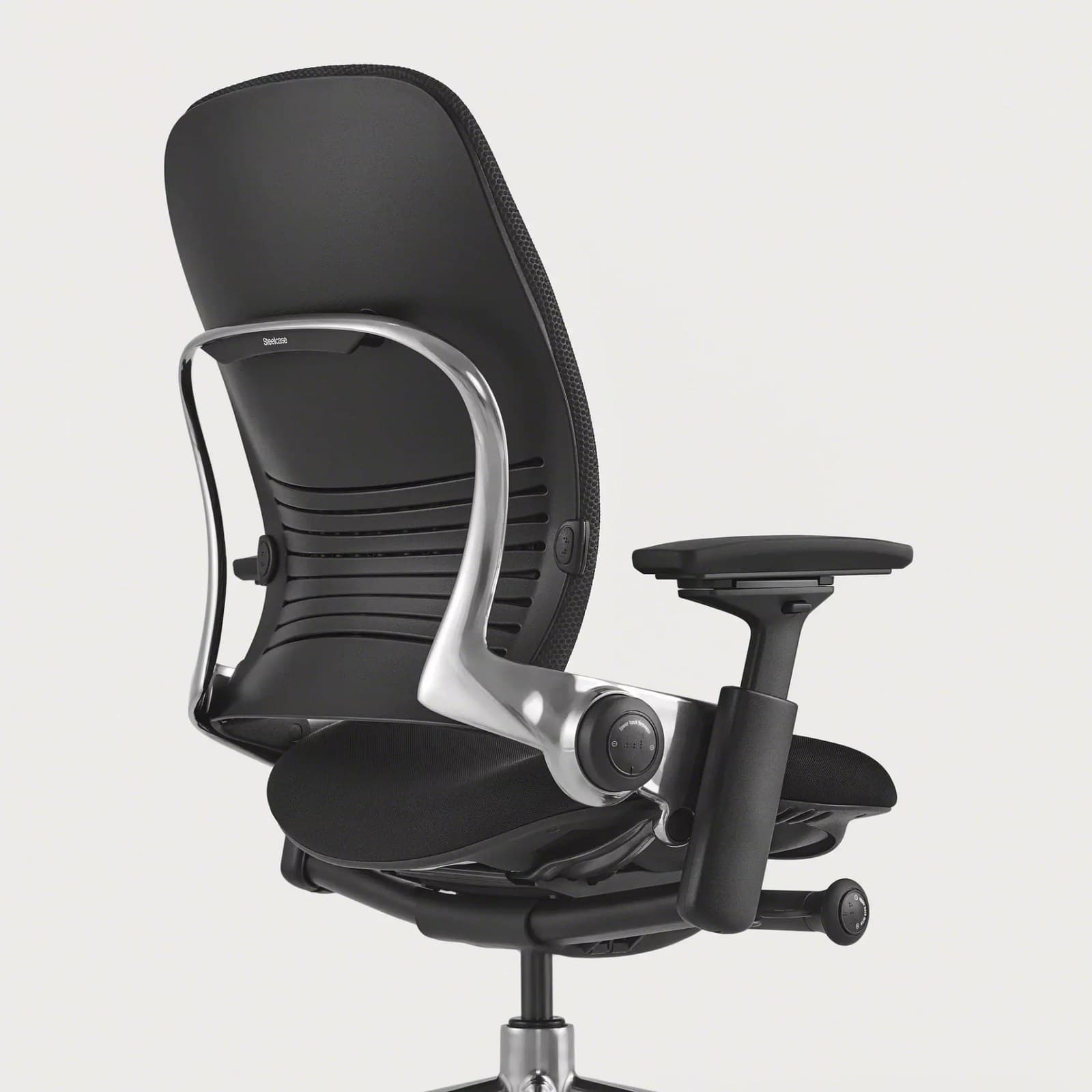
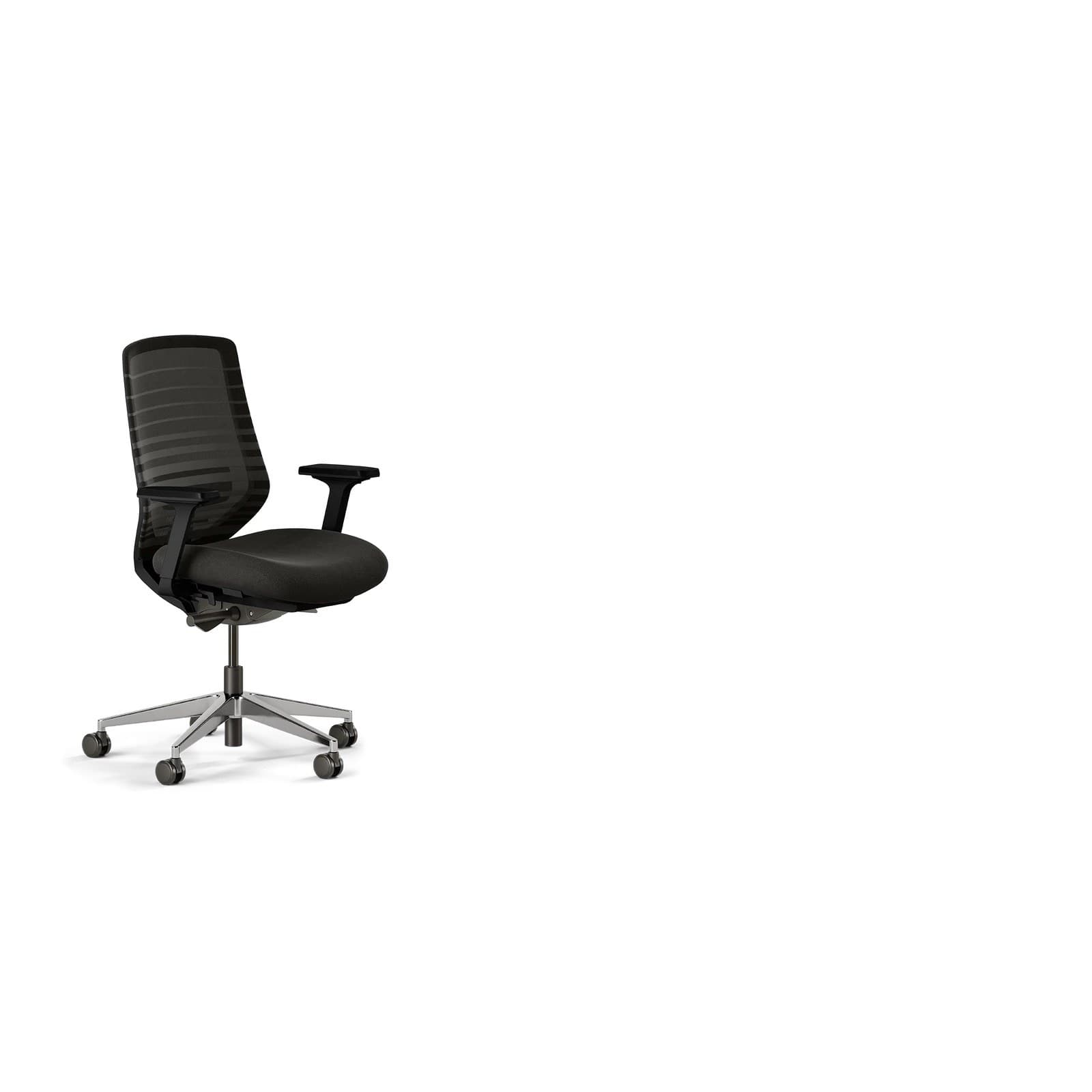
Steelcase Leap Review
Best for: Long work sessions and people prioritizing dynamic back support.
Leap is a long-session specialist. Its LiveBack design is a frequent pick for remote workers who want cushioned support without giving up movement.
Pros
- +LiveBack flex that moves with your spine
- +Strong all-day comfort
- +Deep adjustability
- +Excellent for extended focus blocks
Cons
- −Premium pricing
- −Bulkier than compact task chairs
- −Heavier than compact mesh chairs
- Price
- Typically $1,000–$1,500+
- Warranty
- 12 years (typical Steelcase coverage)
- Seat material
- Upholstered foam
- Adjustments
- Lumbar, arms, seat depth, recline
#4
Branch Ergonomic Chair Review
Best for: Affordable ergonomic setups and best-under-$500 shoppers.
Branch is our budget and under-$500 pick for remote workers who want ergonomic basics without a four-figure spend.
Pros
- +Approachable price for real adjustability
- +Clean home-office aesthetic
- +Solid lumbar and arm options for the cost
- +Easy to recommend as a starter upgrade
Cons
- −Not fleet-grade like Herman Miller or Steelcase
- −Fewer fine-grained adjustments than premium chairs
- −Fewer fine adjustments than premium chairs
- Price
- Typically under $500
- Warranty
- Varies by configuration
- Seat material
- Mesh / foam options depending on model
- Adjustments
- Height, arms, recline, lumbar (model-dependent)
#5
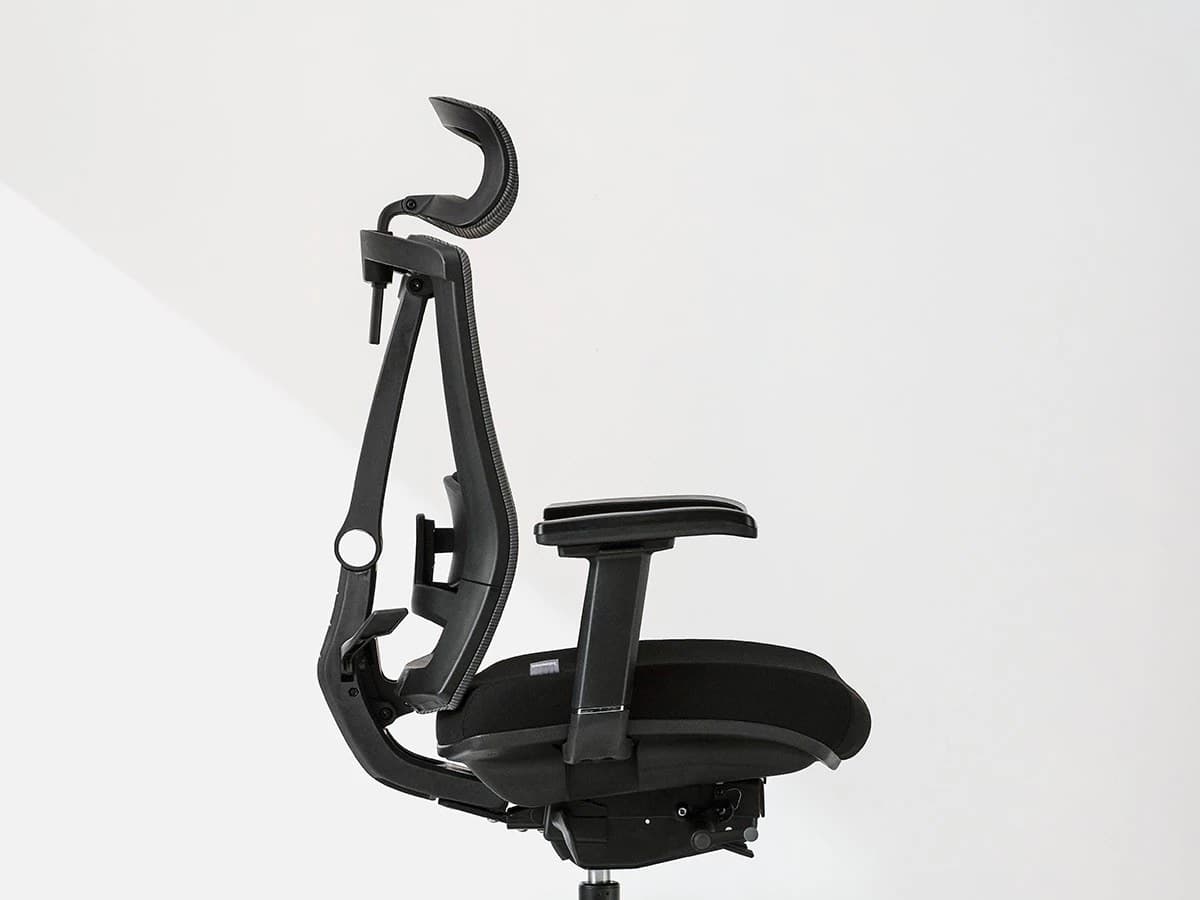
Autonomous ErgoChair Pro Review
Best for: Online shoppers wanting a mid-range ergonomic package with headrest options.
Autonomous chairs are popular mid-range options for home offices. It is a practical mid-range alternative when you want a headrest and online convenience.
Pros
- +Often includes headrest configurations
- +Competitive mid-range pricing
- +Direct-to-consumer availability
- +Feature-rich for the cost
Cons
- −Quality and comfort vary by generation/model
- −Less proven long-term than Steelcase/HM
- −Comfort varies by body type and setup
- Price
- Typically $300–$600
- Warranty
- Model-dependent
- Seat material
- Mesh seat/back common
- Adjustments
- Arms, lumbar, tilt, headrest (config-dependent)
#6
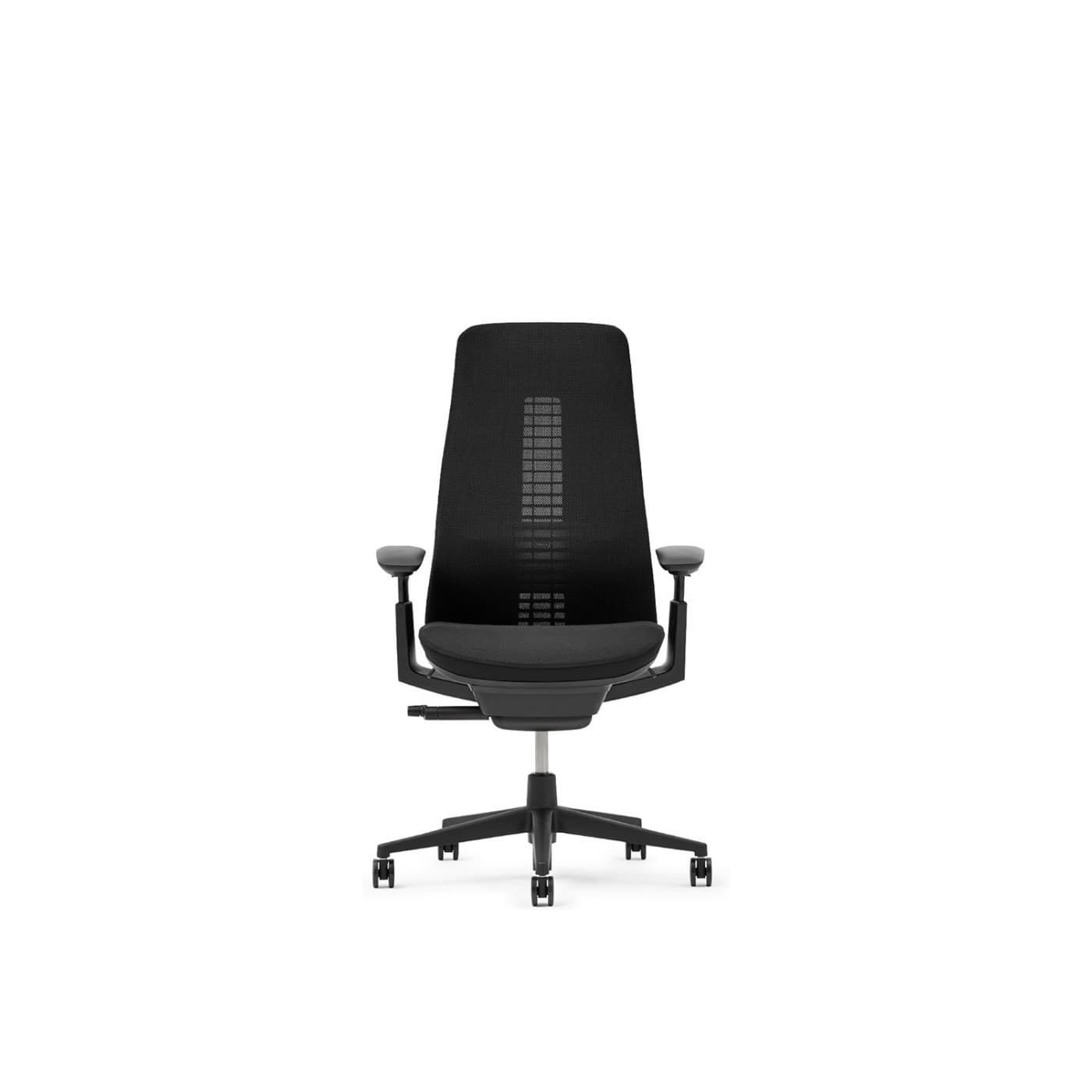
Haworth Fern Review
Best for: Remote workers who want responsive lumbar feel and a refined design.
Haworth Fern is a design-forward ergonomic chair with a distinctive suspension back — a strong premium alternative when Aeron’s mesh feel is not your preference.
Pros
- +Wave Suspension back for responsive support
- +Premium materials and finish
- +Strong lumbar character
- +Polished look for home offices
Cons
- −Premium price
- −Less ubiquitous retail availability
- −Less ubiquitous than Aeron retail availability
- Price
- Typically $1,000+
- Warranty
- Long commercial-style coverage (model-dependent)
- Seat material
- Mesh / upholstery options
- Adjustments
- Arms, recline, lumbar-focused back
#7
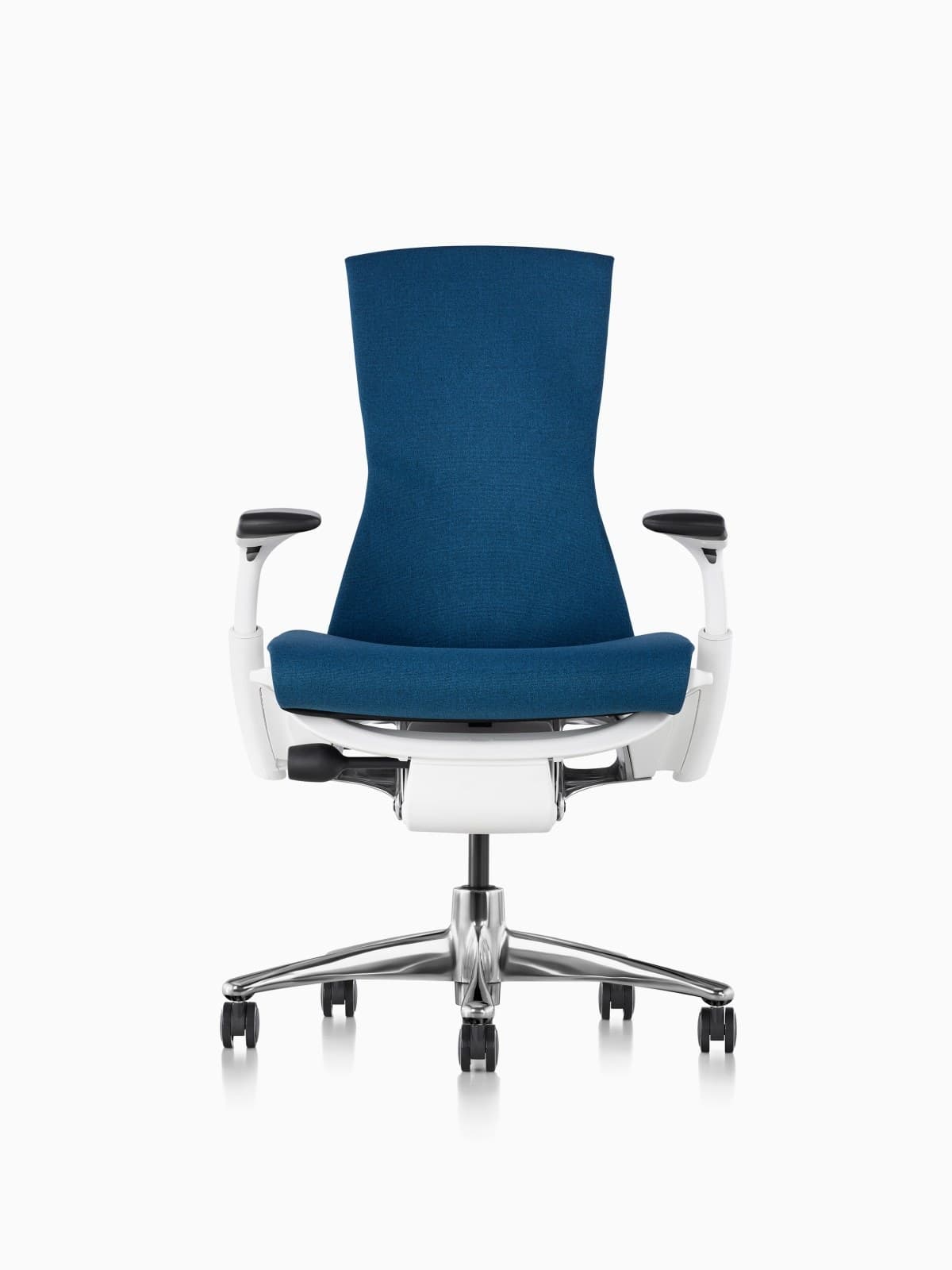
Herman Miller Embody Review
Best for: Tall users and people who want pixelated, full-spine support.
Embody is Herman Miller’s other icon — less “mesh sling,” more distributed support. It frequently lands on shortlists for tall remote workers and long creative sessions.
Pros
- +Pixelated support matrix across the back
- +Excellent for varied postures
- +Strong option for taller bodies
- +Herman Miller durability and warranty
Cons
- −Very expensive
- −Distinct look is polarizing
- −Distinct look is polarizing
- Price
- Typically $1,800–$2,200+
- Warranty
- 12 years
- Seat material
- Pixelated foam / textile matrix
- Adjustments
- Arms, tilt, Backfit, seat depth
#8
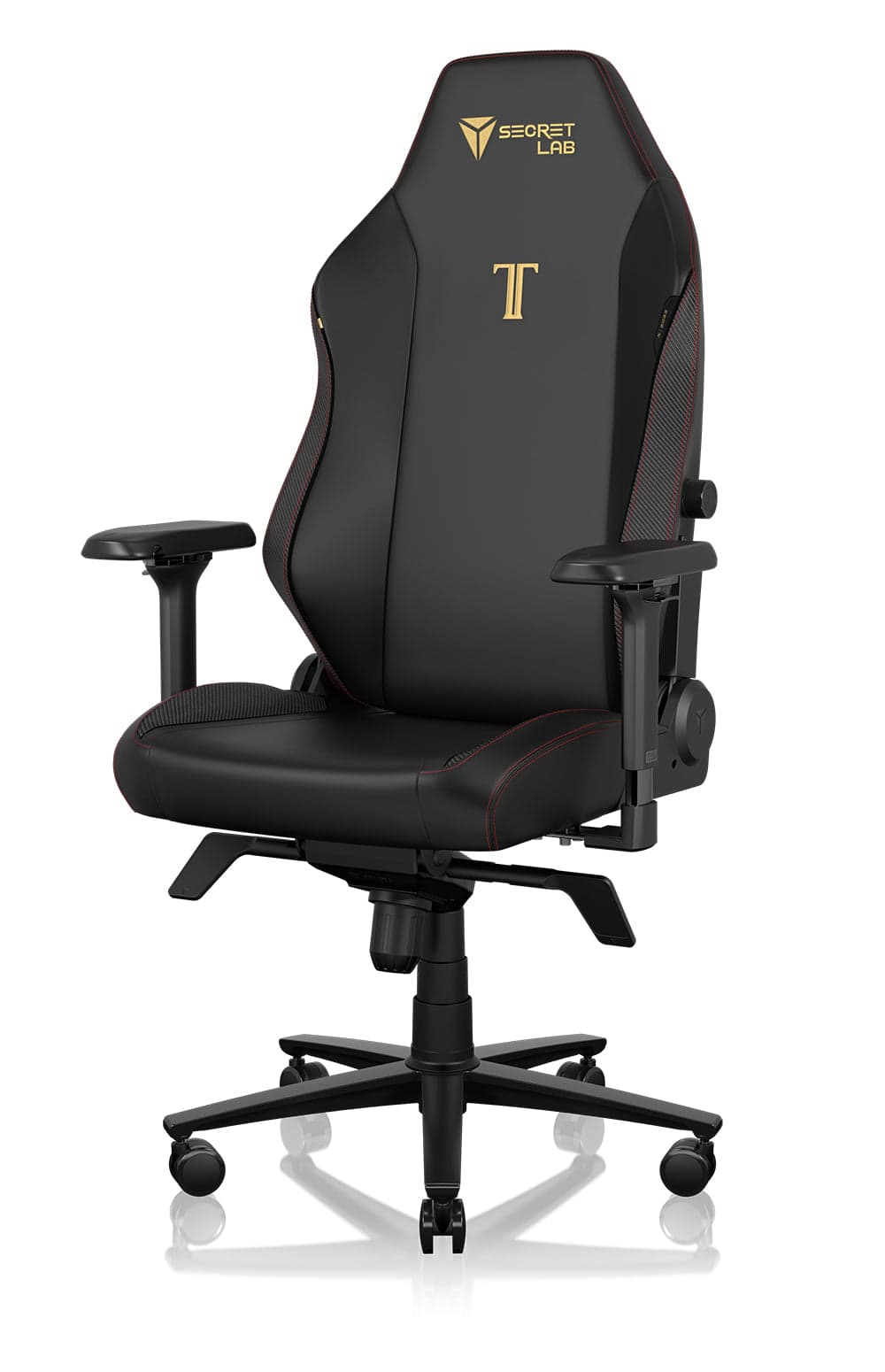
Secretlab Titan Evo Review
Best for: Developers and creators who want strong lumbar support with a modern look.
Titan Evo is our in-catalog value hybrid: more gaming DNA than a classic task chair, but a practical step up for long coding and creator days.
Pros
- +Strong value vs. flagship ergonomic chairs
- +Magnetic lumbar system
- +Customizable materials and sizes
- +Widely available
Cons
- −Bulkier footprint
- −Can run warm in leatherette
- −Less refined than Steelcase or Herman Miller
- Price
- $500–$650
- Warranty
- Multi-year manufacturer coverage
- Seat material
- Cold-cure foam; fabric or leatherette
- Adjustments
- 4-way arms, tilt, magnetic lumbar, headrest
By need
Find The Right Office Chair For Your Situation
Different bodies, budgets, and rooms need different chairs. Use these shortlists to match common search intent to concrete picks.
Best Office Chair For Long Hours
Targets: best office chair for 8 hour work day
Prioritize dynamic back support, breathable materials, and proven all-day comfort.
Best Office Chair For Back Support
Targets: best office chair for lower back support
Look for adjustable or highly responsive lumbar and a seat that does not cut behind the knees.
Best Budget Office Chair
Targets: best office chair under $500
Get the core adjustments — height, lumbar, arms — without fleet pricing.
- Branch Ergonomic Chair
- HON Ignition
Best Office Chair For Small Spaces
Targets: best office chair for small home office
Choose a modest footprint, a base that clears nearby furniture, and a chair that tucks under the desk.
- Herman Miller Sayl
- Branch Verve
Best Office Chair For Tall People
Targets: office chair for tall people
Seat height range, back height, and seat depth matter more than brand prestige.
Best Office Chair For Short People
Targets: office chair for short people
Prioritize lower seat-height range and shallower seat depth so feet stay planted.
- Herman Miller Sayl
- Steelcase Series 1
Buying guide
What Should You Look For In A Remote Work Chair?
Use this buying guide to evaluate any chair — not just the models above. Fit and adjustability beat brand hype.
Adjustable Lumbar Support
Your lumbar curve needs support that meets your lower back where it is — not where a fixed pad happens to sit. Adjustable lumbar (height and often depth) lets you tune support as you change posture through the day.
Fixed lumbar can still work if the chair’s back shape matches your spine, but adjustable systems are more forgiving across body types and are usually worth prioritizing for full-time remote work.
Seat Depth
Your chair should allow about 2–4 inches between the back of your knees and the front edge of the seat. Too deep and the seat presses the calves or forces you to slouch; too shallow and thigh support disappears.
If you share a chair across household members, models with seat-depth adjustment are easier to fit correctly.
Armrest Adjustability
Good armrests take load off your shoulders and neck while you type. At minimum, look for height adjustment so elbows sit near desk height without shrugging.
Better chairs also offer width, depth, and rotation (or 360° motion) so arms stay supported when you shift devices, lean in for focus work, or take calls.
Mesh vs Cushion Seats
Mesh stays cooler and often maintains pressure distribution better on long warm days. Cushioned seats feel more traditional and plush, which some people prefer in cooler rooms or for shorter sessions.
Neither is universally better — choose based on climate, firmness preference, and how many hours you sit without standing breaks.
| Mesh | Cushion |
|---|---|
| Better airflow | Softer feel |
| Less heat buildup | More traditional |
| Easier maintenance | More padding |
Recline Function
Upright (~90°) positions suit focused typing; a controlled recline helps you open the hips and reduce spinal load during reading, calls, or lighter tasks.
A quality recline with tension control encourages healthy movement instead of locking you in one rigid posture all day.
FAQ
Office Chair FAQs
What is the best office chair for working from home?
For most full-time remote workers, the Herman Miller Aeron is the best overall pick thanks to adjustable support, breathable mesh, and long-term durability. Your ideal chair still depends on budget, height, and how often you change posture during the day.
How much should I spend on an office chair?
Budget chairs that cover basics often land around $200–$500. Mid-range ergonomic models typically run $500–$1,000. Premium fleet-grade chairs from Herman Miller and Steelcase usually start around $1,000 and climb from there — worthwhile if you sit full workdays for years.
Is an ergonomic chair worth it?
Yes if you work from home regularly. Better adjustability and materials reduce fatigue and often last longer than cheap replacements. Part-time use can justify a strong mid-range chair instead of a flagship.
How long should an office chair last?
A quality ergonomic chair should last about 7–12 years with normal daily use. Soft gas cylinders, compressed foam, and worn armrests are common signs it is time to replace or refurbish.
Are gaming chairs good for working from home?
Some hybrids work well, especially with real lumbar adjustment and supportive foam. Pure racing-style chairs often prioritize looks over ergonomics and can run warm. Compare lumbar quality and seat fit — not branding alone.
What chair do software developers use?
Developers commonly choose highly adjustable ergonomic chairs for long coding blocks — Herman Miller Aeron, Steelcase Gesture or Leap, and value hybrids like the Secretlab Titan Evo are frequent shortlist names. Fit and lumbar quality matter more than the “dev” label.
Is Herman Miller worth the money?
For full-time remote work, often yes: adjustability, breathability, warranty, and resale value improve cost-per-year. If you sit only a few hours daily, a strong mid-range chair can deliver most of the comfort benefit for less.
Related
Learn More About Office Chairs
How to choose an office chair
Fit, ergonomics, materials, and budget checklist.
Read more →
Office chair height guide
Set seat height, desk alignment, and monitor position correctly.
Read more →
Best office chairs for long hours
Picks built for 8+ hour seated workdays.
Read more →
Best office chairs under $500
Strong mid-range ergonomic options with realistic tradeoffs.
Read more →
Aeron vs Embody
Decision guide for Herman Miller’s two flagship chairs.
Read more →
Branch Ergonomic Chair review
Our best under-$500 ergonomic pick.
Read more →
Steelcase Leap review
LiveBack support for long seated days.
Read more →
Herman Miller Aeron review
Full breakdown of the premium mesh benchmark.
Read more →
Herman Miller Embody review
Pixelated support vs Aeron mesh for long sessions.
Read more →
Autonomous ErgoChair Pro review
Feature-rich mid-range chair with headrest.
Read more →
Office chair quiz
Get a personalized chair recommendation in two minutes.
Read more →
Steelcase Gesture review
Adaptive arms and posture-friendly support.
Read more →
Office chair vs gaming chair
When a task chair beats a racing seat.
Read more →
How to build a home office
Desk, chair, and lighting in the right order.
Read more →
Best standing desks
Pair your chair with a stable sit-stand desk.
Read more →
Personalized pick
Not sure which chair fits your workspace?
Take our 2-minute office chair quiz and find the right recommendation based on your budget, workspace, and work style.
Take the office chair quiz