Buying Guide
Best Office Chairs for Long Hours (2026)
For long workdays, prioritize a chair that lets you change positions throughout the day rather than simply looking for the most padding.
Seat depth, lumbar adjustment, armrest positioning, and recline become especially important when you are sitting for hours at a time. First-hour plushness is a weak signal compared with fit and movement.
Updated September 2026 · Reviewed by AuraOX home office editors
Based on ergonomic research, manufacturer specs, and catalog comparison — not a substitute for trying a chair in person
Some links on AuraOX are affiliate links. If you purchase through them, AuraOX may earn a commission at no additional cost to you.
Quick picks
Best Overall
Steelcase Leap Chair
LiveBack flex, sliding seat depth, tunable lumbar, and Natural Glide recline make Leap our top pick for cushioned all-day work.
Best Premium
Herman Miller Embody Chair
Pixelated full-spine support and seat-depth adjustment for long sessions where you shift posture often — at a flagship price.
Best Breathability
Herman Miller Aeron Chair
Breathable Pellicle mesh, PostureFit options, and a 12-year warranty make Aeron the cool long-hour mesh benchmark when sized correctly.
Best for Adjustability
Steelcase Gesture Chair
360° arms and a wide recline range for long days that are not one fixed typing stance.
Best Value
Branch Ergonomic Chair
Seat depth, lumbar height, 3D arms, and mesh typically in the $300–$400 range — the essentials that show up after hour six.
Best Alternative
Haworth Fern Chair
Wave Suspension mesh back that stays in contact as you move — a strong premium alternative to Herman Miller and Steelcase.
Best office chairs for long hours compared
| Chair | Best for | Approx. price | Seat material | Lumbar support | Recline | Adjustability | Rating | CTA |
|---|---|---|---|---|---|---|---|---|
| Herman Miller Aeron Chair | Cool mesh through full workdays | Typically $1,400–$1,800 | 8Z Pellicle mesh | PostureFit SL sacral and lumbar | Tilt limiter, seat angle, forward tilt | Arms, tilt, angle; sized A/B/C | 4.8 | Check price |
| Steelcase Leap Chair | Cushioned 8+ hour sessions | Typically $1,000–$1,500 | Upholstered foam + LiveBack | Height + firmness; LiveBack flex | Natural Glide (desk-oriented) | 4D arms, seat depth, lumbar | 4.7 | Check price |
| Steelcase Gesture Chair | Mixed postures and device shifts | Typically $1,200–$1,600 | Upholstered foam | Integrated wraparound contour | Core Interface multi-posture | 360° arms, seat depth | 4.7 | Check price |
| Herman Miller Embody Chair | Distributed spine support | Typically $1,800–$2,200 | Fabric + pixelated back matrix | Backfit + pixelated support | Synchronized tilt | Arms, seat depth, Backfit | 4.7 | Check price |
| Haworth Fern Chair | Flexible mesh without a hard frame edge | Typically $1,000–$1,600 | Wave Suspension mesh + upholstered seat | Wave Suspension; optional lumbar | Synchronized recline; forward tilt options | 4D arms, seat depth (typical configs) | 4.6 | Check price |
| Branch Ergonomic Chair | Essential all-day adjustments under $400 | Typically $300–$400 | Mesh back; padded mesh or fabric seat | Height-adjustable pad | Tension control and lock | 3D arms, seat depth, lumbar | 4.5 | Check price |
What Makes a Chair Good for Long Hours?
For 8+ hour days, prioritize adjustability and fit over first-hour plushness. Use this diagram as a checklist when comparing chairs.
- 1.Lumbar support — keep contact as you move through the day
- 2.Armrests — unload shoulders at desk height
- 3.Seat depth — leave a small gap behind the knees
- 4.Seat height — feet flat, thighs roughly parallel
- 5.Recline — change pressure without leaving the desk
- 6.Backrest — support that flexes or distributes load
- 7.Head / neck position — upright work rarely needs a headrest; reclined breaks might
Seat depth and height you can set
A pan that is too long can press behind the knees on long sits; too short leaves the thighs unsupported. Sliding seat depth (Leap, Branch, Embody, Gesture, Fern on typical configs) or correct Aeron sizing (A/B/C) matters more after hour six than in a five-minute showroom sit.
Seat height should let your feet plant flat with roughly open hips at the desk. Mid-day resets of height are common as posture settles — a smooth cylinder and a clear lever help.
Lumbar that stays in contact
Long sitting often flattens the lower back. Support that you can set by height or firmness — or a back that flexes with you (Leap LiveBack, Fern Wave Suspension, Embody’s pixelated matrix) — is more useful than a decorative lumbar bump that slides to the belt line.
This is about fit and contact through the day, not a medical claim. If a pad pokes or disappears when you recline, keep looking.
Arms that unload the shoulders
After several hours, shoulders creep up if the arms are too low or too far from the torso. Height, and ideally width/depth/pivot (4D or Gesture’s 360° arms), let you rest the forearms without shrugging.
For long WFH days that include laptop and phone postures, arms that follow lateral reach reduce the need to perch on the seat edge.
Recline that changes pressure, not just ‘locks upright’
A controlled recline with tension adjustment opens the hip angle and spreads load. Mechanisms that keep you oriented toward the desk (for example Leap’s Natural Glide) are more practical for work than a deep lounge that dumps you away from the keyboard.
Cheap on/off locks encourage all-day upright sitting — the opposite of what long-hour buyers need.
Breathability and heat
Heat makes people perch forward, which undoes lumbar contact. Open mesh (Aeron, Fern, Branch) usually stays cooler through a full shift than thick foam or leatherette.
Cushioned backs (Leap, Gesture, Embody) can still work well for long hours if the room is cool and the foam density holds shape — they are simply warmer tradeoffs.
Pressure distribution and material durability
Foam that feels plush at first often packs out under daily 8-hour use. Mesh slings and higher-spec fleet chairs are designed so contact does not concentrate in one hot spot by afternoon.
Warranty length is a rough durability signal: 10–12 year commercial coverage (Herman Miller, Steelcase, many Haworth configs) expects weekday office duty; 1–2 year consumer warranties usually do not.
Fit for your body, not just the brand
The best long-hour chair is the one whose seat depth, back height, and arm range match you. Wrong-size Aerons and pans that are too deep fail for the same reason: contact points are wrong for eight hours straight.
Use manufacturer sizing guides and return windows when you cannot sit in a showroom for a long block.
Room to change position
Even a strong chair is not a substitute for movement. Look for a recline you will actually use, and plan brief stand or walk breaks through the day.
Pairing an all-day chair with a sit-stand desk is a common setup for people whose work is mostly seated but not exclusively static.
Best office chairs for long hours, reviewed
Best Breathability
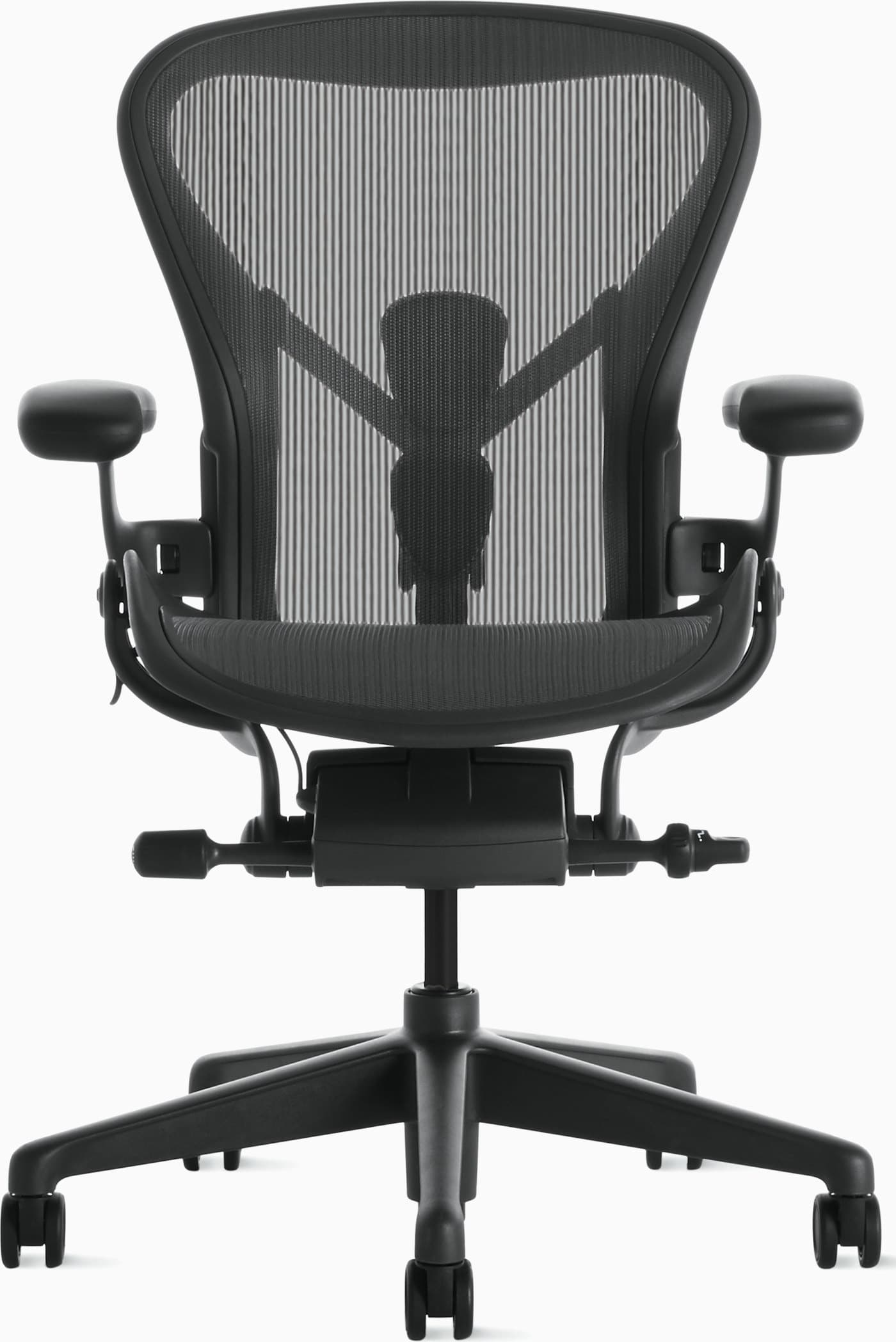
Herman Miller Aeron Chair
For long hours, Aeron’s strengths are breathability, durable mesh that holds its shape, and adjustability backed by a 12-year warranty. Size correctly; research and catalog specs point to fit as the make-or-break factor, not the logo alone.
Why it works for this pick
- • 8Z Pellicle mesh stays cool and does not pack out the way cheap foam often does after a year of daily use
- • PostureFit sacral and lumbar pads support upright and slightly reclined task postures
- • Tilt limiter, seat angle, and fully adjustable arms for mid-day fine-tuning
- • 12-year warranty and commercial-duty reputation for weekday sitting
Potential drawbacks
- • Premium price — typically in the $1,400–$1,800 range depending on config
- • Mesh sling feel is not for everyone; some prefer a cushioned back
- • Wrong size (A/B/C) undermines lumbar contact and thigh support
Who should buy
- • People who sit ~8+ hours and run warm at a desk
- • Buyers who want a proven mesh long-session chair with a long warranty
- • Remote workers ready to invest in one chair for years of daily use
Who should skip
- • Anyone who strongly prefers a soft, padded back against the spine
- • Shoppers who need sliding seat depth rather than size-based fit
- • Budgets that cannot stretch into the flagship range
Best Overall
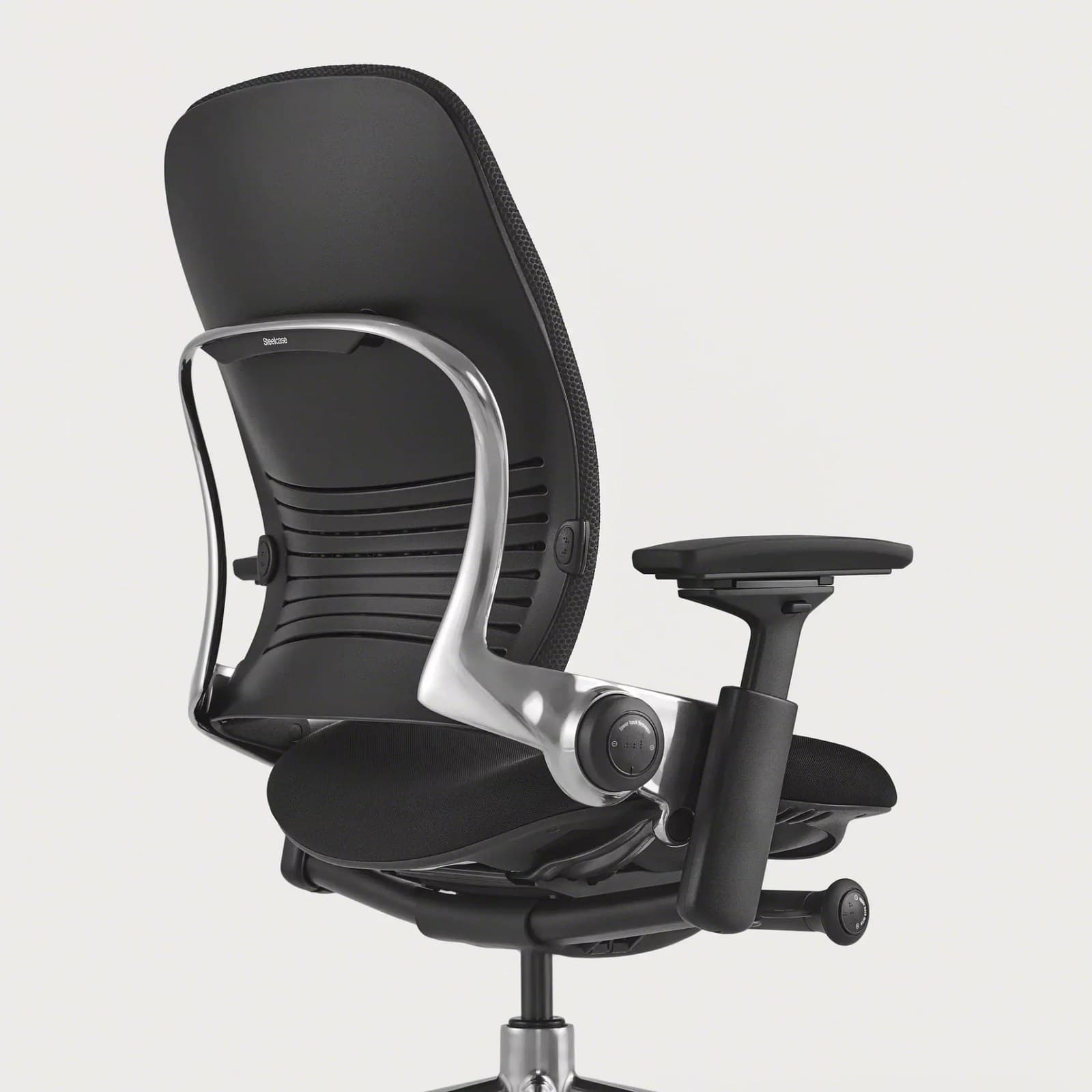
Steelcase Leap Chair
Leap is the catalog’s cushioned long-hour standout: LiveBack, seat depth, tunable lumbar, and a desk-oriented recline. Expect more warmth than Aeron or Fern in exchange for that padded, flexing feel.
Why it works for this pick
- • LiveBack flexes as you recline so contact is not locked to one upright shape
- • Sliding seat depth and lumbar height/firmness for all-day fit tuning
- • Natural Glide recline keeps you closer to the desk while opening the hip angle
- • 4D arms and a 12-year warranty aimed at commercial daily use
Potential drawbacks
- • Warmer than open-mesh designs during long sessions in a warm room
- • Bulkier footprint than compact task chairs
- • Premium pricing — typically about $1,000–$1,500
Who should buy
- • Full-time remote workers who want cushioned support for 8+ hour days
- • People who recline during focus blocks and want the seat to stay under them
- • Buyers who prioritize seat-depth adjustment over a mesh sling
Who should skip
- • Anyone who prioritizes maximum airflow above a padded back
- • Very small desks where a large task chair crowds the space
- • Value shoppers looking under ~$500
Best for Adjustability
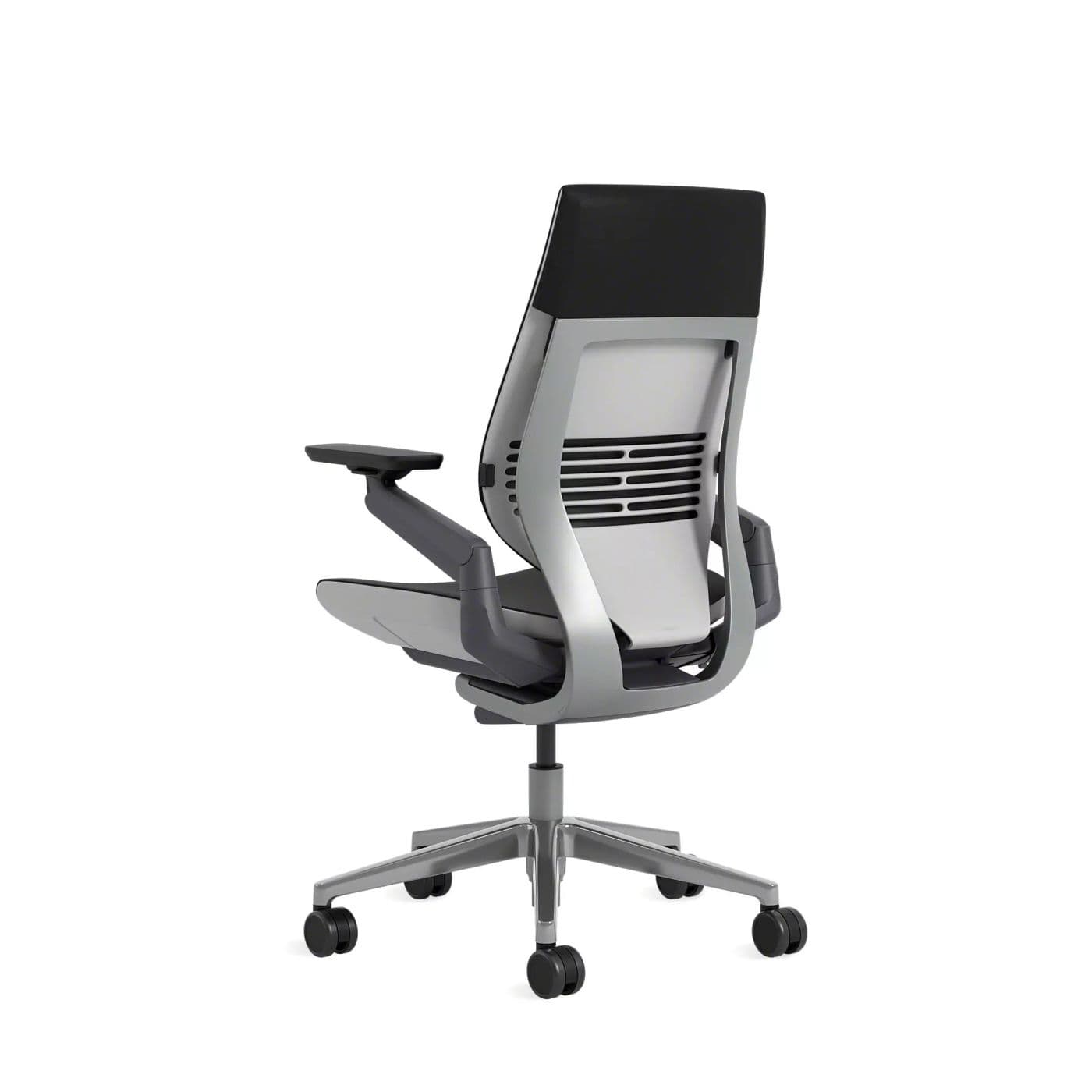
Steelcase Gesture Chair
Gesture earns the adjustability award for long, mixed-posture days. Specs emphasize 360° arms and a deep recline range — useful when an 8-hour shift is not one typing stance.
Why it works for this pick
- • 360° arms support laptop, tablet, and phone postures without losing forearm rest
- • Wraparound back and Core Interface recline cover a wide range of seated angles
- • Adjustable seat depth for thigh length on long sits
- • 12-year warranty and fleet-grade build for weekday duty
Potential drawbacks
- • Expensive — typically about $1,200–$1,600
- • Heavier and bulkier than mesh task chairs
- • Less ‘cool mesh’ character than Aeron or Fern
Who should buy
- • People whose eight hours include device switching, not only upright typing
- • Workers who recline and shift often through the day
- • Buyers who want arms that follow lateral reach on long calls
Who should skip
- • Shoppers who want the lightest, coolest mesh feel
- • Tight budgets or compact footprints
- • Anyone who only sits in one locked upright posture and will not use the arm range
Best Premium
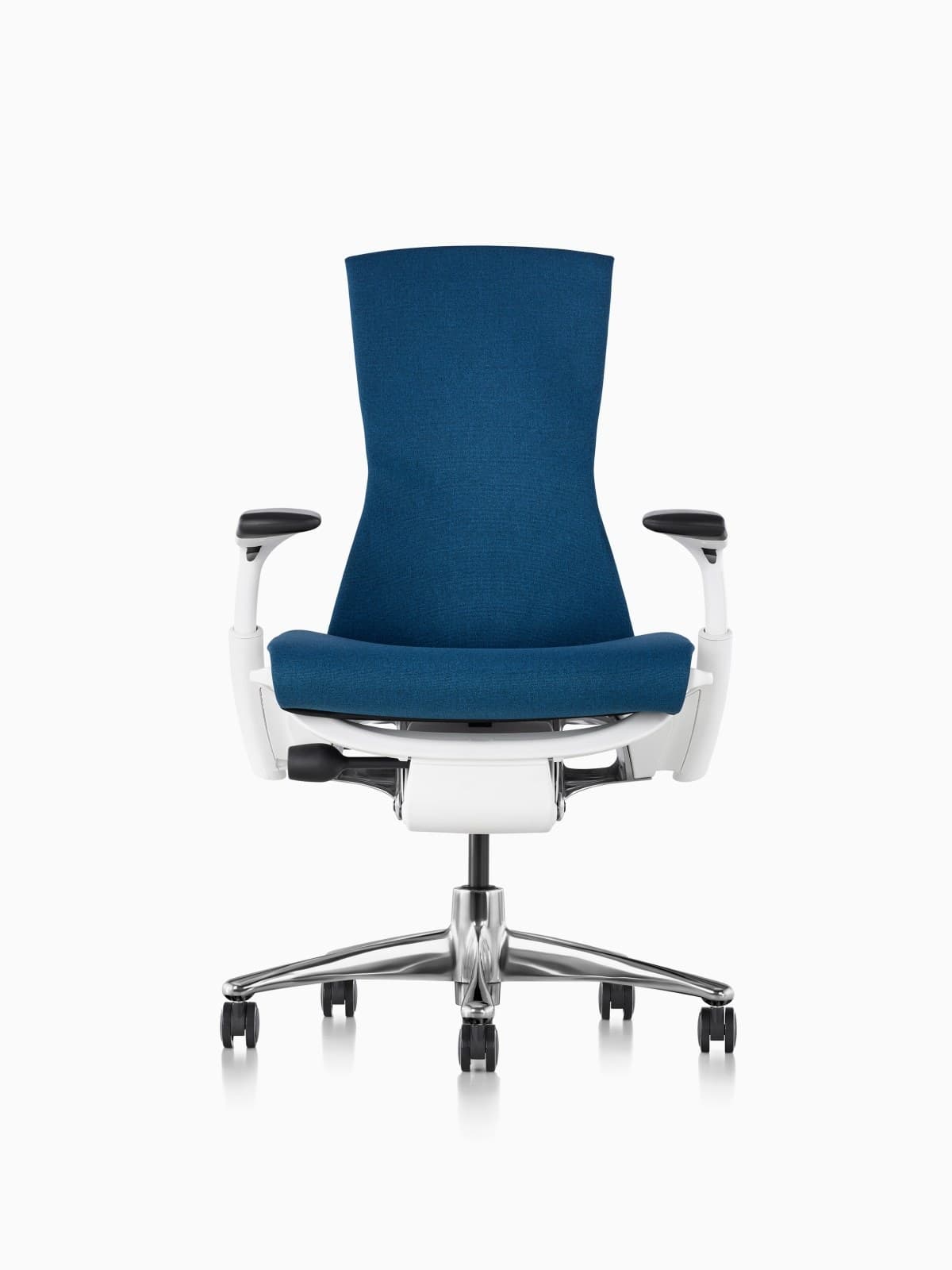
Herman Miller Embody Chair
Embody is the premium long-hour pick when you want distributed, cushioned-feeling support and seat depth rather than a mesh sling. Catalog positioning is all-day creative and focus work — at the top of the price ladder.
Why it works for this pick
- • Pixelated back matrix spreads contact instead of concentrating it in one lumbar pad
- • Backfit and seat-depth adjustment for long creative or focus blocks
- • Follows posture changes well when you shift through a long day
- • 12-year Herman Miller warranty on typical configs
Potential drawbacks
- • Very expensive — typically about $1,800–$2,200
- • Distinct look is polarizing
- • Warmer than open-mesh Aerons for many users
Who should buy
- • Premium buyers who disliked Aeron’s sling-mesh feel
- • Taller users who want a taller back and distributed support
- • People who change posture frequently during long sessions
Who should skip
- • Anyone shopping under flagship pricing
- • Buyers who prioritize maximum breathability above all else
- • Shoppers who want a classic mesh aesthetic
Best Alternative
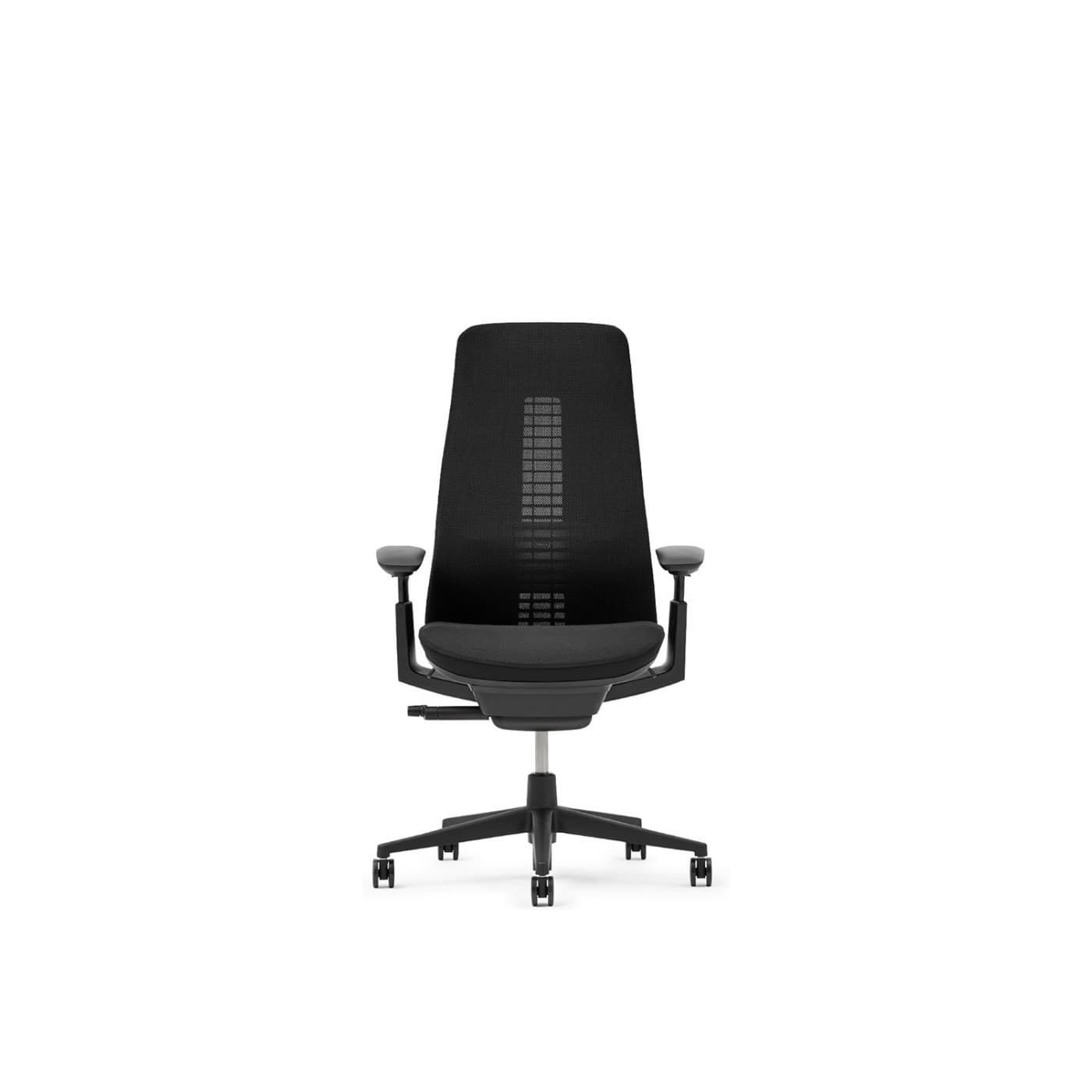
Haworth Fern Chair
Fern takes the breathable award here so Aeron can stay Best Overall without a duplicate label. Wave Suspension plus mesh options target long days where heat and continuous back contact both matter.
Why it works for this pick
- • Wave Suspension mesh back flexes with movement without a bulky outer frame edge
- • Breathable mesh options suited to warm, unbroken desk blocks
- • 4D arms and seat depth on typical configs for all-day fine-tuning
- • 12-year warranty on many commercial configurations
Potential drawbacks
- • Premium price — typically about $1,000–$1,600
- • Less ubiquitous retail availability than Aeron or Steelcase
- • Learning curve versus knob-heavy chairs
Who should buy
- • Long-hour sitters who want mesh airflow with a more adaptive back feel than a classic sling
- • Design-forward home offices comparing Aeron alternatives
- • People who dislike rigid back-frame edges against the shoulders
Who should skip
- • Buyers who need easy walk-in retail comparison everywhere
- • Anyone who prefers a fully upholstered cushioned back (consider Leap)
- • Budgets that cannot reach the premium tier
Best Value
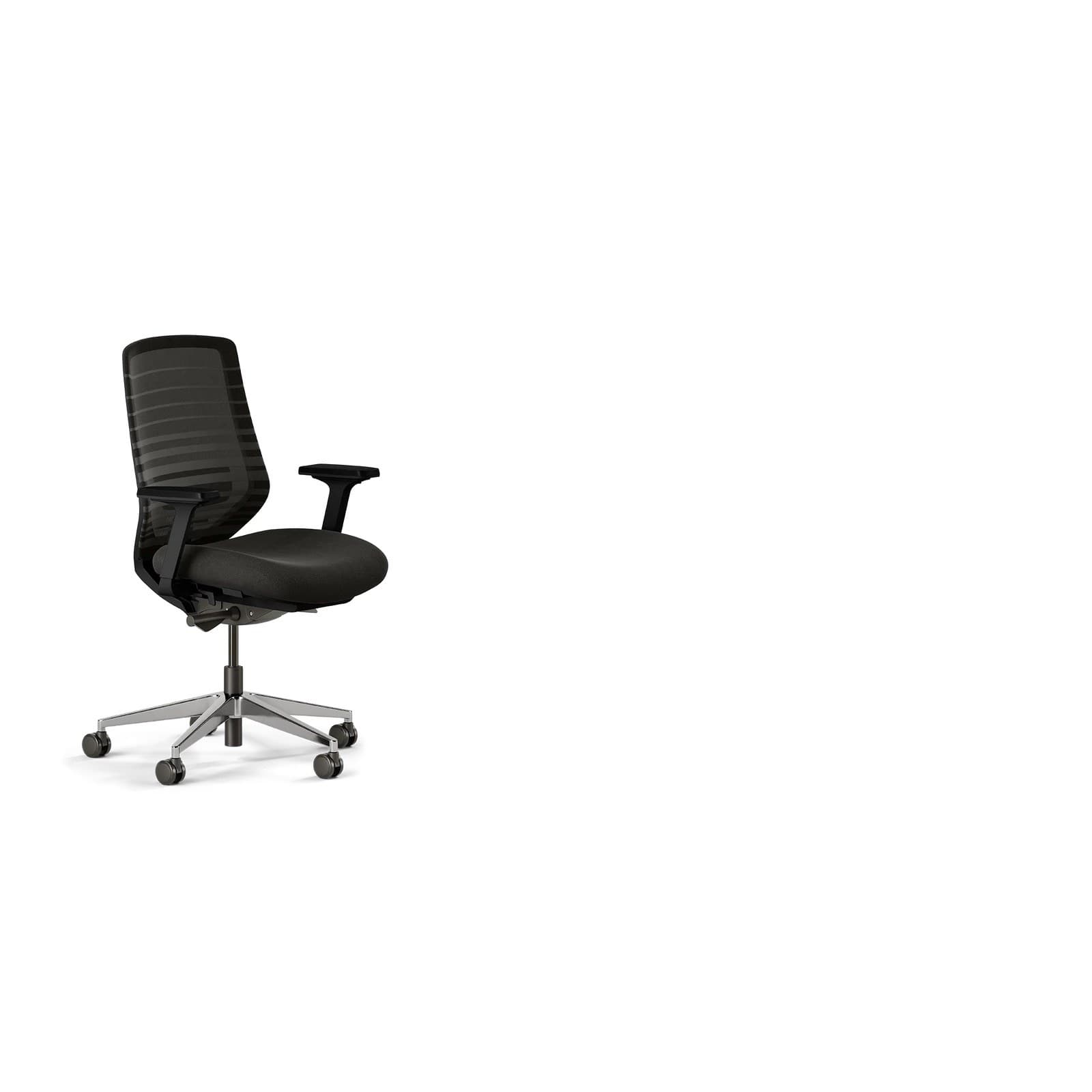
Branch Ergonomic Chair
Branch is the value floor for serious long-hour sitting in this catalog: mesh, seat depth, lumbar height, and a 7-year warranty typically around $300–$400. It will not match flagship mechanisms, but it includes the adjustments that matter past hour six.
Why it works for this pick
- • Eight points of adjustment including seat depth and lumbar height — the features that show up after lunch
- • Breathable mesh back for long sessions without flagship pricing
- • 3D arms (removable) and recline with tension control
- • 7-year warranty is stronger than many sub-$400 chairs
Potential drawbacks
- • Not fleet-grade longevity versus Herman Miller or Steelcase
- • Fewer fine adjustments than Gesture, Leap, or Aeron
- • Optional headrest sold separately
Who should buy
- • First ergonomic upgrades for full-time WFH on a tighter budget
- • People who need seat depth and lumbar under ~$400
- • Smaller home offices that still need all-day basics
Who should skip
- • Buyers who want 10–12 year commercial warranties
- • Anyone who needs the most refined arm and recline mechanisms
- • Heavy daily use where fleet-grade durability is the priority
Long-hour buying guide
Evaluate the sixth hour, not the first minute
Plush foam can feel great for five minutes and go flat or hot by afternoon. If you cannot sit in a store for a long block, use return windows and pay attention to thigh pressure, heat, and whether lumbar is still in contact after you settle.
Prices and configs change; treat list ranges as approximate and confirm current retailer listings before you buy.
Checklist before you purchase
Confirm seat depth (or Aeron size), lumbar you can set, arm height that unloads the shoulders, and a recline with tension control — not only a lock upright.
Prefer breathable backs if your room runs warm. Read warranty length as a durability clue for weekday 8-hour use.
Match materials to your climate and preference
Mesh (Aeron, Fern, Branch) usually stays cooler on unbroken desk days. Cushioned options (Leap, Gesture, Embody) can feel more supportive if you prefer padded contact and work in a cooler space.
Avoid thick executive foam that swallows you and traps heat if your workday is mostly continuous sitting.
Plan for posture changes and desk height
Set chair height so feet plant flat and the desk allows roughly open elbows. Re-check mid-afternoon when posture settles.
A sit-stand desk complements an all-day chair; the chair’s job is supported sitting, not replacing movement.
Budget with cost-per-workday in mind
Flagship chairs cost more up front but often carry 12-year warranties and mechanisms built for commercial hours. Value chairs like Branch make sense when you need the core adjustments now and accept a shorter commercial pedigree.
Refurbished or prior-gen fleet chairs can close the gap if you verify size, wear, and return policy — still research language, not a hands-on test claim.
FAQ
Frequently asked questions
What is the best office chair for sitting 8 hours a day?
For most people comparing catalog specs, start with the Herman Miller Aeron for cool mesh and a 12-year warranty, or the Steelcase Leap if you want cushioned LiveBack support and sliding seat depth. Fit still matters more than the award label — seat depth and lumbar height have to match your body.
Mesh or cushioned foam for long hours?
Mesh usually stays cooler and does not compress the same way cheap foam does. High-quality cushioned chairs with a flexing back (Leap) or distributed support (Embody) can feel better if you prefer padded contact. Avoid thick memory-foam executive chairs that run hot and swallow posture on full workdays.
Are expensive ergonomic chairs worth it for all-day sitting?
They can be if you sit full workdays most weeks and will use the adjustments. Flagship pricing often buys better mechanisms, materials that hold shape longer, and 10–12 year warranties. If the budget is tighter, prioritize seat depth, lumbar height, and breathable mesh (Branch) over decorative extras.
What should WFH workers who sit all day look for?
Treat the chair as daily equipment: adjustable seat height and depth (or correct sizing), lumbar that stays in place, arms that unload the shoulders, a usable recline, and materials that do not overheat. Pair it with brief posture changes and a desk height that matches the chair.
How often should I get up if I sit 8+ hours?
Change posture every 30–60 minutes when you can — stand, walk, or recline briefly. A supportive chair makes sitting more sustainable; it does not replace movement. This is general workplace comfort guidance, not medical advice.
Is the Aeron or the Leap better for long hours?
Aeron if you want cooler mesh and a lighter chair; Leap if you want a cushioned back that flexes as you recline, plus easier seat-depth tuning. Both are positioned for full workdays with long commercial warranties — choose by fit and material preference.
Do I need a headrest for all-day desk work?
Not for upright computer work. Headrests help more when you recline on calls. For 8-hour typing, spend budget first on lumbar, seat depth, and arms.
Related guides and reviews
Not sure which long-hour chair fits you?
Answer a few questions about budget, materials, and how you sit — we’ll point you to chairs that match all-day work, not just a short sit.
Take the office chair quiz