Audience guide
Best Office Chair for Remote Workers in 2026
Remote workers live in their chairs — focus blocks, standups, and back-to-back calls all happen in the same seat. Choosing a chair built for real workdays makes home office life more comfortable and sustainable.
Updated August 2026 · For remote workers building healthier desk setups
Key takeaways
- Full-time remote work rewards chairs designed for 6–10 hour days, not occasional use.
- Breathable materials help afternoon comfort on video-heavy schedules.
- Adjustable lumbar and armrests beat fixed “comfy” thrift or dining chairs.
- Aeron leads for premium buyers; Branch leads for first ergonomic upgrades.
- Build the rest of the setup around height and monitor position too.
At a glance
Best office chairs for remote workers compared
| Chair | Best For | Price | Key Feature |
|---|---|---|---|
| Herman Miller Aeron Chair | Full-time remote work | $1,400–$1,800 | 8Z Pellicle mesh for pressure distribution and airflow |
| Steelcase Gesture Chair | Calls, laptops, and posture variety | $1,200–$1,600 | 360-degree arms that follow your movement |
| Steelcase Leap Chair | All-day back comfort | $1,000–$1,500 | LiveBack technology that flexes with spinal movement |
| Branch Ergonomic Chair | Affordable full-day support | $300–$400 | Eight points of adjustment |
Work-day fit
Why remote workers need a different office chair
Home office days are longer and more varied than people expect. Remote workers switch between focused typing, multitasking, and leaning slightly back for video calls — often in the same chair for years.
A generic chair rarely keeps up. Remote workers need durable mechanisms, real adjustability, and enough comfort that “just one more meeting” does not mean fighting your furniture.
Full workdays at home
Your chair is effectively your office. Mileage and warranty matter more than they would for occasional use.
Video call posture
You need comfort sitting upright for camera presence without locking into a single rigid position.
Hybrid tools
Laptop one hour, dual monitors the next — arms and recline range need to follow device changes.
Shared living spaces
Many home offices sit in bedrooms or living rooms; bulk and aesthetics can matter alongside ergonomics.
Common pain points
- End-of-day back tightness
- Call-day neck tension
- Heat and discomfort by afternoon
- Distraction when the chair fights your posture
Priorities
What makes a good office chair for remote workers?
Lumbar support
Essential
Support that keeps the lower back from rounding over a full day.
Why it matters: Remote schedules often include fewer natural walking breaks than office campuses, so lumbar load is higher.
Adjustable armrests
Essential
Arms that meet desk and keyboard height without shrugging.
Why it matters: Calls, typing, and mouse-heavy tools all benefit when shoulders can stay relaxed.
Breathable materials
Highly recommended
Mesh or ventilated upholstery for multi-hour comfort.
Why it matters: Afternoon heat is a common reason remote workers keep shifting instead of focusing.
Recline and tilt control
Highly recommended
Smooth recline for thinking and call-time posture change.
Why it matters: Changing torso angle mid-day reduces fatigue even without standing up.
Warranty & build quality
Highly recommended
Chairs rated for years of daily sitting.
Why it matters: Remote workers amortize a chair across thousands of hours — durability is part of the value equation.
Picks
Recommended office chairs for remote workers
Each pick is chosen for how remote workers actually sit and work — not a generic bestseller list.
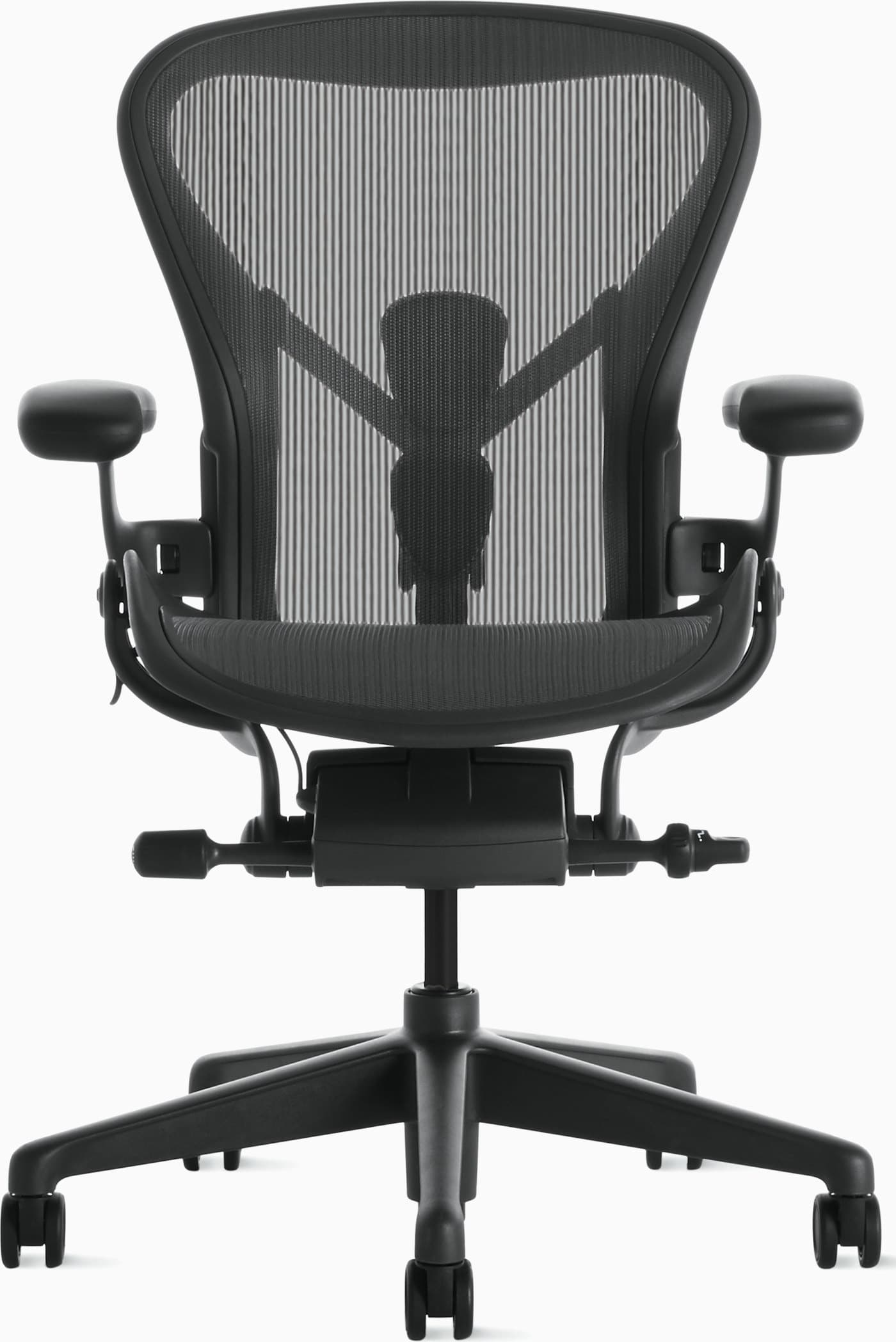
Best Overall
The default premium pick for people who sit most of the workweek and want support that still feels good in year five.
Warranty: 12-year warranty
Weight capacity: Up to 350 lbs depending on size
Lumbar: PostureFit SL sacral and lumbar pads
Armrests: Fully adjustable arms (height, width, depth, pivot)
Pros
- • Excellent long-session comfort
- • Highly adjustable and durable
- • Stays cool during warm days
- • Strong resale value and warranty
Cons
- • Premium price
- • Mesh feel is not for everyone
- • Sizing matters — wrong size reduces comfort
$1,400–$1,800
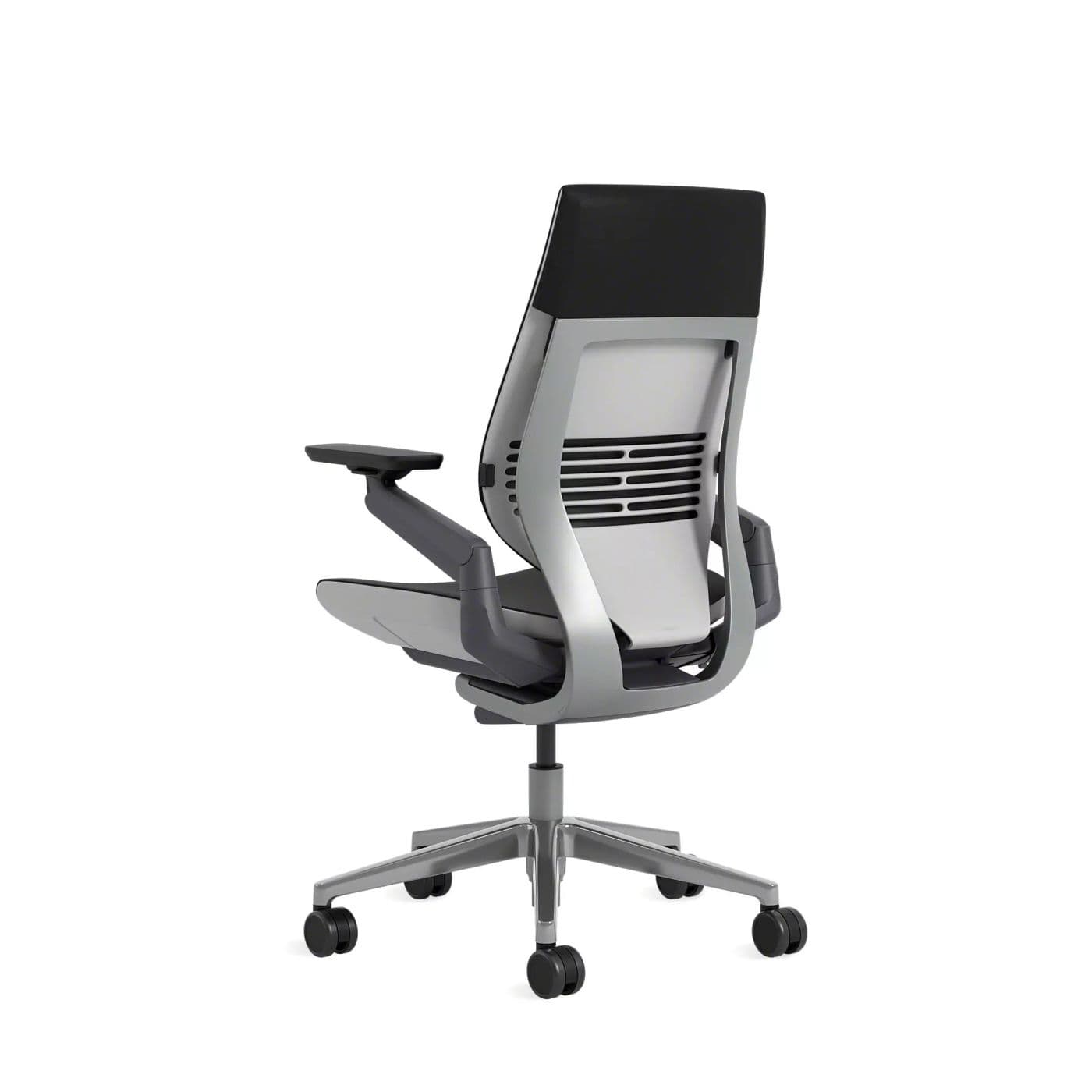
Best Premium
Gesture is excellent when remote work mixes phones, tablets, and traditional desk computing.
Warranty: 12-year warranty
Weight capacity: Up to 400 lbs
Lumbar: Integrated lumbar with wraparound back contour
Armrests: 360-degree arms that follow device postures
Pros
- • Excellent for changing postures
- • Comfortable for long days
- • Arms support phone and tablet use
- • Premium build quality
Cons
- • Expensive
- • Heavier and bulkier than mesh chairs
- • Fewer “tech” aesthetics than gaming chairs
$1,200–$1,600
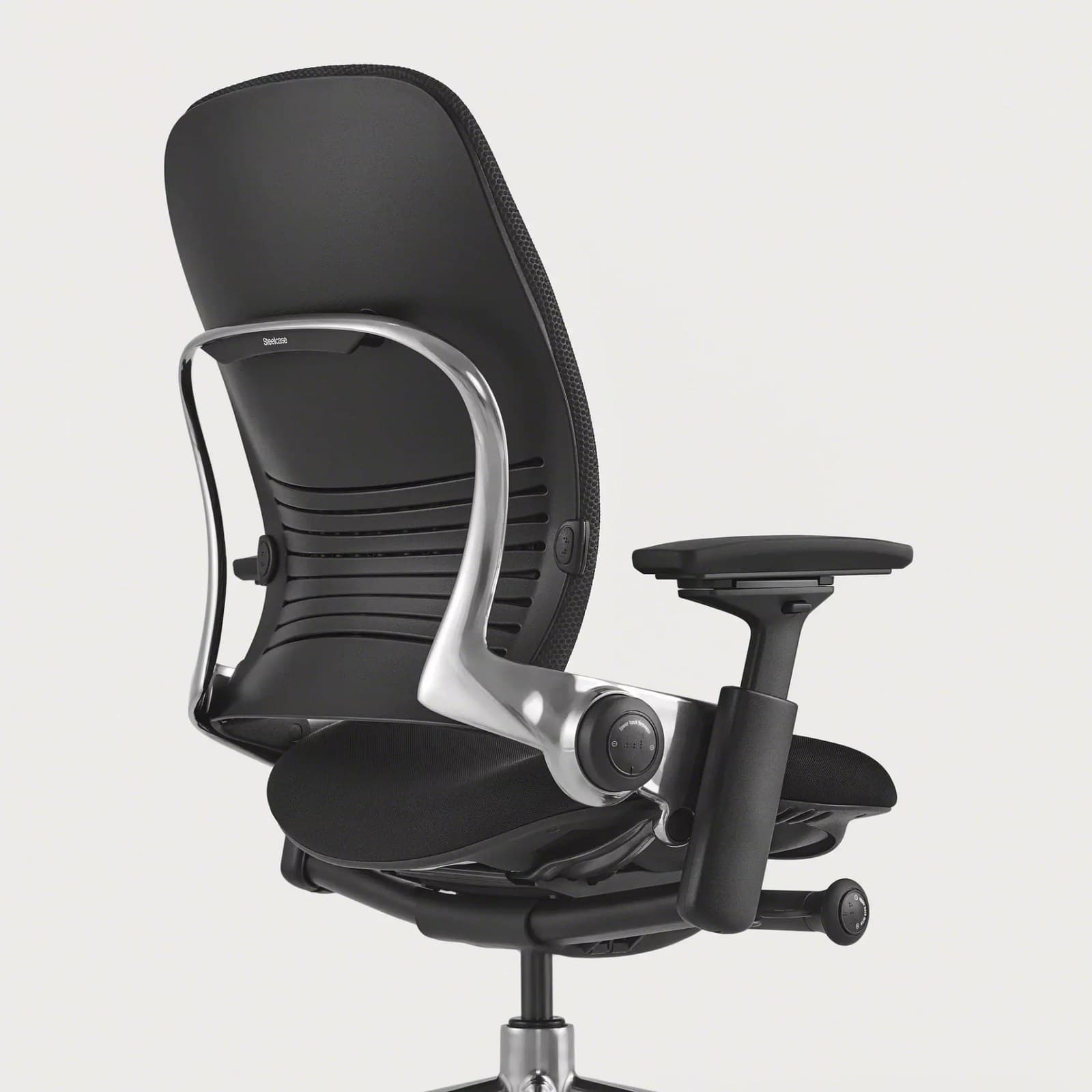
Best For Back Support
LiveBack-style flex and strong lumbar make the Leap a favorite for workers who prioritize spinal comfort.
Warranty: 12-year warranty
Weight capacity: Up to 400 lbs
Lumbar: Height-adjustable lumbar with firmness control; LiveBack flex
Armrests: 4D arms (height, width, depth, pivot)
Pros
- • Excellent all-day comfort
- • Deep adjustability
- • Strong lower-back support options
- • Proven fleet-grade durability
Cons
- • Premium price
- • Bulkier than compact task chairs
- • Warmer than open-mesh designs
$1,000–$1,500
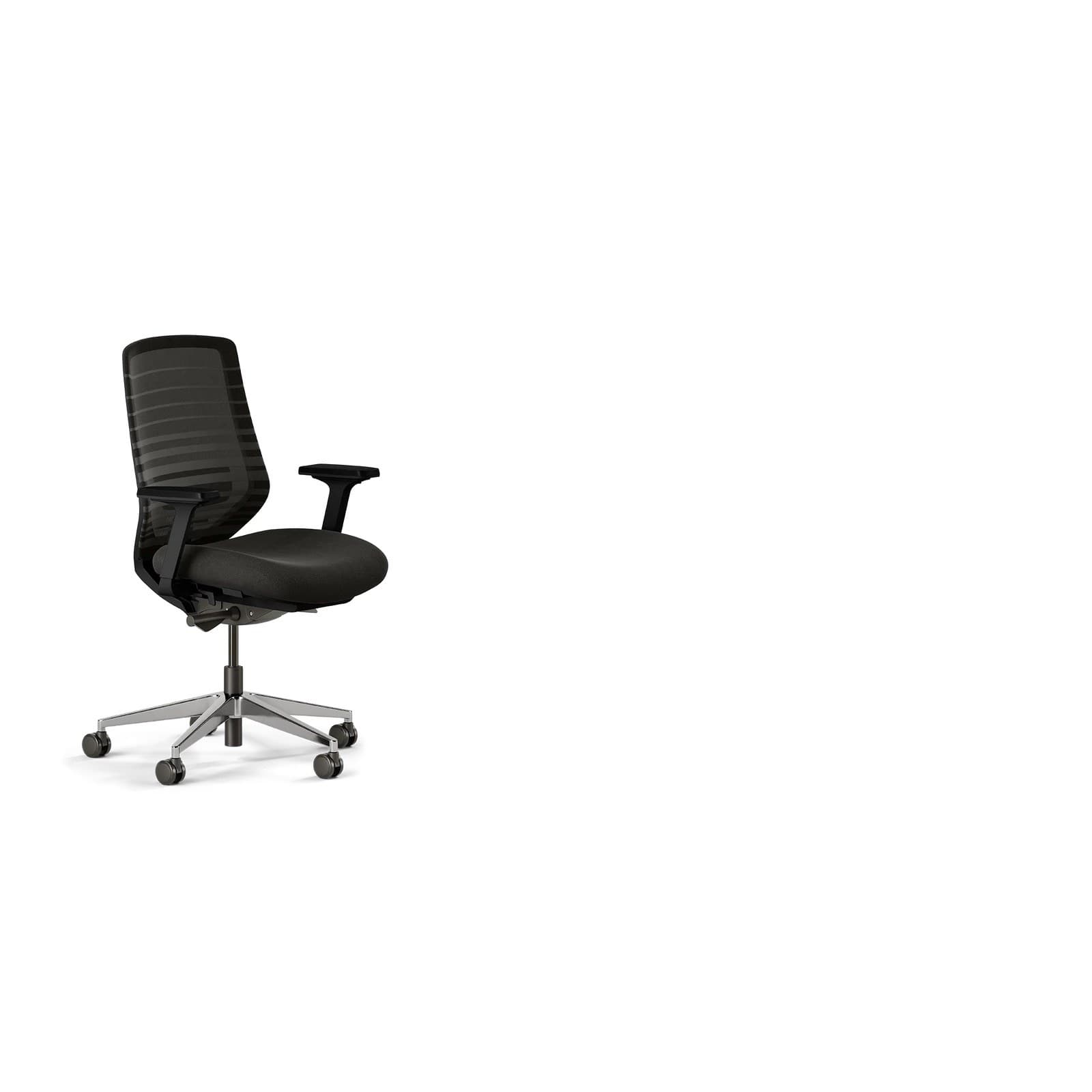
Best Value
The practical first step off a kitchen chair for new remote workers who still need real ergonomics.
Warranty: 7-year warranty
Weight capacity: Up to 275 lbs
Lumbar: Height-adjustable lumbar pad
Armrests: 3D arms (height, width, depth); removable
Pros
- • Excellent price-to-features ratio
- • Breathable for long sessions
- • Clean home-office aesthetic
- • Easy assembly and wide availability
Cons
- • Not fleet-grade like Herman Miller or Steelcase
- • Fewer fine adjustments than premium chairs
- • Optional headrest sold separately
$300–$400
Buying advice
What makes a good office chair for remote workers?
Remote work purchases should be judged on daily hours, not office showroom looks alone.
Hours per day
Six-plus hour users should invest in adjustability. Occasional hybrid days can accept a simpler mid-range chair.
Room and footprint
Measure base diameter and recline clearance so the chair fits a bedroom office or apartment corner.
Call comfort
If your calendar is meeting-heavy, test recline range and whether optional headrests help during longer calls.
Budget vs. cost per workday
Divide price by years you plan to keep the chair. Premium chairs often win on lifetime cost for full-time remote roles.
Watch-outs
Common problems remote workers face
End-of-day back tightness
Static home setups reduce incidental movement. Pair lumbar support with scheduled stand breaks.
Best chairs for remote workers →Camera-day neck tension
Screens set too high or low force neck flexion. Fix monitor height first, then chair recline.
Chair height guide →Overheating by afternoon
Thick cushions trap heat in warm rooms. Mesh-backed chairs usually fare better for long remote days.
Chair becomes a distraction
When support fails, focus wanders. Upgrade ergonomics before buying more productivity apps.
How to choose a chair →FAQ
Office chair FAQs for remote workers
What is the best office chair for working from home?
For most full-time remote workers, the Herman Miller Aeron leads for comfort and longevity. The best chair still depends on body size, budget, and daily hours — try to match seat depth and lumbar range to how you sit.
How much should remote workers spend on a chair?
Most people do well between $250 and $800. Full-time roles sitting 8+ hours justify higher budgets; part-time hybrid users can prioritize solid mid-range options.
Are expensive ergonomic chairs worth it for WFH?
Yes if you sit daily and plan to keep the chair for years. Cost per workday often undercuts repeatedly replacing cheap chairs — and adjustability shows up in comfort quickly.
Do I need a mesh or foam chair for remote work?
Mesh is usually better for long, warm days. Foam can feel plush for cooler rooms or shorter sittings. Choose based on climate and hours, not only brand prestige.
Is a dining chair okay for remote work?
Short-term, yes. Long-term, fixed dining chairs lack lumbar and seat adjustability. If remote work is your daily job, upgrade sooner rather than later.
Should I buy used Herman Miller chairs?
Authorized refurbished or carefully inspected used Aerons can be excellent value. Confirm size, mesh condition, and mechanism health before buying.
Does a standing desk replace a good chair?
No. Alternate standing and sitting. Most remote workers still need a capable chair for multi-hour seated blocks.
Final recommendation
Our pick for remote workers
For full-time remote work, start with the Herman Miller Aeron if budget allows — it remains the most reliable all-day choice. If your day involves lots of device switching, choose the Steelcase Gesture. On a tighter budget, the Branch Ergonomic Chair is the most practical upgrade that still covers essential ergonomics.