Audience guide
Best Office Chair for Long Hours in 2026
If your workday is roughly eight hours or longer in the chair, the first-hour feel of a seat is a poor test. We compared office chairs on how they hold up through a full day: adjustability you can tune as you fatigue, lumbar that stays put, seat depth that protects circulation, breathable materials, a recline that lets you change pressure, and warranties that match daily use.
Updated August 2026 · For long hours building healthier desk setups
Key takeaways
- Long-hour chairs are judged after hour six, not minute ten — foam that feels plush at first often packs out.
- Seat depth, lumbar you can tune, and a recline with tension control matter more than a decorative headrest.
- Mesh backs usually stay more comfortable through a full day than thick foam or leatherette.
- A 10–12 year warranty is a useful signal that the mechanism is built for daily office use.
- The Leap is our all-day cushioned pick; the Aeron is the breathable pick; Branch covers essential adjustability on a budget.
At a glance
Best office chairs for long hours compared
| Chair | Best For | Price | Key Feature |
|---|---|---|---|
| Steelcase Leap Chair | 8+ hour cushioned workdays | $1,000–$1,500 | LiveBack + 12-year warranty |
| Herman Miller Aeron Chair | Long days if you run warm | $1,400–$1,800 | Pellicle mesh stays cool |
| Herman Miller Embody Chair | Long sessions with frequent posture shifts | $1,800–$2,200 | Pixelated full-spine support |
| Steelcase Gesture Chair | Long days that are not one typing stance | $1,200–$1,600 | 360° arms + deep recline range |
| Haworth Fern Chair | All-day contact without a hard frame edge | $1,000–$1,600 | Wave Suspension |
| Secretlab Titan Evo | Long days under flagship pricing | $500–$650 | Magnetic lumbar, 5-year warranty |
| Branch Ergonomic Chair | Essential all-day adjustments under $400 | $300–$400 | Seat depth + 7-year warranty |
Work-day fit
Why long hours need a different office chair
A chair that feels fine for email and a meeting can fail when you sit through an entire workday. Pressure under the thighs, heat in the back, and a lumbar pad that slides down show up after lunch — not during a five-minute showroom sit.
People working 8+ hours also need a way to change posture without leaving the desk. A lock-upright task chair keeps the same pressure map for hours. A controlled recline and a back that follows your spine spread load as the day goes on.
Few natural movement breaks
Meetings, tickets, and documents stack. You need support that does not require constant fidgeting to stay comfortable.
Afternoon fatigue
Shoulders creep up and the pelvis tucks as you tire. Adjustable lumbar and arm height let you reset fit mid-day.
Same chair, every weekday
Daily use wears foam, cylinders, and arm caps. Warranty length and mechanism quality matter more than for occasional sitting.
Need to change pressure, not just sit still
A recline that keeps you oriented to the keyboard is more useful than a deep lounge that dumps you away from the desk.
Common pain points
- Comfort that fades after lunch
- Heat buildup in foam seats
- Locked upright posture with no recline
- Foam that compresses after a year of daily use
Priorities
What makes a good office chair for long hours?
- All-day comfort past the first two hours
- Adjustability you will actually use
- Lumbar support that stays in place
- Seat depth that does not cut circulation
- Breathability and a usable recline
All-day comfort
Essential
Pressure distribution and materials that remain usable after six to eight hours, not only in a showroom sit.
Why it matters: Long-hour buyers fail chairs that go flat, hot, or numb after lunch. Mesh or well-tuned foam with a proper pan shape lasts longer than thick unsupportive padding.
Adjustability
Essential
Seat height, lumbar, arms, and ideally seat depth you can change as you fatigue.
Why it matters: A static chair cannot match a body that settles over an 8-hour day. Small mid-afternoon tweaks prevent the ‘everything hurts at 4 p.m.’ pattern.
Lumbar support
Essential
Support that stays at the right height instead of a pad that slides to the belt line.
Why it matters: Long sitting flattens the lower back. Tunable lumbar (or a back that flexes with you, as on Leap) keeps contact without a hard poke.
Seat depth
Essential
A pan you can set so there is a small gap behind the knees.
Why it matters: A pan that is too long cuts circulation on long sits; too short leaves the thighs hanging. That mismatch is a full-day problem, not a five-minute one.
Breathability
Highly recommended
Mesh or open upholstery that sheds heat during a full workday.
Why it matters: Heat makes you perch on the front of the seat, which undoes lumbar contact. Cooler chairs are easier to stay in correctly for eight hours.
Recline
Highly recommended
Tension-controlled recline that lets you open the hip angle without sliding off the task.
Why it matters: Changing the hip angle unloads the spine. Leap’s Natural Glide and Aeron’s tilt limiter are built for that; cheap chairs often have an on/off lock only.
Warranty and durability
Highly recommended
Coverage and mechanism quality that match five-day-a-week use.
Why it matters: An 8-hour chair is a tool. 12-year commercial warranties (Steelcase, Herman Miller) are a stronger durability signal than 1–2 year consumer coverage.
Picks
Recommended office chairs for long hours
Each pick is chosen for how long hours actually sit and work — not a generic bestseller list.
Best Overall
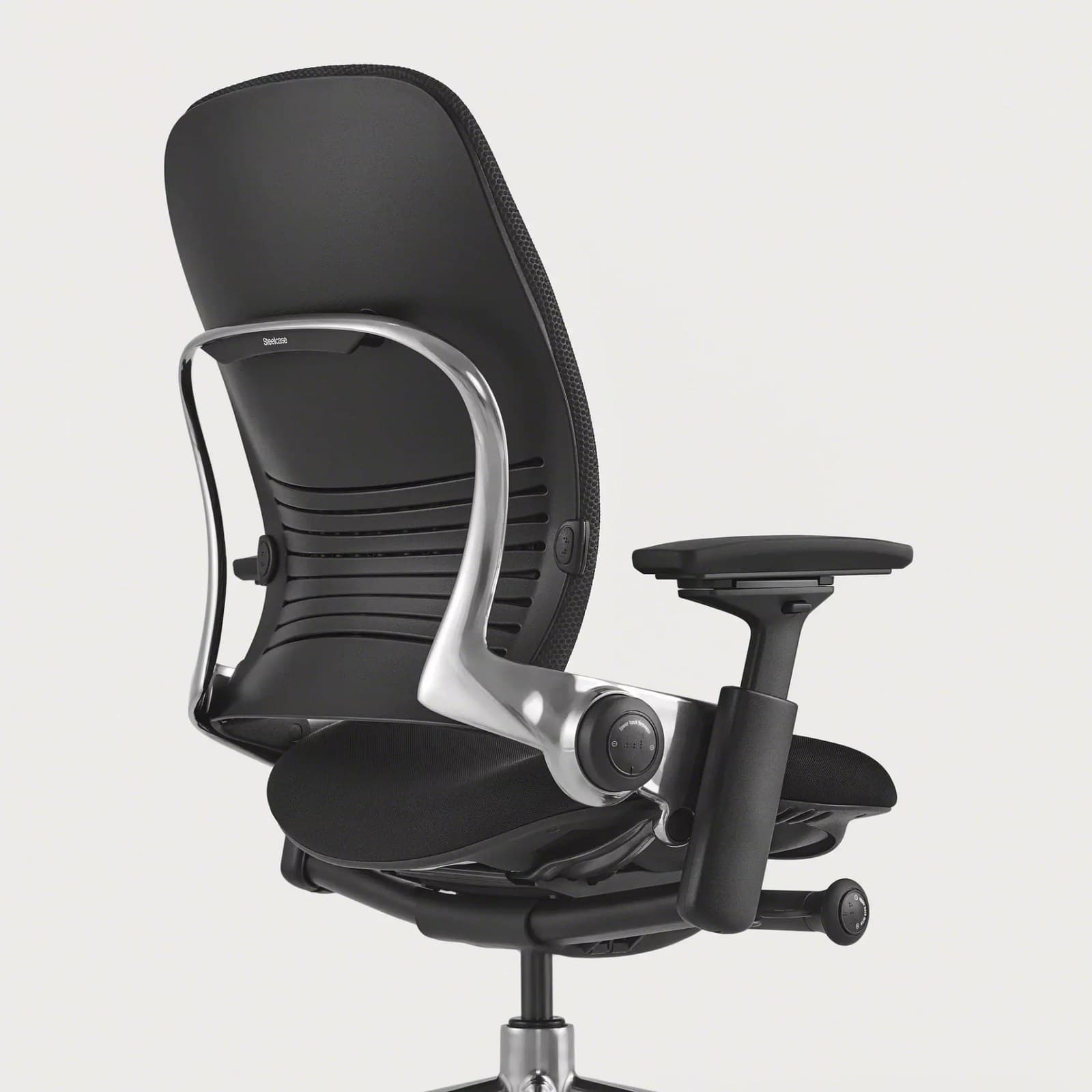
Leap is built for people who sit a full shift. LiveBack flexes as you recline, seat depth is adjustable, lumbar firmness can be tuned, and the 12-year warranty matches daily office use. It runs warmer than mesh, which is the main tradeoff versus the Aeron.
Warranty: 12-year warranty
Weight capacity: Up to 400 lbs
Lumbar: Height-adjustable lumbar with firmness control; LiveBack flex
Armrests: 4D arms (height, width, depth, pivot)
Pros
- • Excellent all-day comfort
- • Deep adjustability
- • Strong lower-back support options
- • Proven fleet-grade durability
Cons
- • Premium price
- • Bulkier than compact task chairs
- • Warmer than open-mesh designs
$1,000–$1,500
Best Breathable
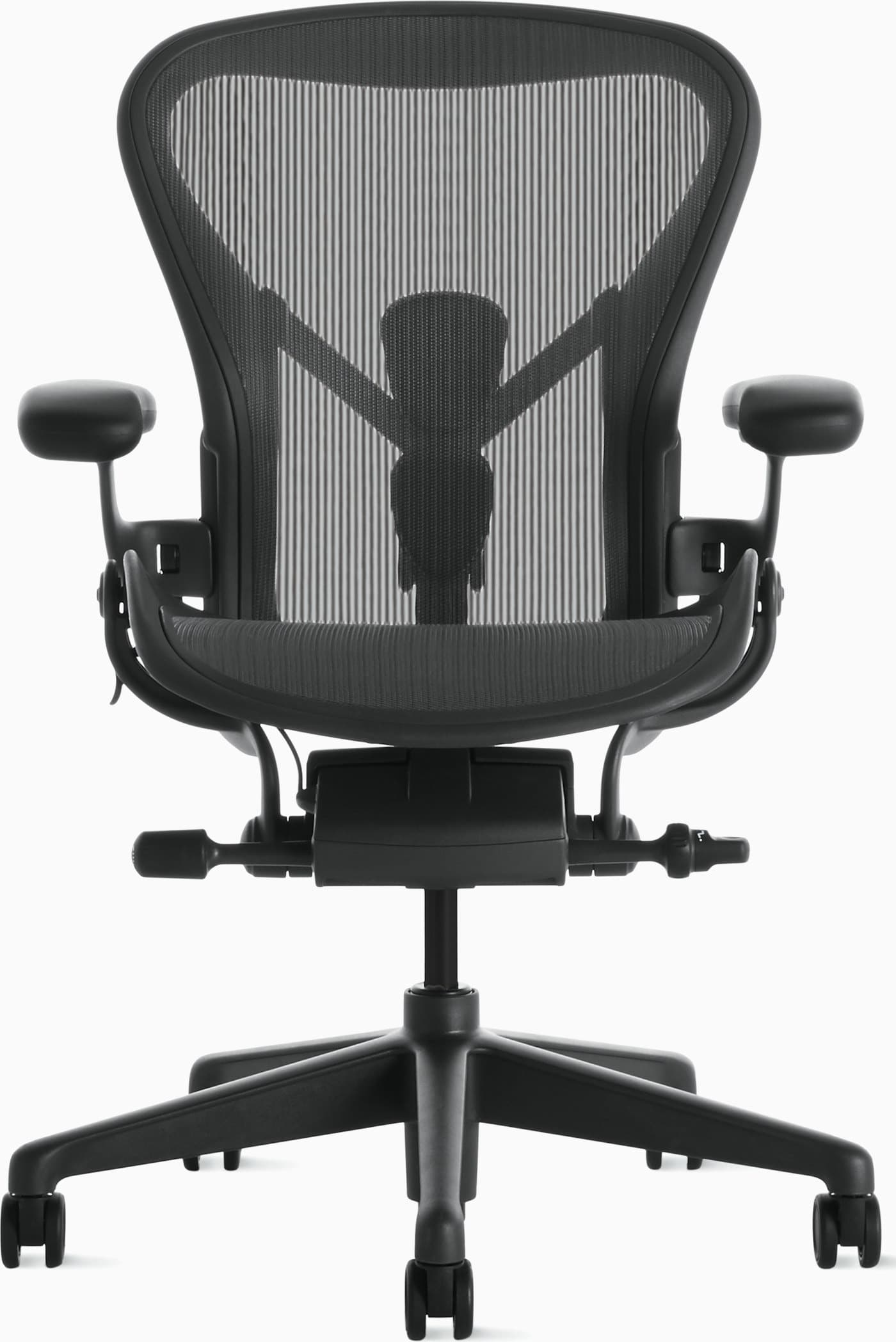
Aeron’s mesh does not pack out the way cheap foam does after a year of 8-hour days. PostureFit and a 12-year warranty support all-day use; get the correct size (A/B/C) or the sling will not hold the lower back.
Warranty: 12-year warranty
Weight capacity: Up to 350 lbs depending on size
Lumbar: PostureFit SL sacral and lumbar pads
Armrests: Fully adjustable arms (height, width, depth, pivot)
Pros
- • Excellent long-session comfort
- • Highly adjustable and durable
- • Stays cool during warm days
- • Strong resale value and warranty
Cons
- • Premium price
- • Mesh feel is not for everyone
- • Sizing matters — wrong size reduces comfort
$1,400–$1,800
Best Distributed Support
Herman Miller
Embody Chair
Best for: Long sessions with frequent posture shifts
Key feature: Pixelated full-spine support
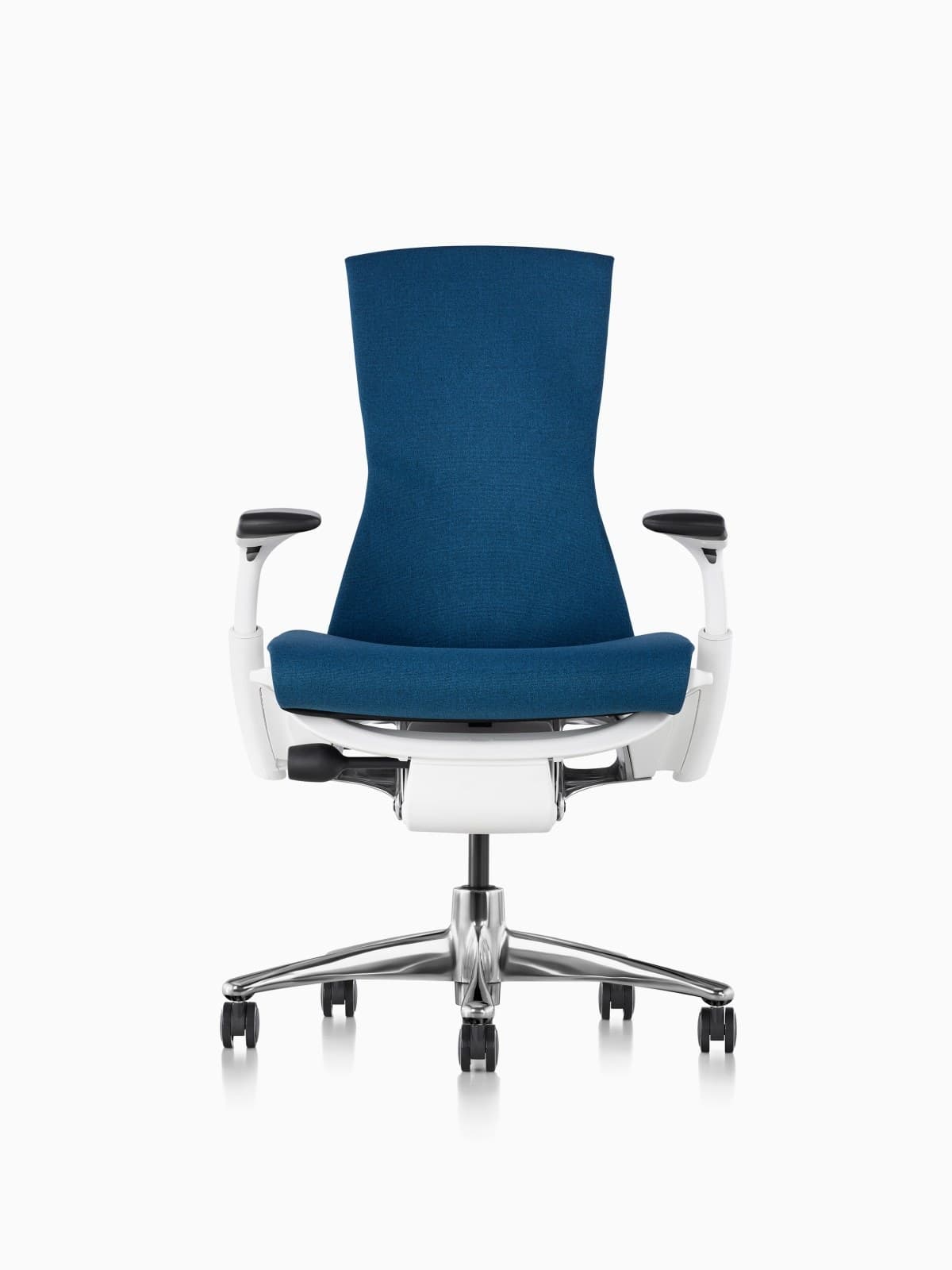
Embody spreads contact across the back instead of concentrating it in a single lumbar pad — useful when you change posture many times in a long day. It is the most expensive pick here and warmer than an Aeron.
Warranty: 12-year warranty
Weight capacity: Up to 300 lbs on typical Embody configs
Lumbar: Backfit plus pixelated support across the spine
Armrests: Fully adjustable arms
Pros
- • Excellent distributed support
- • Strong option for taller bodies
- • Follows posture changes well
- • Herman Miller durability and warranty
Cons
- • Very expensive
- • Distinct look is polarizing
- • Warmer than open-mesh Aerons for some users
$1,800–$2,200
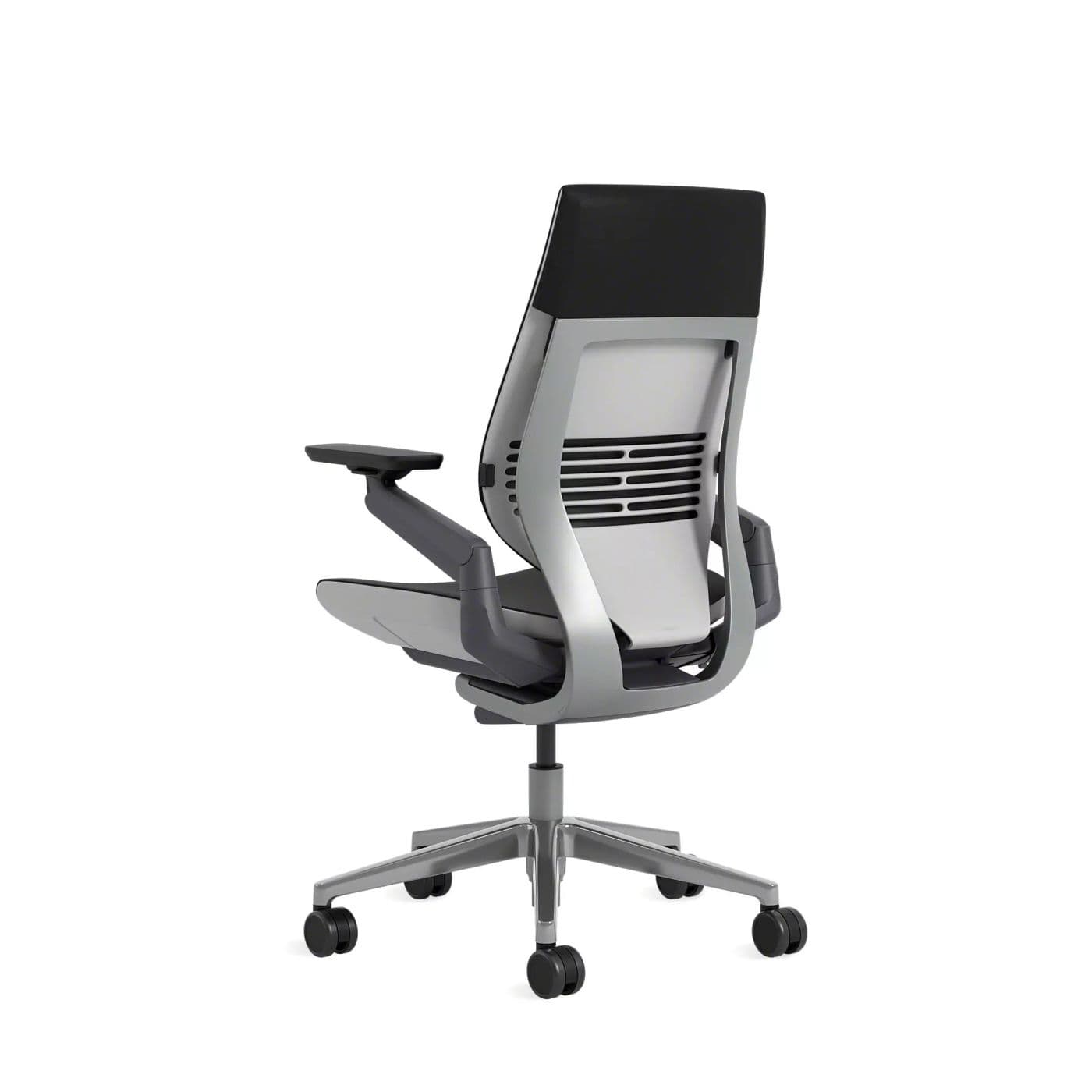
Best for Mixed Postures
Steelcase
Gesture Chair
Best for: Long days that are not one typing stance
Key feature: 360° arms + deep recline range
If your eight hours include laptop, phone, and reclined reading — not only upright typing — Gesture’s arms and recline range keep support as you move. Heavier and bulkier than mesh task chairs.
Warranty: 12-year warranty
Weight capacity: Up to 400 lbs
Lumbar: Integrated lumbar with wraparound back contour
Armrests: 360-degree arms that follow device postures
Pros
- • Excellent for changing postures
- • Comfortable for long days
- • Arms support phone and tablet use
- • Premium build quality
Cons
- • Expensive
- • Heavier and bulkier than mesh chairs
- • Fewer “tech” aesthetics than gaming chairs
$1,200–$1,600
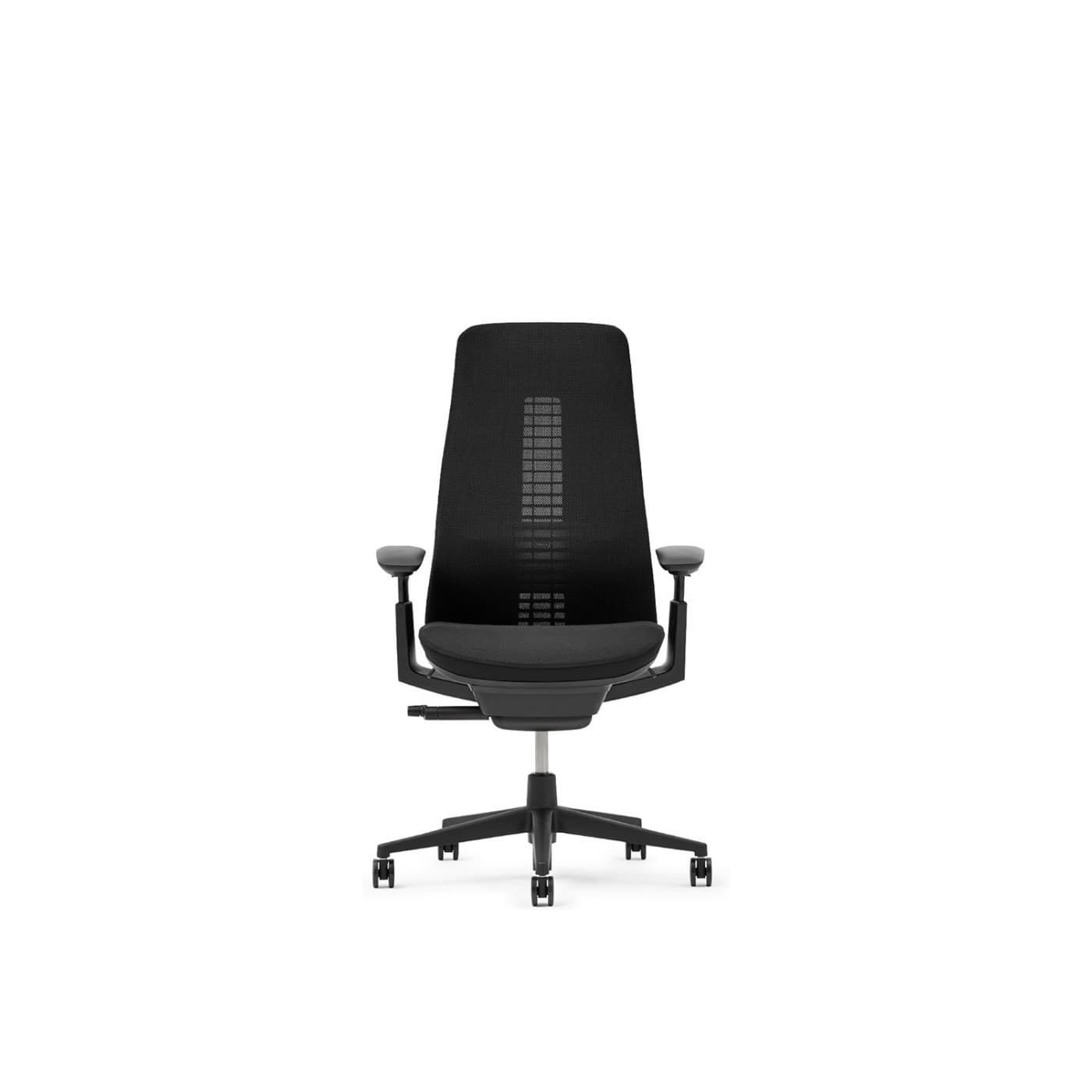
Best Flexible Back
Fern’s suspension back stays in contact as you shift through a long day, without the sling feel of an Aeron. 4D arms and seat depth are available on typical configs; availability is less walk-in than Steelcase.
Warranty: 12-year warranty on many commercial configs
Weight capacity: Up to 400 lbs on standard Fern
Lumbar: Wave Suspension system with optional lumbar
Armrests: 4D adjustable arms
Pros
- • Excellent dynamic back comfort
- • Distinctive modern design
- • Breathable mesh options
- • Premium build quality
Cons
- • Premium price
- • Less ubiquitous retail availability than Aeron
- • Learning curve vs. knob-heavy chairs
$1,000–$1,600
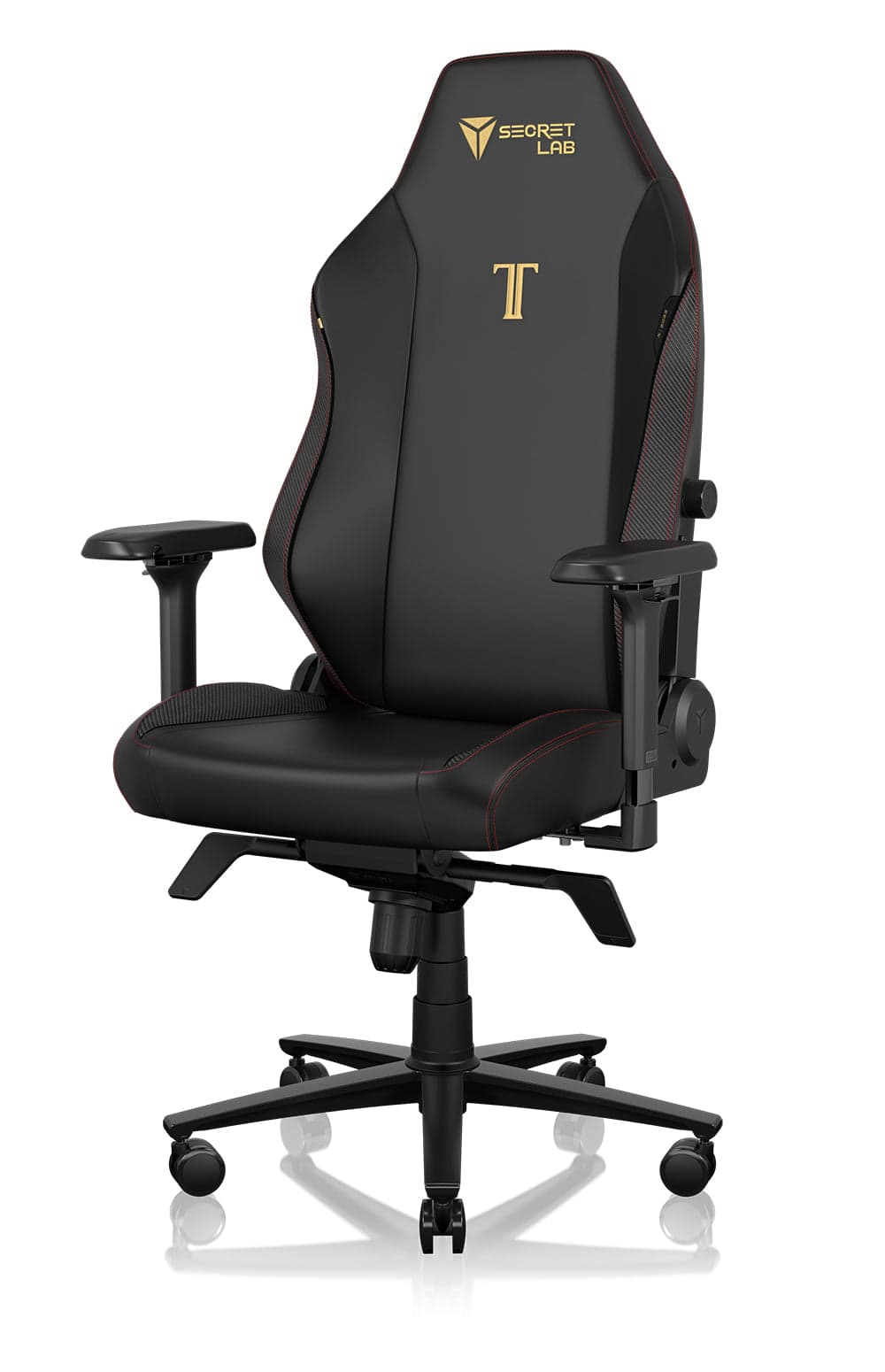
Best Mid-Range
Secretlab
Titan Evo
Best for: Long days under flagship pricing
Key feature: Magnetic lumbar, 5-year warranty
A firmer all-day seat with magnetic lumbar and 4D arms. The 5-year warranty is shorter than Steelcase/Herman Miller. Pick fabric if you sit eight hours in a warm room; leatherette holds heat.
Warranty: 5-year warranty on typical retail configs
Weight capacity: Up to about 287 lbs (Regular); Plus size higher
Lumbar: Magnetic lumbar support with height/depth adjustment
Armrests: 4-way (4D) armrests
Pros
- • Strong value vs. flagship ergonomic chairs
- • Customizable look
- • Supportive for long sessions
- • Widely available
Cons
- • Bulkier footprint
- • Can run warm in leatherette
- • Less refined than Steelcase/Herman Miller
$500–$650
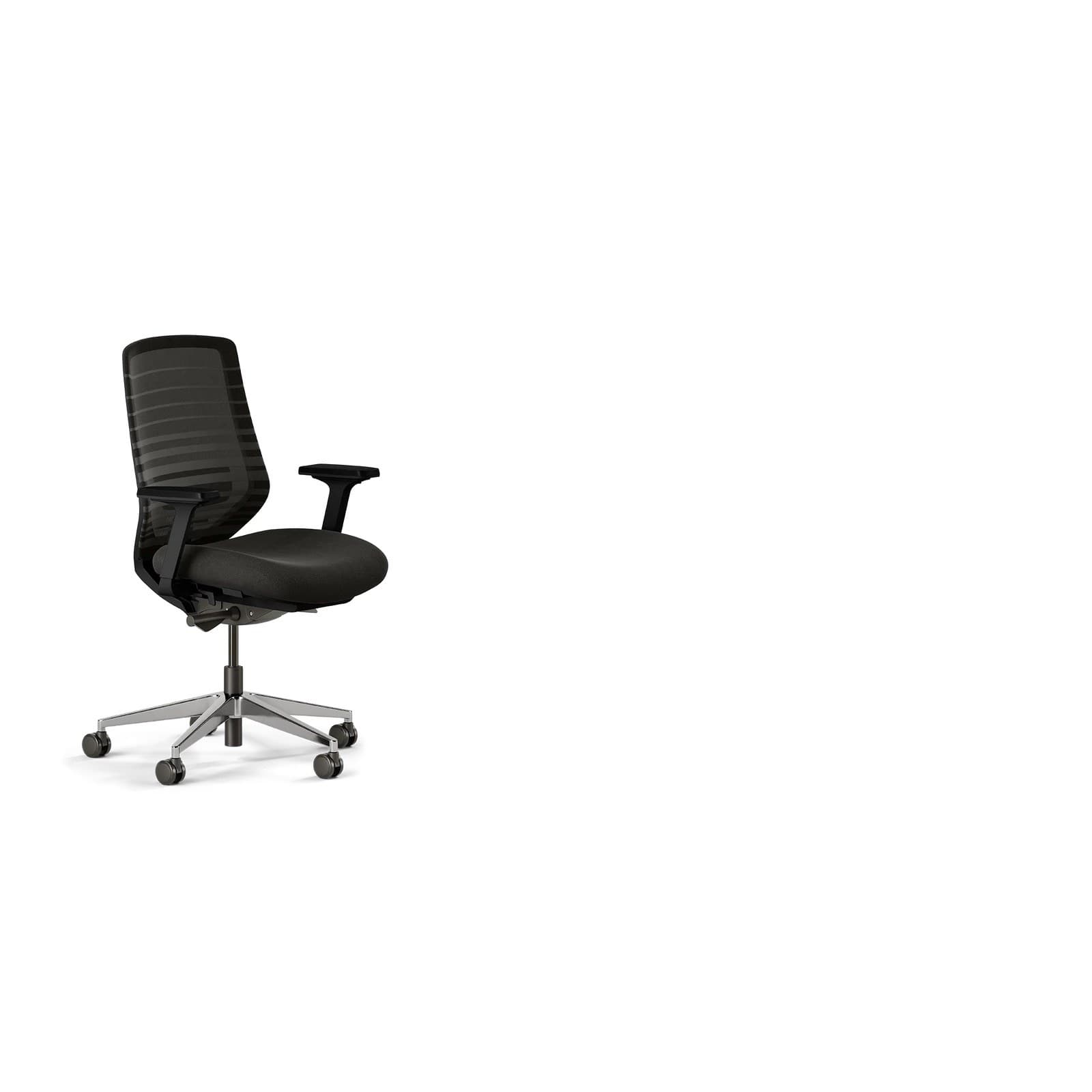
Best Value
Branch
Ergonomic Chair
Best for: Essential all-day adjustments under $400
Key feature: Seat depth + 7-year warranty
Not fleet-grade, but it includes the adjustments that actually matter for long days: lumbar height, seat depth, 3D arms, and mesh. The 7-year warranty is stronger than most sub-$400 chairs.
Warranty: 7-year warranty
Weight capacity: Up to 275 lbs
Lumbar: Height-adjustable lumbar pad
Armrests: 3D arms (height, width, depth); removable
Pros
- • Excellent price-to-features ratio
- • Breathable for long sessions
- • Clean home-office aesthetic
- • Easy assembly and wide availability
Cons
- • Not fleet-grade like Herman Miller or Steelcase
- • Fewer fine adjustments than premium chairs
- • Optional headrest sold separately
$300–$400
Buying advice
What makes a good office chair for long hours?
Shop for an 8-hour chair as equipment for a shift, not as furniture that only has to look right on camera.
Test the sixth hour, not the first minute
If you cannot sit in a store for long, use return windows and pay attention to heat, thigh pressure, and whether lumbar is still in contact after you slouch. First-minute plushness is a weak signal.
Prioritize seat depth and lumbar you can set
These two adjustments prevent the most common all-day complaints: numb legs and a lower back that has nothing behind it. A headrest is optional for upright work.
Choose breathability if you sit without breaks
Mesh (Aeron, Branch, Fern) is easier to stay in correctly when the room is warm. Cushioned chairs (Leap, Gesture, Embody) can be more comfortable if you run cold or prefer a padded back.
Use recline as a pressure change, not a nap
Look for tension control and a recline that keeps the seat pan under you. A cheap ‘lock or flop’ mechanism does not help a workday.
Read the warranty as a durability spec
12-year commercial warranties exist because the chair is expected to survive daily office use. A 1–2 year warranty on an 8-hour chair is a warning, not a bargain.
Watch-outs
Common problems long hours face
The chair feels fine until after lunch
Foam bottoms out, heat builds, or lumbar has slid. Look for mesh or higher-density foam, a lumbar you can lock at height, and a pan that fits thigh length.
How to choose an office chair →Legs go numb on long sits
Seat depth is usually too long, or the front edge is too sharp. Sliding pans (Leap, Branch, Embody) or correct Aeron sizing fix this more reliably than a thicker cushion.
Office chair height guide →You cannot change posture without losing the desk
A recline that dumps you backward makes people lock the chair upright all day. Mechanisms like Leap’s Natural Glide keep you closer to the keyboard as you open the hip angle.
The chair wears out in 12–18 months
Daily 8-hour use is commercial duty. Consumer foam chairs often sag. Longer warranties and fleet-grade mechanisms cost more up front and less per workday.
FAQ
Office chair FAQs for long hours
What is the best office chair for sitting 8 hours a day?
For most people, the Steelcase Leap or Herman Miller Aeron. Leap is the cushioned, highly adjustable all-day chair; Aeron is cooler mesh with a 12-year warranty. Fit still matters more than the logo — seat depth and lumbar height have to match your body.
Is a $200 chair good enough for 8-hour days?
Usually not for daily full-time use. At that price you typically lose seat-depth adjustment, durable lumbar, and a mechanism meant for commercial hours. The Branch Ergonomic Chair (often $300–$400) is a more realistic floor for 8-hour days in our catalog.
Mesh or foam for long hours?
Mesh stays cooler and does not compress the same way cheap foam does. High-quality foam with a flexing back (Leap) can feel more comfortable if you prefer cushioned contact. Avoid thick memory-foam executive chairs that swallow you and run hot.
Do I need a headrest for all-day sitting?
Not for upright computer work. Headrests help if you recline on calls. For 8-hour typing, spend the budget on lumbar, seat depth, and arms first. The ErgoChair Pro includes a headrest if that is a priority.
How often should I stand if I sit 8 hours?
Change posture every 30–60 minutes when you can — stand, walk, or recline briefly. The chair’s job is to support sitting well, not to replace movement. A sit-stand desk pairs well with an all-day chair.
Does a longer warranty mean a better long-hour chair?
It is one of the better proxies. 10–12 year warranties on Steelcase and Herman Miller chairs reflect commercial-duty mechanisms. A 12-month warranty on an 8-hour chair is a sign the maker does not expect daily office use.
Why does my chair hurt more at the end of the day?
Fit and fatigue stack: the pelvis tucks, lumbar loses contact, and shoulders rise. Mid-day, re-set seat height, lumbar, and armrests. If the pan is the wrong depth, no amount of fidgeting fixes it — look at Leap, Branch, or Embody for sliding depth.
Is the Aeron or the Leap better for long hours?
Aeron if you want cooler mesh and a lighter chair; Leap if you want a cushioned back that flexes as you recline, plus easier seat-depth tuning. Both are built for full workdays with 12-year warranties.
Final recommendation
Our pick for long hours
If you sit about eight hours or more most workdays, start with the Steelcase Leap for cushioned all-day support and a 12-year warranty. Choose the Herman Miller Aeron if you run warm and want mesh that will not pack out. If the budget is tighter, the Branch Ergonomic Chair still includes seat depth, lumbar height, and breathable mesh — the features that actually show up after hour six.