Audience guide
Best Office Chair for Back Pain in 2026
Desk work is easier when the chair can be fitted to your body: lumbar height, seat depth, armrests, and a recline that lets you change the angle at the hips. We compared chairs on those adjustments and on how they pair with desk and monitor setup. This is not medical advice — a chair cannot treat, cure, or diagnose back pain, and it is not a substitute for care from a qualified professional.
Updated August 2026 · For back pain building healthier desk setups
Key takeaways
- Look for lumbar you can position, seat depth that leaves a gap behind the knees, and a recline with tension control.
- A chair is one part of the setup — desk height, monitor height, and movement matter as much as the seat.
- We do not claim any chair treats, cures, or prevents back pain or injury.
- Leap is our most tunable cushioned pick; Aeron and Embody offer different support styles if Leap’s foam back is not your preference.
- If a lumbar pad only pokes one spot, consider a flexing back (Leap, Fern, Embody) rather than a single hard knob.
At a glance
Best office chairs for back pain compared
| Chair | Best For | Price | Key Feature |
|---|---|---|---|
| Steelcase Leap Chair | Tunable lumbar and seat depth | $1,000–$1,500 | LiveBack + lumbar firmness |
| Herman Miller Aeron Chair | Sacral and lumbar pads with cool mesh | $1,400–$1,800 | PostureFit SL |
| Herman Miller Embody Chair | Support spread along the spine | $1,800–$2,200 | Pixelated Backfit support |
| Haworth Fern Chair | A back that moves with you | $1,000–$1,600 | Wave Suspension |
| Steelcase Gesture Chair | Support when you do not stay in one typing stance | $1,200–$1,600 | Wraparound back + 360° arms |
| Branch Ergonomic Chair | Height-adjustable lumbar under $400 | $300–$400 | Adjustable lumbar + seat depth |
Work-day fit
Why back pain need a different office chair
Generic ‘ergonomic’ labels do not tell you whether the lumbar lands on your lower back or your belt, or whether the seat pan rolls your pelvis under you. People shopping around back discomfort need those fit details, not a synonym for ‘comfortable.’
Support also fails when the rest of the workstation is wrong. A well-adjusted chair with a desk that is too high still shrugs the shoulders. Pair chair fit with the height guide and a monitor at eye level.
Guarding a sensitive lower back
People often lock upright and stop using recline. A back that stays in contact as you move is more useful than a rigid board.
Perching on the front of the seat
If the pan is too long or the lumbar is in the wrong place, you slide forward and lose all back contact. Seat depth is not optional here.
Shoulders that creep toward the ears
Armrests that are too low transfer load into the neck and upper back. Height (ideally 4D) adjustment lets the shoulders drop.
Long static blocks
Even a well-fitted chair is a poor substitute for changing position. Build in stand or walk breaks; consider a sit-stand desk.
Common pain points
- Lower-back fatigue at a desk
- A lumbar pad that pokes or sits in the wrong place
- Seat pans that roll the pelvis backward
- Desks that force a shrugged, hunched posture
Priorities
What we look for in a chair when back discomfort is the issue
- Adjustable lumbar or a back that follows the spine
- Seat depth that does not tuck the pelvis
- Recline that changes hip angle
- Armrests that let shoulders drop
Lumbar support
Essential
Height-adjustable lumbar, sacral pads (PostureFit), or a back that flexes with the spine (LiveBack, Wave Suspension, Embody).
Why it matters: A pad in the wrong place is worse than none. You want contact in the lower back without a hard poke, and the ability to move it when your sitting posture changes.
Seat depth
Essential
A sliding pan or correct size so you keep a small gap behind the knees and the pelvis can sit back against the chair.
Why it matters: Too-long pans tuck the pelvis and flatten the lower back. That is a fit problem, not something a firmer cushion fixes.
Adjustability
Essential
Independent control of height, lumbar, arms, and recline tension — not a single ‘ergonomic’ lever.
Why it matters: Bodies and desks differ. More independent adjustments make it more likely you can match the chair to you instead of the other way around.
Recline
Highly recommended
A tensioned recline that opens the hip angle while the back stays in contact.
Why it matters: Opening the hips changes spinal load. A chair that only locks upright keeps one pressure pattern all day.
Posture support and desk pairing
Highly recommended
Armrests and seat height that let elbows rest near desk height with feet supported.
Why it matters: Chair fit fails if the desk is wrong. Shoulders and neck often complain when people blame ‘the back of the chair’ alone.
Picks
Recommended office chairs for back pain
Each pick is chosen for how back pain actually sit and work — not a generic bestseller list.
Best Overall
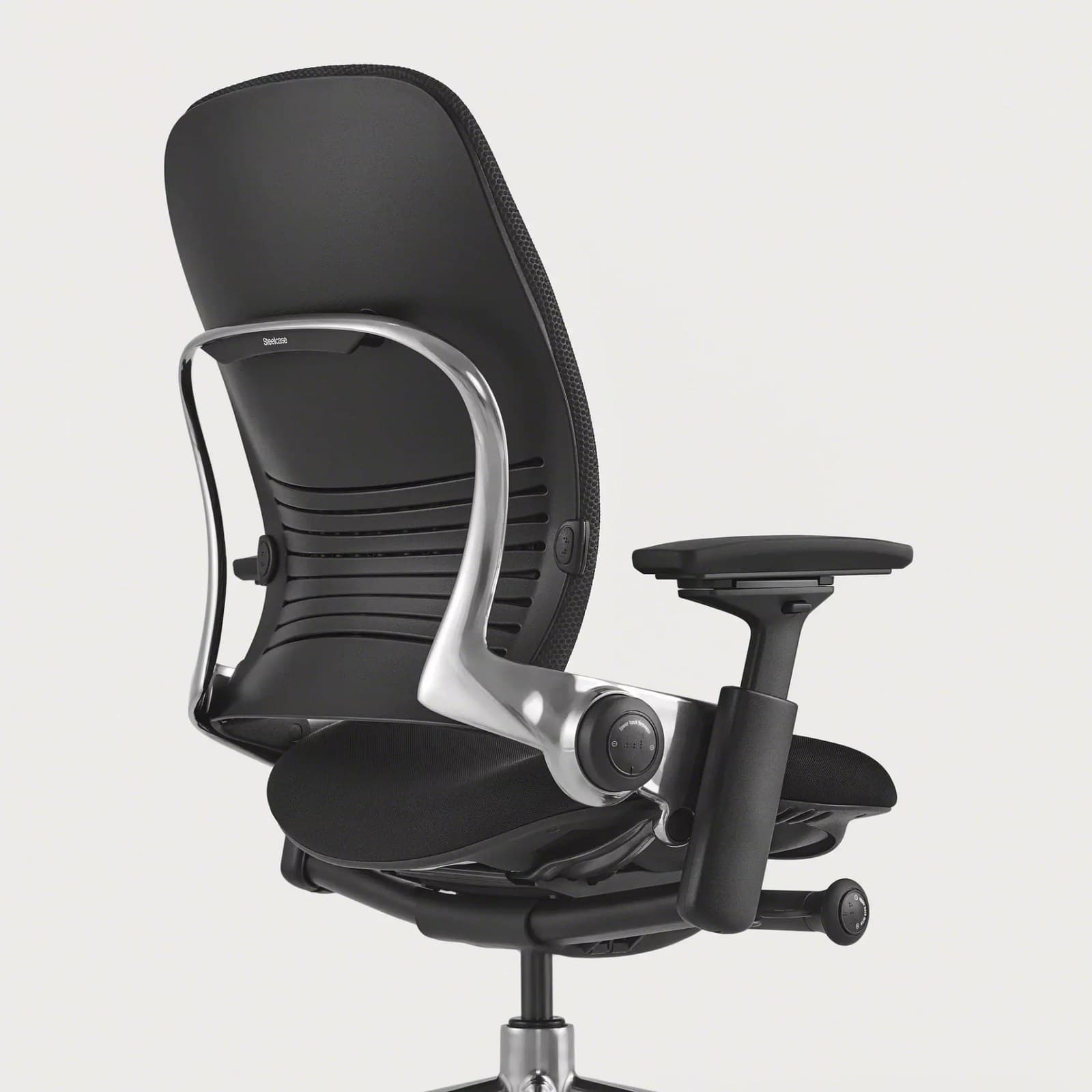
Leap lets you set lumbar height and firmness, slide the seat pan, and keep back contact as you recline. That combination is why we start here for desk-related lower-back support — as a fit tool, not as treatment.
Warranty: 12-year warranty
Weight capacity: Up to 400 lbs
Lumbar: Height-adjustable lumbar with firmness control; LiveBack flex
Armrests: 4D arms (height, width, depth, pivot)
Pros
- • Excellent all-day comfort
- • Deep adjustability
- • Strong lower-back support options
- • Proven fleet-grade durability
Cons
- • Premium price
- • Bulkier than compact task chairs
- • Warmer than open-mesh designs
$1,000–$1,500
Best Mesh Support
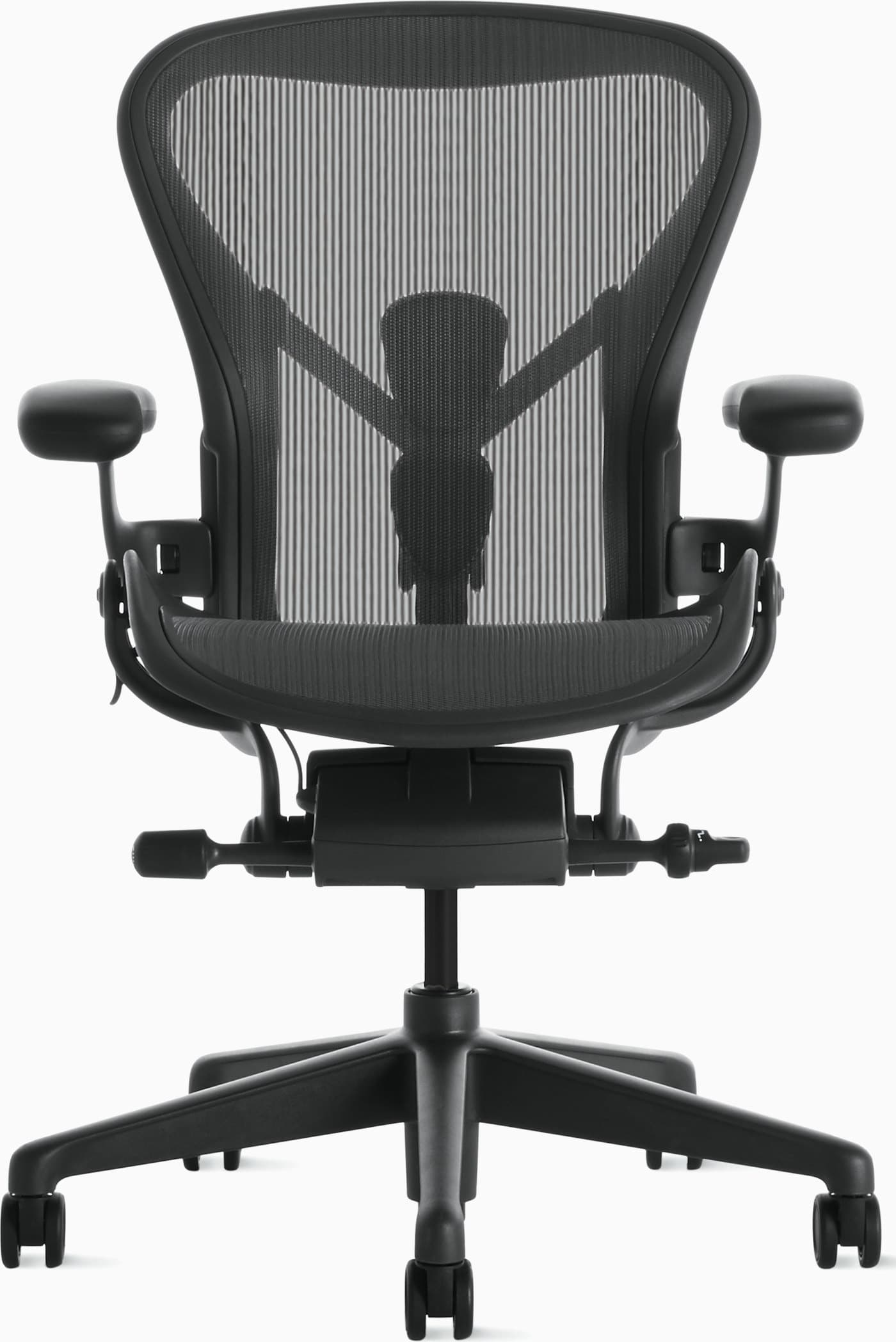
PostureFit is designed to support the sacral area and lumbar curve in a mesh sling. Sizing (A/B/C) is critical; the wrong size leaves the pads in the wrong place. Stays cooler than Leap on long days.
Warranty: 12-year warranty
Weight capacity: Up to 350 lbs depending on size
Lumbar: PostureFit SL sacral and lumbar pads
Armrests: Fully adjustable arms (height, width, depth, pivot)
Pros
- • Excellent long-session comfort
- • Highly adjustable and durable
- • Stays cool during warm days
- • Strong resale value and warranty
Cons
- • Premium price
- • Mesh feel is not for everyone
- • Sizing matters — wrong size reduces comfort
$1,400–$1,800
Best Full-Back Distribution
Herman Miller
Embody Chair
Best for: Support spread along the spine
Key feature: Pixelated Backfit support
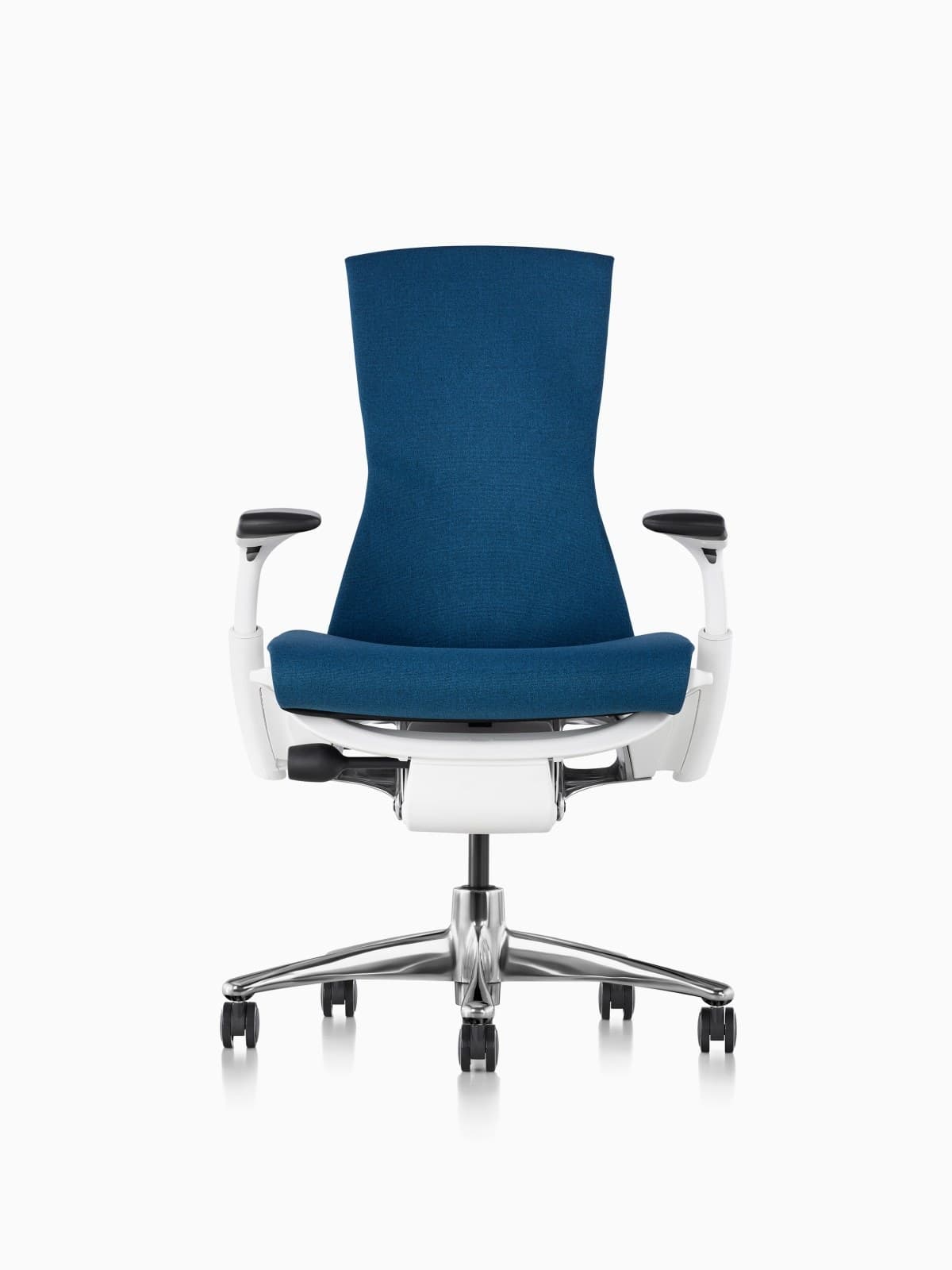
Embody uses a pixelated back instead of a single lumbar knob, which some people prefer when a concentrated pad feels aggressive. Seat depth is adjustable. It is the highest-priced option in this set.
Warranty: 12-year warranty
Weight capacity: Up to 300 lbs on typical Embody configs
Lumbar: Backfit plus pixelated support across the spine
Armrests: Fully adjustable arms
Pros
- • Excellent distributed support
- • Strong option for taller bodies
- • Follows posture changes well
- • Herman Miller durability and warranty
Cons
- • Very expensive
- • Distinct look is polarizing
- • Warmer than open-mesh Aerons for some users
$1,800–$2,200
Best Flexible Mesh
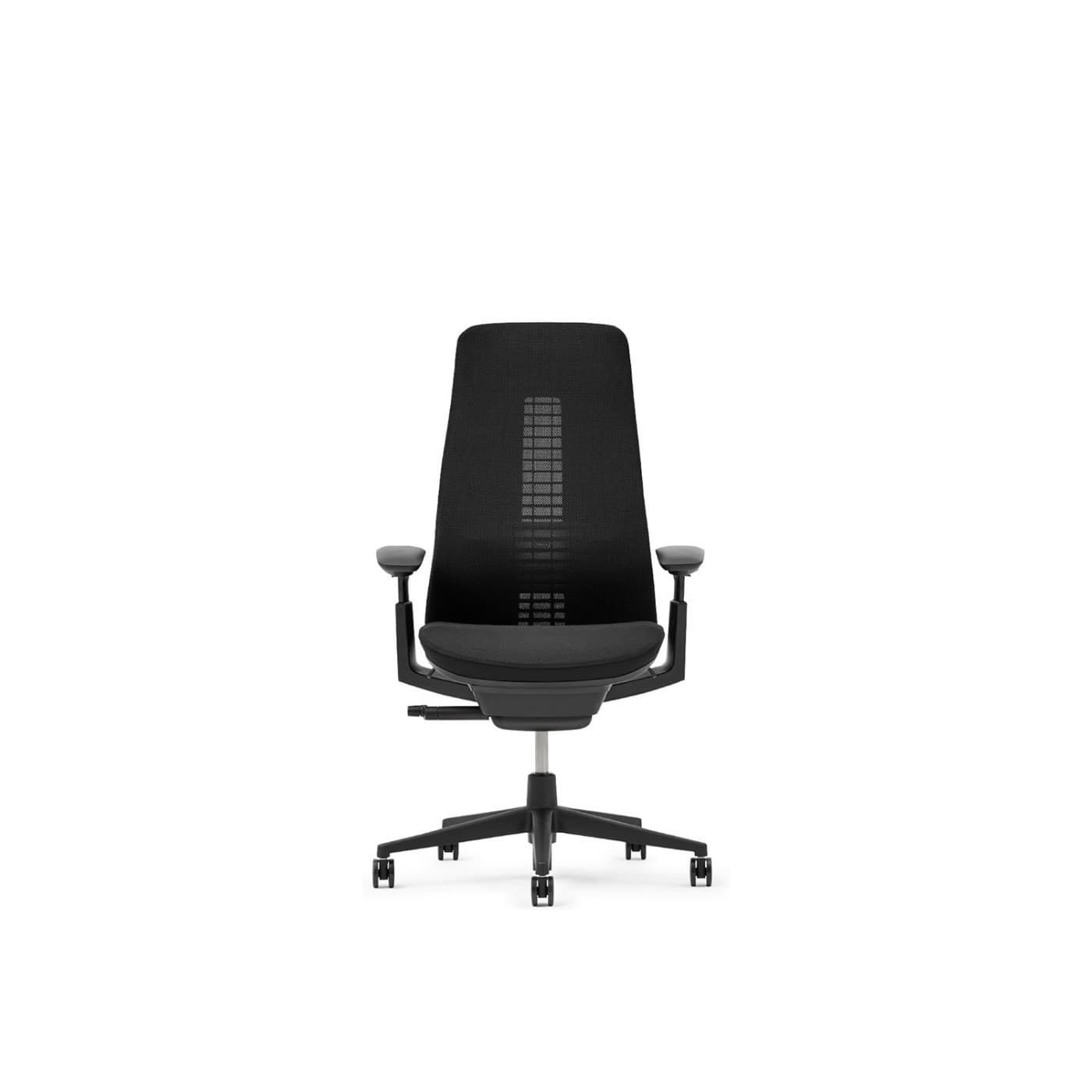
Fern’s edgeless suspension keeps contact as you shift, which can feel less ‘point loaded’ than a small lumbar pillow. 4D arms help keep shoulders relaxed at the desk.
Warranty: 12-year warranty on many commercial configs
Weight capacity: Up to 400 lbs on standard Fern
Lumbar: Wave Suspension system with optional lumbar
Armrests: 4D adjustable arms
Pros
- • Excellent dynamic back comfort
- • Distinctive modern design
- • Breathable mesh options
- • Premium build quality
Cons
- • Premium price
- • Less ubiquitous retail availability than Aeron
- • Learning curve vs. knob-heavy chairs
$1,000–$1,600
Best for Changing Postures
Steelcase
Gesture Chair
Best for: Support when you do not stay in one typing stance
Key feature: Wraparound back + 360° arms
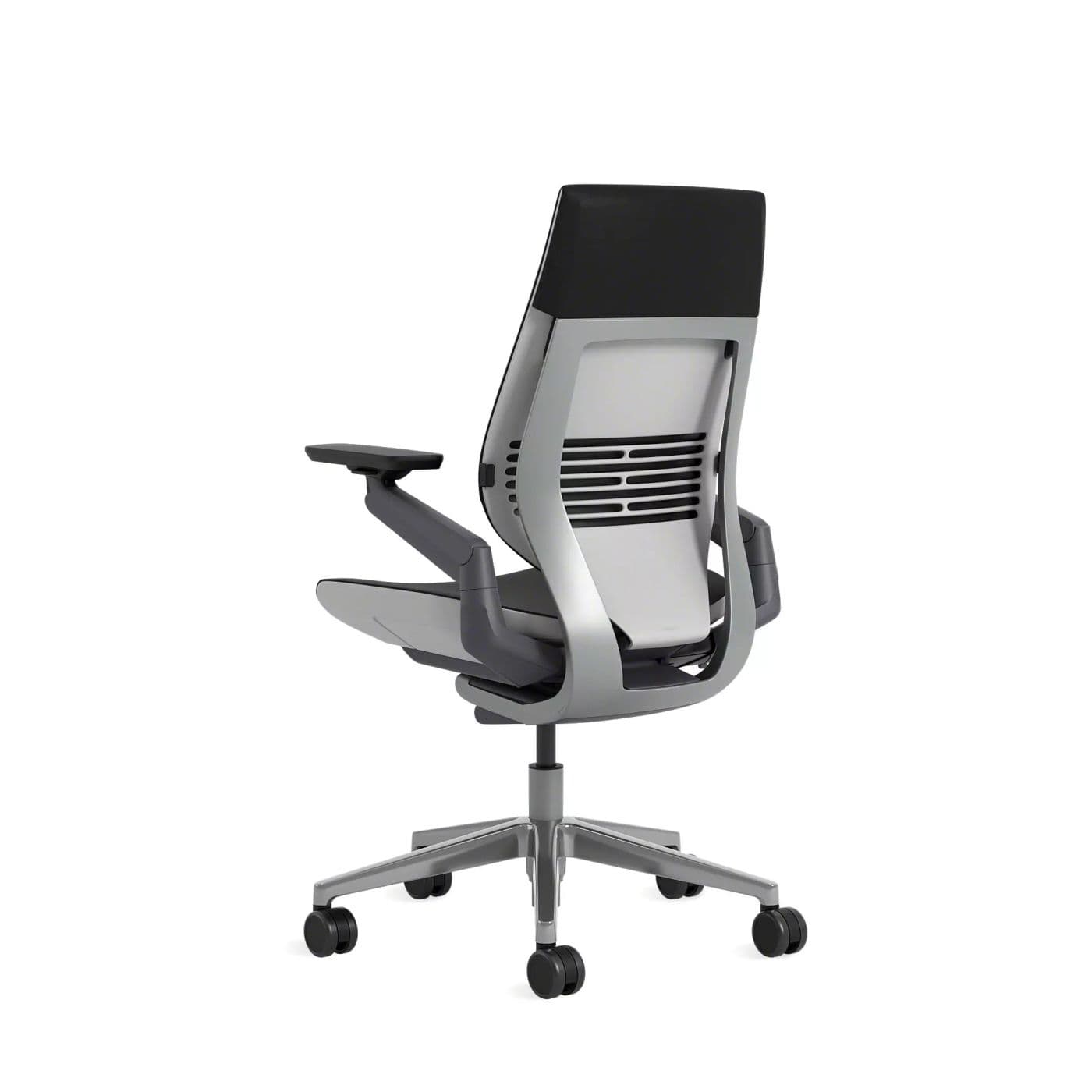
If discomfort shows up when you lean to a laptop or hold a phone, Gesture’s arms and wraparound back stay with those postures. Bulkier than mesh; still a 12-year-warranty chair.
Warranty: 12-year warranty
Weight capacity: Up to 400 lbs
Lumbar: Integrated lumbar with wraparound back contour
Armrests: 360-degree arms that follow device postures
Pros
- • Excellent for changing postures
- • Comfortable for long days
- • Arms support phone and tablet use
- • Premium build quality
Cons
- • Expensive
- • Heavier and bulkier than mesh chairs
- • Fewer “tech” aesthetics than gaming chairs
$1,200–$1,600
Best Value
Branch
Ergonomic Chair
Best for: Height-adjustable lumbar under $400
Key feature: Adjustable lumbar + seat depth
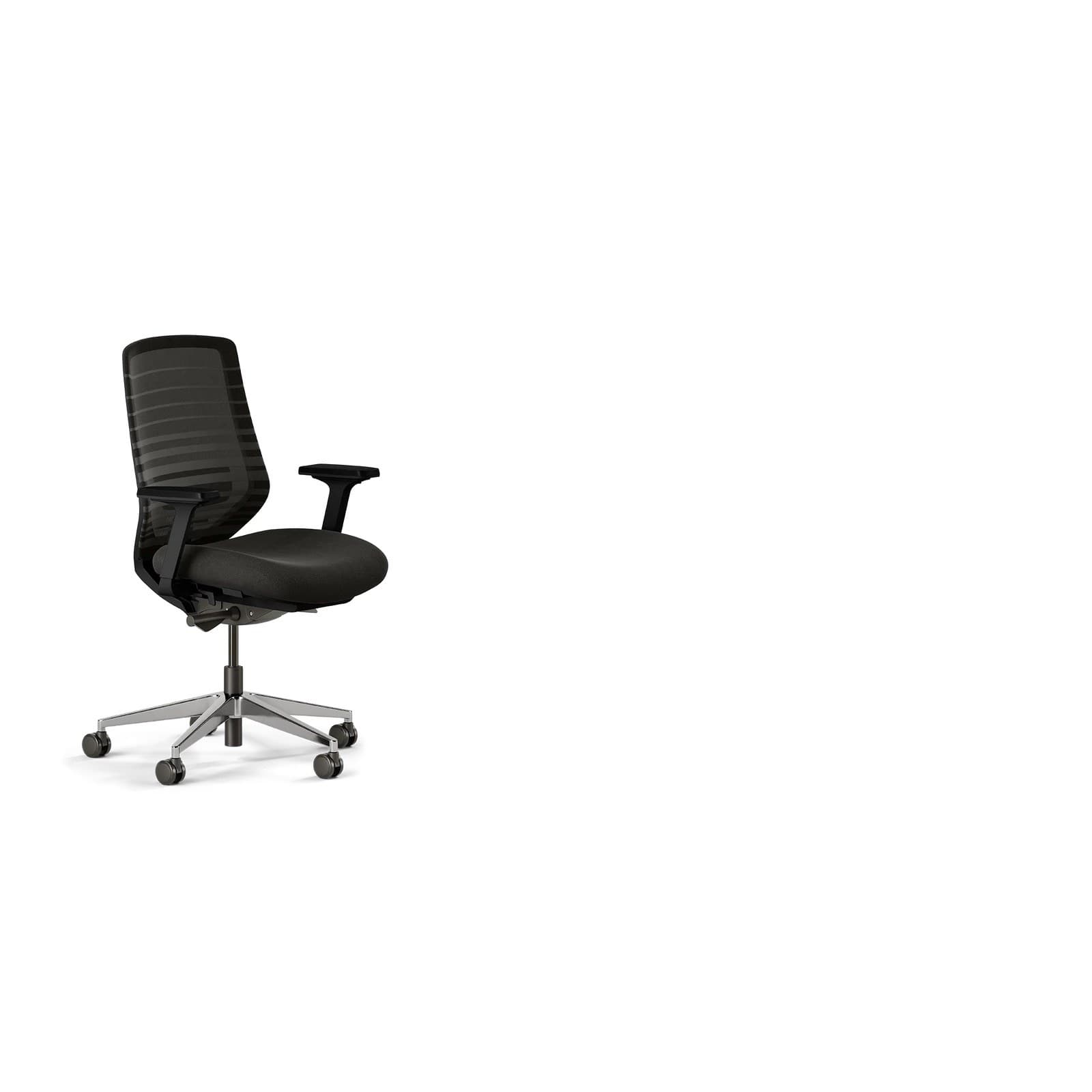
Includes the two fit features we would not skip: lumbar height and seat depth, plus mesh. It is not as refined as Leap, but it is a realistic first upgrade from a dining chair when back comfort at the desk is the reason you are shopping.
Warranty: 7-year warranty
Weight capacity: Up to 275 lbs
Lumbar: Height-adjustable lumbar pad
Armrests: 3D arms (height, width, depth); removable
Pros
- • Excellent price-to-features ratio
- • Breathable for long sessions
- • Clean home-office aesthetic
- • Easy assembly and wide availability
Cons
- • Not fleet-grade like Herman Miller or Steelcase
- • Fewer fine adjustments than premium chairs
- • Optional headrest sold separately
$300–$400
Buying advice
What makes a good office chair for back pain?
Choose a chair you can fit to your body and your desk. Skip marketing that promises to treat or eliminate pain.
Fit lumbar to you, then stop turning the knob
Set lumbar so it fills the lower back without a sharp push. If every position hurts, the chair’s support style may be wrong for you — try a flexing back (Leap/Fern) versus a pad (Aeron/Branch) rather than cranking harder.
Get the pelvis against the backrest
Slide seat depth until you have a couple of fingers behind the knees and you can sit all the way back. Perching forward is how lumbar ‘disappears.’
Match the chair to the desk
Elbows near desk height, shoulders down, feet supported (a footrest if the desk is high). Our height guide walks through that sequence.
Use recline on purpose
A few degrees of recline with tension set so the chair supports you — not a collapse — changes hip angle. Locking fully upright all day is a common workaround that keeps load in one place.
Keep movement in the workday
Even a well-fitted chair is for sitting, not for staying still for eight hours. Stand, walk, and vary tasks. See a clinician for persistent or worsening symptoms.
Watch-outs
Common problems back pain face
The lumbar pad pokes or sits too low
Height-adjustable lumbar or a different support style (LiveBack, PostureFit, Wave Suspension) is more useful than a thicker pillow. A pad at belt height pushes you into a slouch.
You cannot sit back in the chair
Usually seat depth or a pan that is too long. Sliding depth (Leap, Branch, Embody) or the correct Aeron size is the fix — not a bigger cushion.
How to choose an office chair →Neck and shoulders complain as much as the lower back
Armrests and monitor height are often the cause. Raise arms so shoulders drop; set the screen so you are not craning. The chair cannot correct a display that is too low.
Office chair height guide →Discomfort returns whenever you sit still
Static sitting loads the same tissues. Change posture, use recline, and add stand breaks. Persistent symptoms deserve professional care — not a more expensive chair as a substitute.
Best standing desks →FAQ
Office chair FAQs for back pain
Can an office chair treat or cure back pain?
No. A chair can improve fit, support, and the ability to change posture at a desk. It does not treat, cure, prevent injury, or diagnose a condition. See a qualified professional for persistent or severe symptoms.
What chair features matter most if my back bothers me at a desk?
Adjustable lumbar (or a back that follows the spine), seat depth, armrest height, and a recline with tension control. Then match seat height to the desk so you are not hunched or shrugged.
Is mesh or foam better for a sensitive back?
It depends on the support style, not the material slogan. Aeron mesh with PostureFit and Leap foam with LiveBack are both serious options. Try to sit in both if you can; people split sharply on sling-versus-cushioned contact.
Should I buy a chair with a big lumbar pillow?
A large unadjustable pillow often sits in the wrong place. Prefer height-adjustable lumbar or a flexing back. More pressure is not the same as better support.
Does reclining help or hurt?
A modest, supported recline can change hip angle and reduce the feeling of being locked upright. An uncontrolled flop that rounds the spine is less useful. Set recline tension so the chair holds you.
How should I set desk and chair height together?
Feet supported, thighs roughly level, elbows near desk height, shoulders relaxed, screen near eye level. Our office chair height guide covers the sequence in order.
Is a gaming chair a good idea for back discomfort?
Racing-style chairs often use a fixed pillow and a reclined bucket that is hard to fit to a desk. If you like the look, look for real lumbar adjustment and a seat you can sit fully back in — the Titan Evo is closer to that than most entry racing seats, but Leap and Aeron are still stronger fit tools.
When should I stop shopping and get medical advice?
If pain is severe, worsening, follows an injury, or includes numbness, weakness, or other concerning symptoms, talk to a clinician. Chair shopping is for workstation fit, not diagnosis.
Final recommendation
Our pick for back pain
Start with the Steelcase Leap if you want the most independent control over lumbar, seat depth, and recline in our catalog. Choose the Aeron if you prefer mesh and PostureFit sacral support. Treat either as a fitting tool alongside desk and monitor height — not as treatment for back pain.