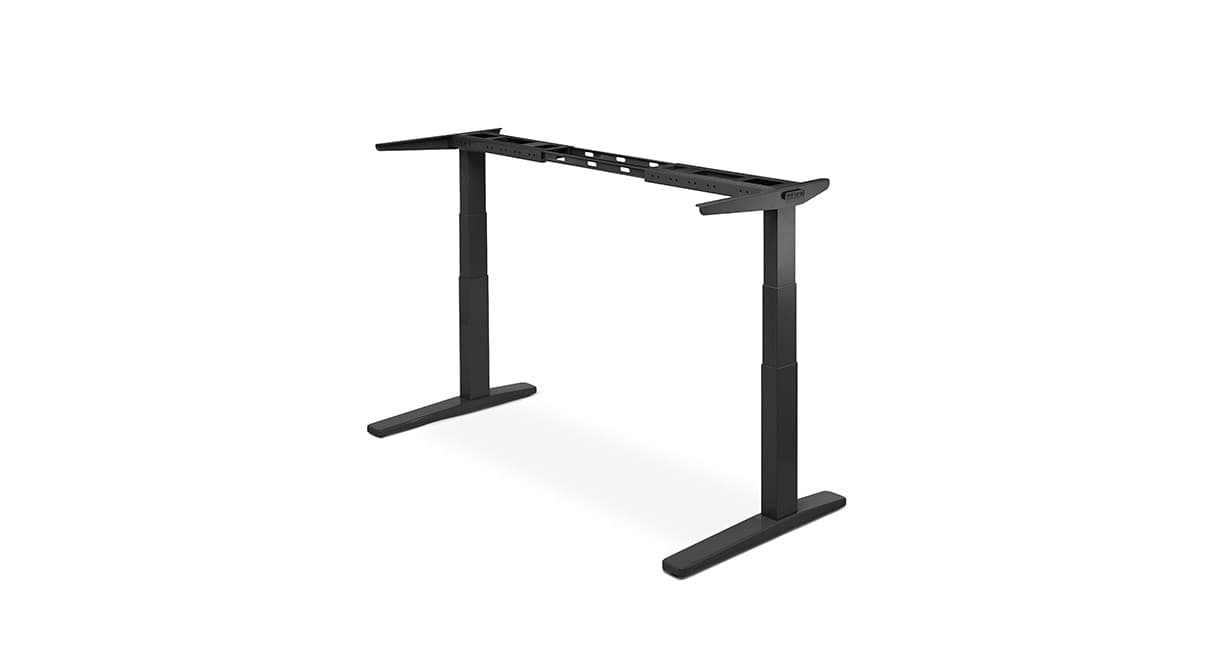
Uplift Desk
UPLIFT V2 Standing Desk Review: Price & Value
The Uplift V2 is worth considering if you want a stable, highly configurable electric standing desk that can grow with monitors and accessories — but the final price depends heavily on desktop, size, frame, and add-ons. Treat “base frame” marketing prices as a starting point, not the configured total.
- Best for:
- Remote workers building a long-term sit-stand station with dual monitors and accessory upgrades
- Main benefit:
- Stability plus a deep catalog of desktops, sizes, and accessories
- Main drawback:
- Configured price climbs quickly once you add a premium top and accessories
Reviewed by AuraOX home office editors
Some links on AuraOX are affiliate links. If you purchase through them, AuraOX may earn a commission at no additional cost to you.
Our evaluation considers manufacturer specifications, typical configuration pricing patterns, published height/weight ranges, and how the Uplift V2 compares with other sit-stand desks for home offices. We do not claim multi-week hands-on lab testing unless noted on a specific page. How AuraOX evaluates products
Quick verdict
- Best for
- Remote workers building a long-term sit-stand station with dual monitors and accessory upgrades
- Not ideal for
- Buyers who need the absolute cheapest frame, a tiny apartment footprint, or a simple fixed-height desk
- Biggest advantage
- Stability plus a deep catalog of desktops, sizes, and accessories
- Biggest drawback
- Configured price climbs quickly once you add a premium top and accessories
- Price tier
- Typically about $600–$1,200+ configured; desktop, size, and accessories move the total substantially
- Warranty
- Long frame/motor coverage on typical Uplift configs (confirm current terms for your build)
- Overall recommendation
- Worth it for a customizable long-term desk system; skip it if you only need a basic height-adjustable surface on a tight budget.
V2 Standing Desk pros and cons
Pros
- Strong stability reputation for dual-monitor home offices
- Wide desktop sizes, materials (including bamboo), and finishes
- Accessory ecosystem for cable trays, keyboard trays, and more
- Electric height adjustment suited to frequent sit-stand switching
- Configurable systems that can scale as your setup grows
Cons
- Total price rises fast with larger tops, premium materials, and add-ons
- Lead times can vary by configuration and season
- Larger footprints may overwhelm small apartments
- Assembly and cable routing still take planning
- Not the cheapest path if you only need a minimal sit-stand frame
Key specifications
Specs reflect typical manufacturer and retailer information and can vary by configuration and region.
| Spec | Details |
|---|---|
| Approx. configured price | Typically about $600–$1,200+ depending on frame, desktop size/material, and accessories — check live configurator pricing |
| Height range (typical) | Commonly about 25–51" depending on frame/feet options (confirm your config) |
| Desktop sizes | Wide catalog — compact through large (e.g. roughly 42–80" widths common; confirm options) |
| Weight capacity | High capacity options suitable for dual monitors + arms when configured appropriately |
| Frame | Electric sit-stand V2 frame options (C-frame and related variants) |
| Motors | Electric dual-motor style lift on typical V2 configs |
| Controls | Keypad with programmable height presets on common configurations |
| Desktop options | Laminate, bamboo, and other finishes/sizes through Uplift’s catalog |
| Warranty | Long coverage on frame/motors typical for Uplift — confirm current terms for your build |
How much does the Uplift V2 cost?
Uplift V2 pricing is configuration-driven. The number you see for a basic frame-and-top package is rarely the same as a dual-monitor station with cable management, a larger desktop, or a premium surface like bamboo.
Costs typically vary with desktop material, width/depth, frame finish, grommets, keyboard trays, cable trays, monitor arms, and shipping. That is why search interest around “Uplift V2 standing desk price” is so common — shoppers are trying to forecast a realistic total.
Do not treat any price on this page as fixed. Use the live configurator or retailer listing, add the accessories you actually need, and compare the configured total to alternatives like the Fully Jarvis before deciding.
How stable is the Uplift V2 at standing height?
Stability is one of the main reasons the V2 shows up in home-office shortlists. For dual monitors or heavier setups, frame choice, desktop size, and load distribution matter as much as brand reputation.
Any sit-stand desk can show more movement at full height with uneven weight or a shallow top. Keep heavy items centered, use appropriate monitor arms rated for your displays, and confirm published weight capacity for your exact frame.
If stability under load is your top priority, prioritize a solid frame/top pairing over the cheapest possible configuration.
How is height adjustment on the Uplift V2?
Electric height adjustment with programmable presets makes it easier to switch between sitting and standing without re-measuring every time. Typical published ranges often land roughly in the mid-20s to about 50" depending on feet and frame options — verify the sheet for your build.
Match sitting height to your chair and monitor, and standing height to elbow angle at the keyboard. A great desk cannot fix a chair that is too high or a monitor that is too low.
If multiple people share the desk, presets become especially useful so each person can return to a known height quickly.
What desktop options does the Uplift V2 offer?
Uplift’s catalog is a major product advantage: multiple widths, depths, laminates, and wood-look or natural options so the desk can match both workflow and room aesthetics.
Choose size based on monitors, laptop, and writing space — not just room length. A top that is too deep can crowd small rooms; a top that is too narrow makes dual monitors feel cramped.
Finish choice affects price and maintenance. Laminates are often lower-maintenance; natural materials can look warmer but may need more care.
Is the Uplift V2 bamboo desktop worth considering?
Bamboo (and similar natural tops in the broader standing-desk market) attracts shoppers who want a warmer surface than cold laminate or metal-heavy industrial desks. Search interest around bamboo standing desks is one reason this section matters.
Bamboo can look excellent in home offices, but like other wood surfaces it can mark over time. Desk mats, coasters, and basic care habits help. Confirm current Uplift bamboo options, lead times, and care guidance for the exact SKU you configure.
If you specifically want a bamboo aesthetic and are also comparing Fully’s Jarvis Bamboo, weigh configured price, warranty, and accessory ecosystems rather than desktop material alone.
How hard is Uplift V2 assembly?
Expect a real furniture project: unpacking a heavy frame and top, aligning hardware, and routing power/data cables. Two people help for larger desktops.
Plan cable length for the full height range so standing does not yank cords. Leave time for leveling and a first full up/down test before mounting monitors permanently.
Accessory order matters — installing a cable tray before the desktop is fully loaded is usually easier than retrofitting later.
How does cable management work with the Uplift V2?
Sit-stand desks amplify cable problems because cords must travel through a height range. Trays, sleeves, and leaving service loops are more important than on a fixed desk.
Uplift’s accessory ecosystem includes options that help route power and peripherals under the top. Even without branded accessories, plan for a tray or raceway.
For a broader approach to under-desk routing, see AuraOX’s cable management hub — standing desks make that guide especially relevant.
Who is the Uplift V2 best for?
Remote workers building a long-term sit-stand workstation who want configuration flexibility.
Dual-monitor and heavier setups that need stability and capacity more than the absolute lowest price.
Shoppers who will actually use height presets throughout the day rather than leaving the desk at one height forever.
Who should skip the Uplift V2?
Skip it if you only need a basic fixed desk, your room cannot fit a larger footprint, or your budget cannot absorb a configured total once the top and essentials are included.
Also skip if you want the simplest possible buy-box purchase with no configuration decisions — a more constrained retailer bundle may frustrate you less.
Uplift V2 vs Fully Jarvis: which should you choose?
Both are established electric sit-stand options for home offices. Uplift often wins on configuration breadth and building a long-term accessory ecosystem; Jarvis Bamboo is frequently compared when shoppers want a warm natural top with Fully’s ecosystem.
Compare configured price for similar size and features, warranty terms, lead times, and which accessory set you actually need. Do not pick on brand name alone.
We may publish a dedicated Uplift V2 vs Fully Jarvis comparison later; for now, read both product reviews and match the desk to your monitors, room size, and budget.
Who is it for?
- Remote workers who want a configurable long-term standing desk
- Dual-monitor setups that need stability and capacity
- People willing to pay for the desktop and accessories they actually need
- Shoppers comparing bamboo and laminate aesthetics for home offices
Who should skip it?
- Ultra-tight budgets that cannot fund a realistic configured total
- Very small rooms that need an apartment-scale footprint first
- Buyers who only need a fixed-height desk
- Anyone who will not use sit-stand height changes
Alternatives
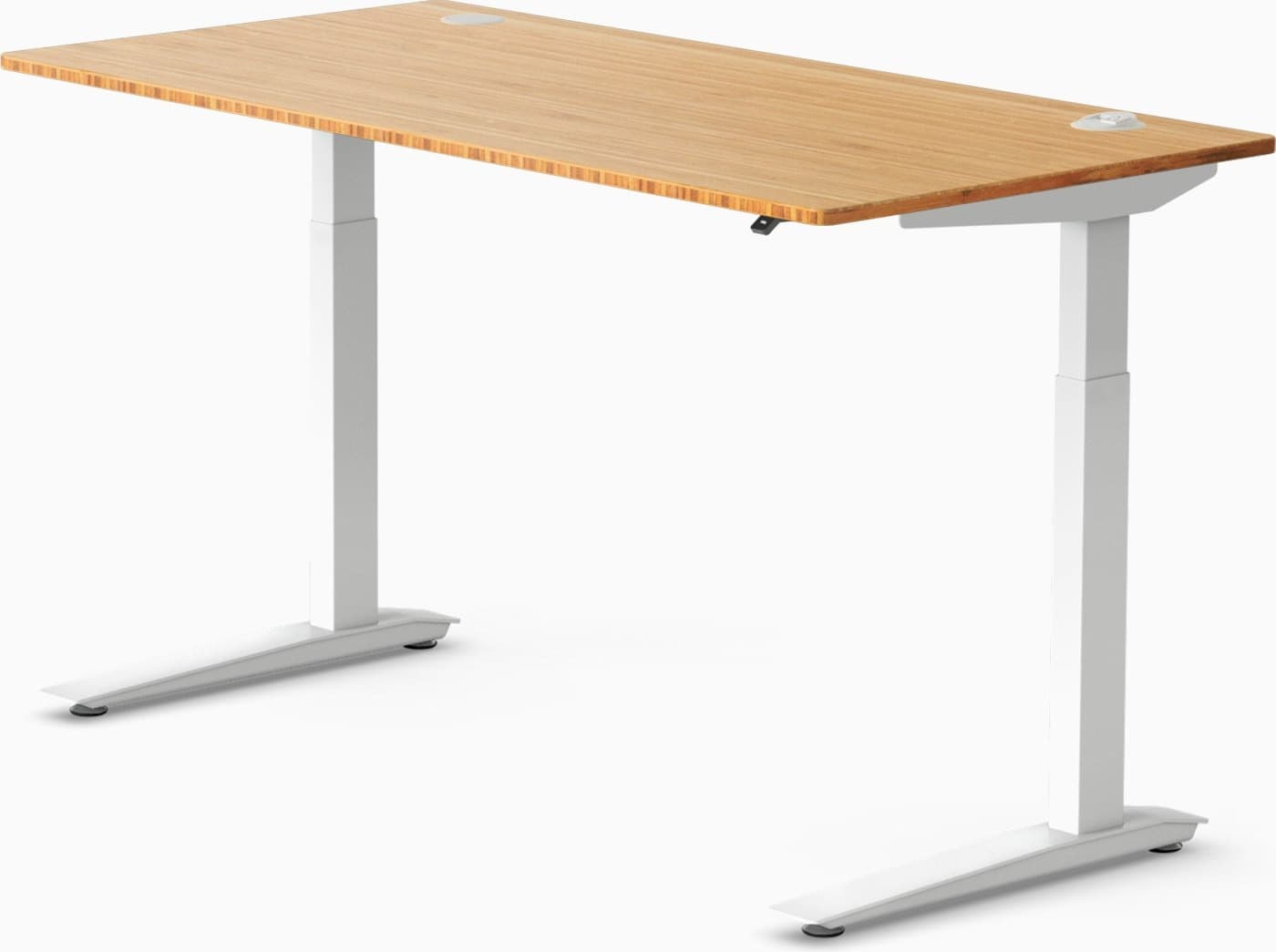
Fully
Jarvis Bamboo Desk
Reliable standing desk with a warm bamboo work surface.
$550–$950
Strong alternative when you want a bamboo-forward aesthetic and Fully’s sit-stand ecosystem.
Continue your research
Review
Fully Jarvis Bamboo review
Continue researching home-office options on AuraOX.
Guide
Best standing desks guide
Continue researching home-office options on AuraOX.
Guide
Cable management
Continue researching home-office options on AuraOX.
Guide
How to build a home office
Continue researching home-office options on AuraOX.
Guide
Best office chairs for long hours
Continue researching home-office options on AuraOX.
FAQ
Frequently asked questions
Is the Uplift V2 worth it in 2026?
Yes for many remote workers who want a stable, configurable sit-stand desk and will use height presets regularly. It is less compelling if you only need a cheap fixed desk or cannot fund a realistic configured total.
How much does an Uplift V2 standing desk cost?
Configured desks often land roughly in the $600–$1,200+ range depending on desktop, size, frame, and accessories. Always check live configurator or retailer pricing — add-ons change the total substantially.
Is the Uplift V2 good for dual monitors?
It is frequently chosen for dual-monitor home offices when the frame, top size, and weight capacity match your setup. Confirm published capacity and keep heavy loads centered.
Does Uplift offer a bamboo desktop?
Uplift’s catalog typically includes bamboo and other desktop materials among broader finish options. Confirm current availability, care guidance, and pricing in the configurator for your size.
How does Uplift V2 compare to Fully Jarvis?
Both are credible electric sit-stand choices. Compare configured price, warranty, desktop options, and accessories for your specific setup rather than declaring a universal winner.
Is assembly difficult?
It is a standard heavy furniture assembly. Two people help for larger tops, and you should plan cable length for the full height range before finalizing monitor mounts.
Check current Uplift V2 pricing
Build the size, desktop, and accessories you need, then compare the configured total — not just a base marketing price.
Check price